
Lieferung heute & morgen

Qualitätsgarantie

Willkommens-Angebote freischalten: KOSTENLOSE Lieferung | Bis zu 80 % RABATT | Kostenlose 30-Tage-JoyPlus-Testphase
App herunterladen
As a Joybuy Product Recommendation Officer, I'm here to help you navigate the options. A 60% mechanical gaming keyboard is a popular choice for gamers and users who value a clean, minimalist desk setup. By omitting the number pad and other keys, it creates more space for sweeping mouse movements—a critical factor in many games. But what features are important when making your choice? This guide explains the key characteristics and introduces several models from the MageGee Keyboard brand to help you make an informed decision.
Choosing the right keyboard depends on your personal preferences and intended use. Here are two crucial criteria you should consider.
Mechanical keyboards are defined by the individual switches under each key. These significantly influence the typing feel and acoustics.
A 60 percent keyboard is an extremely compact mechanical keyboard. Compared to a standard keyboard, it lacks the number pad, the F-key row (F1-F12), and the navigation cluster (arrow keys, Insert, Delete, etc.). These functions are still accessible via a key combination with the "FN" key. This design makes it an ideal mini gaming keyboard.
Many of these models, including the ones featured here, use a QWERTY US layout. This means the keycap legends correspond to the American standard. However, the functionality is controlled by your computer's operating system. If your system is set to German, for example, you can type umlauts (?, ?, ü) as usual, even if they aren't printed on the keycaps.
Here is a selection of wired models that stand out for their compact design and specific features. A wired gaming keyboard offers a stable and latency-free connection, which is a major advantage for gaming.
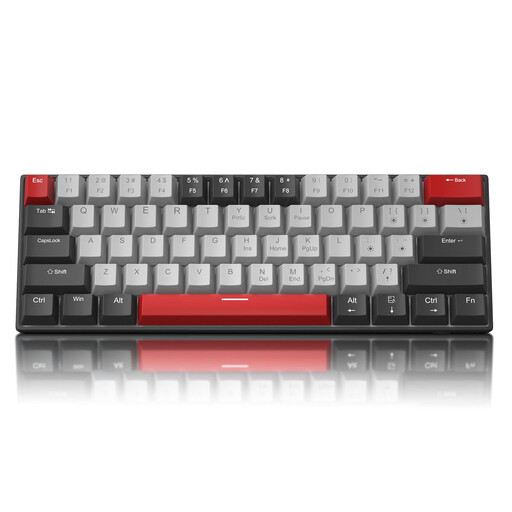
Why It Stands Out: This model combines the classic 61-key layout with the tactile and audible feedback of blue switches, popular among typists. The detachable USB-C cable enhances portability and makes it easy to transport.
Features:
Who It's For: Users who both game and type extensively and prefer clear, audible feedback with every keystroke. Ideal for a setup where acoustics are a key consideration.
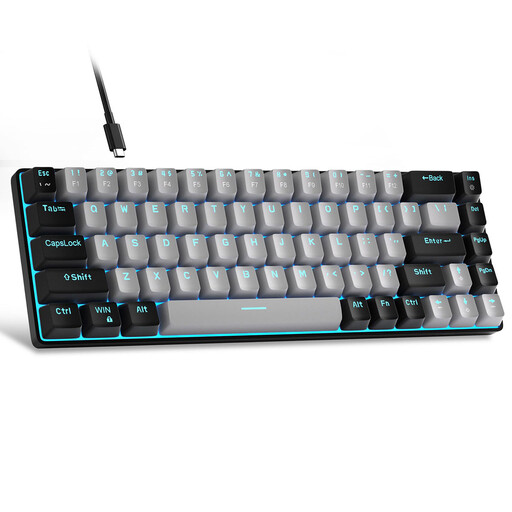
Why It Stands Out: The MK-Box expands the 60% concept to 68 keys, integrating dedicated arrow keys. This is a practical compromise for users who don't want to give up direct access to arrow keys but still want a small gaming keyboard with a compact footprint.
Features:
Who It's For: Gamers and programmers who frequently use arrow keys and appreciate the space-saving benefits of a compact keyboard without sacrificing these essential keys.
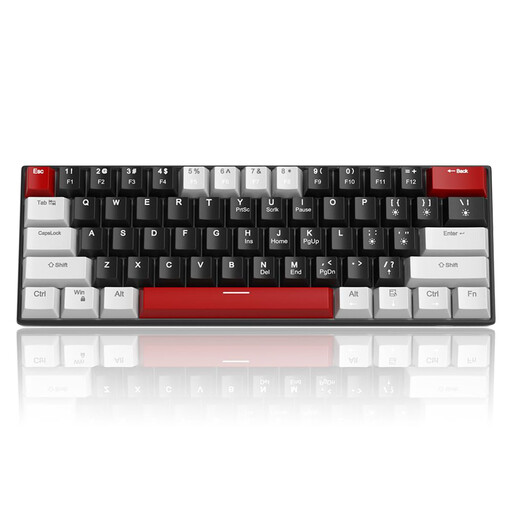
Why It Stands Out: This model is identical in build to the first recommendation but is equipped with red switches. The focus here is clearly on fast, quiet keystrokes optimized for responsive gaming.
Features:
Who It's For: PC gamers looking for a fast and quiet keyboard for competitive games. Also suitable for users in offices or shared living spaces where loud clicking noises should be avoided.
If you prefer a setup with a different aesthetic, a keyboard in eye-catching colours could be an interesting alternative. Discover our selection of cute pastel keyboards for a custom desk design.
The main advantage is its small footprint. The compact design leaves more desk space for the mouse, which is particularly useful in games that use low mouse sensitivity (low DPI). They are also lighter and more portable than full-size keyboards.
Mechanical keyboards often offer features valued by gamers. These include N-Key Rollover, which ensures multiple simultaneous keystrokes are registered, as well as greater durability and more precise actuation compared to traditional rubber dome keyboards. The choice between different switch types also allows for customisation to suit your personal playstyle.
Yes, this is possible. The characters that appear when you type are determined by the operating system (e.g., Windows or macOS) and its language settings, not by the keycap legends. If your system is set to "German (Germany)," you can type as usual, including umlauts and the "?." You just need to know where these keys are located on a German layout (e.g., Y and Z are swapped).