
Lieferung heute & morgen

Qualitätsgarantie

Willkommens-Angebote freischalten: KOSTENLOSE Lieferung | Bis zu 80 % RABATT | Kostenlose 30-Tage-JoyPlus-Testphase
App herunterladen
A 65W USB-C GaN fast charger can power a smartphone, tablet and many compact laptops with a single adapter. But choosing one isn’t just about the wattage. What matters is the charging profiles it actually offers, how power is shared between ports and what’s included in the box.
If you focus only on terms such as ‘fast charging’ or ‘GaN5’, it’s easy to miss important details. These three common buying mistakes are particularly easy to make:
A 65W USB-C charger should clearly list its output profiles. Many smartphones need only 20 to 30W, while tablets and smaller laptops benefit from higher profiles, such as 20V at up to 3.25A. The charging speed you actually get also depends on your device and cable.
A USB-C PD charger is a versatile choice for iPhone, iPad, Google Pixel, Samsung Galaxy and many USB-C laptops. For Samsung devices, check that the charger supports the fast-charging protocol you want to use. A general claim such as ‘compatible with Samsung’ doesn’t tell you what charging speed to expect.
A single-port charger will usually deliver its rated power more straightforwardly. A multi-port charger is more practical if you want to charge your smartphone, headphones, tablet or laptop at the same time. However, power can be distributed differently from one model to another.
Before you buy, check:
A model with two USB-C ports is a good fit for a modern range of devices. Two USB-A ports can be useful if you don’t want to replace your existing cables.
GaN technology makes compact chargers possible, but it isn’t a guarantee of quality. Check the specific dimensions and weight. For travel, a charger around 4 to 8cm long may be more practical than a longer model with a similar power output.
Overcurrent, overvoltage and short-circuit protection are also important. Details of overheat protection should be included in the product description or manual. Use the charger only indoors in a dry area, don’t cover it and keep it away from heat sources. A USB-C charger also needs a suitable charging cable: for 65W, the cable must support the required current.
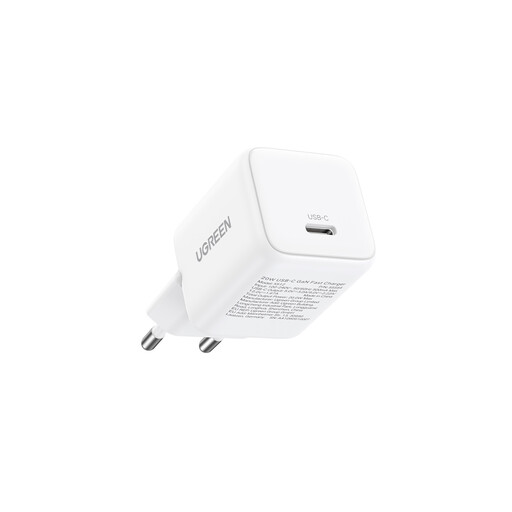
Why it suits this profile: The single USB-C port delivers up to 20W, making it suitable for an iPhone, iPad or compatible smartphone when you don’t need to charge a laptop.
The stated output clearly applies to a single port, so there’s less chance of confusing it with a higher total output shared between several ports.
USB-C output of up to 20W, a compact design and support for several charging protocols, according to the product details.
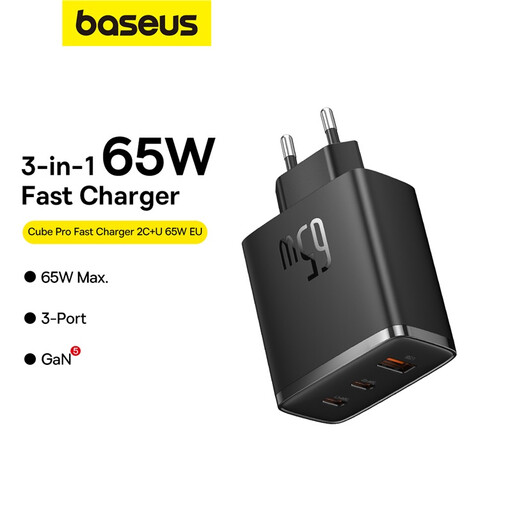
Why it suits this profile: Two USB-C ports and one USB-A port cater for modern devices as well as existing accessories. According to the product details, a single USB-C port can deliver up to 65W.
The product details list the port types, maximum output and charger size, making it easier to check that the ports suit the devices you own.
2 USB-C ports and 1 USB-A port, USB-C output of up to 65W, and dimensions of 5,4 × 3,2 × 7,76cm, according to the manufacturer.
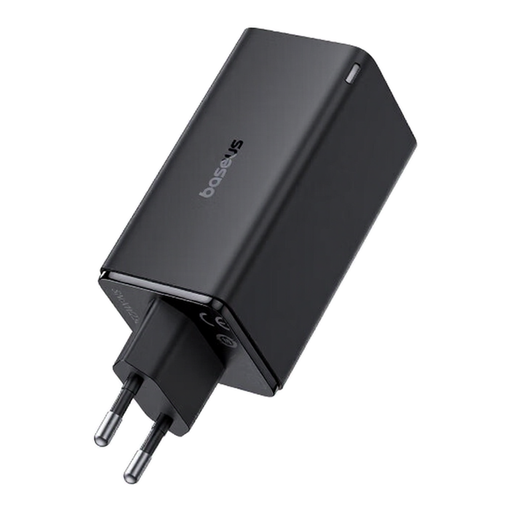
Why it suits this profile: Four ports make this a good choice for a home office, travel bag or household with several USB devices.
The port layout is clearly stated: 2 USB-C and 2 USB-A ports. Still, check how power is shared when several devices are connected at once.
Four ports, a rated output of 65W, compact dimensions of 4 × 3,4 × 6,37cm and a weight of 142g, according to the product description.
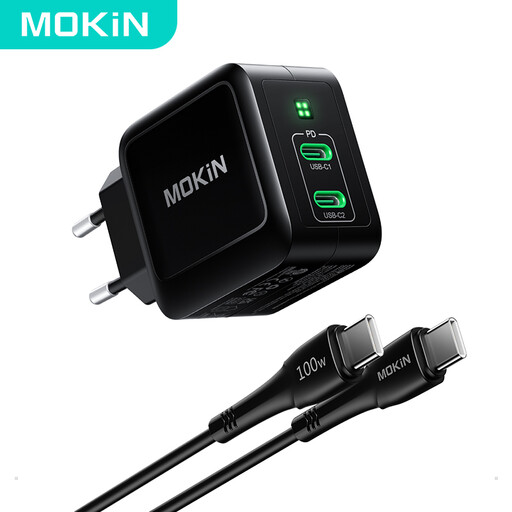
Why it suits this profile: Two USB-C ports, up to 67W from a single port and an included 1,2m USB-C cable make it a handy travel companion for a laptop, iPad and smartphone.
The power output, number of ports and included cable are all clearly listed, so you can check before buying whether you’ll need a separate USB-C cable.
Maximum output of 67W from one USB-C port, two USB-C outputs, a weight of 127g according to the product description, and a cable included.
We’ve put together a complete, regularly updated list of products that meet these strict selection criteria and fully comply with the safety regulations applicable in the EU.
Many iPhone models need considerably less power. However, a 65W charger gives you extra capacity and can also power an iPad or compatible laptop. The device itself limits the charging power it can draw.
Yes, as long as your MacBook charges via USB-C and the charger provides a suitable USB PD profile. The cable you use must also be rated for the required power. Available power may be reduced if you connect several devices at once.
Some warmth is normal for chargers, particularly when they’re under heavy load. Keep the charger uncovered, with plenty of space around it, and use it only in a dry environment. Stop using it immediately if you notice an unusual smell, smoke, visible damage or excessive heat.