
Lieferung heute & morgen

Qualitätsgarantie

Willkommens-Angebote freischalten: KOSTENLOSE Lieferung | Bis zu 80 % RABATT | Kostenlose 30-Tage-JoyPlus-Testphase
App herunterladen
Choosing a PC case involves more than just aesthetics. An ill-fitting case can lead to overheated components, a complicated assembly process, and a messy final look. For models like the MSI MAG PANO 100R PZ White, which is designed for a clean and modern appearance, certain features are critical. This guide will show you which pitfalls to avoid and which technical parameters truly matter for a successful PC build.
When searching for the perfect case, especially a PC case white with a glass panel, the same misconceptions often lead to disappointment.
PC case vertical GPU mount, you may have to make compromises on future upgrades or buy a new case entirely.To avoid the problems mentioned above, you should carefully check three technical aspects before buying. These form the foundation for a powerful, cool, and visually appealing system.
An ATX case dual chamber is a design where the case is divided into two separate sections. The main chamber houses the heat-generating components like the motherboard, CPU, and graphics card. The second, usually hidden, chamber accommodates the power supply, hard drives, and excess cables.
A back-connect case is specifically designed for motherboards where the connectors (power, SATA, USB headers, etc.) are located on the back. Models like the MSI PANO 100R are optimized for this standard.
A good gaming case ARGB offers more than just colourful lights. The number and position of the fans are crucial for airflow.
Based on these criteria, we have identified a few models suitable for different user profiles.
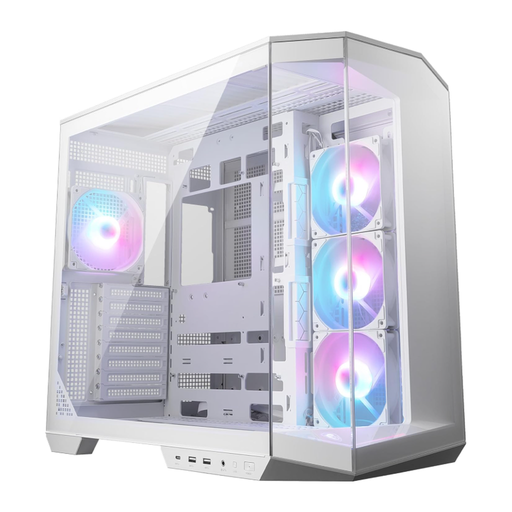
Why This Fits Their Persona: Ideal for users who want an immaculate, white setup with a panoramic view of their components. Full compatibility with back-connect motherboards enables a virtually cable-free look in the main chamber.
The dual-chamber design solves the cable mess problem, while the four pre-installed ARGB fans (three on the side, one at the rear) actively counteract the aesthetics trap of poor airflow.
Support for back-connect motherboards for an extremely clean look. Includes a vertical GPU bracket and support.
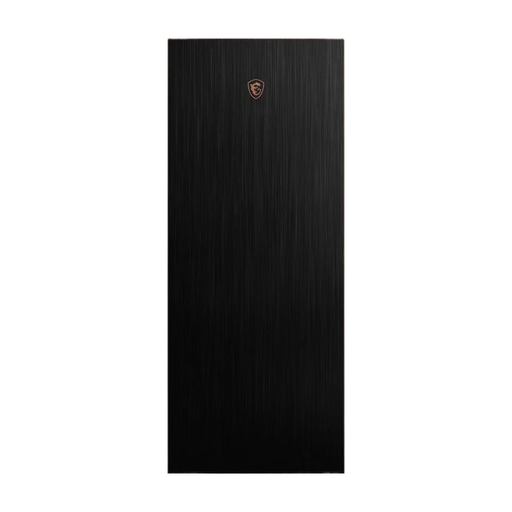
Why This Fits Their Persona: Suitable for users who need maximum performance and flexibility for large components, including E-ATX motherboards and complex water-cooling systems. The focus is on robustness and cooling potential.
This case prioritizes airflow with two large 200mm fans in the front. The pull-out radiator bracket and tool-less design simplify the installation of complex systems and prevent frustration.
Supports E-ATX motherboards and large radiators. High-quality materials like aluminum and tempered glass.
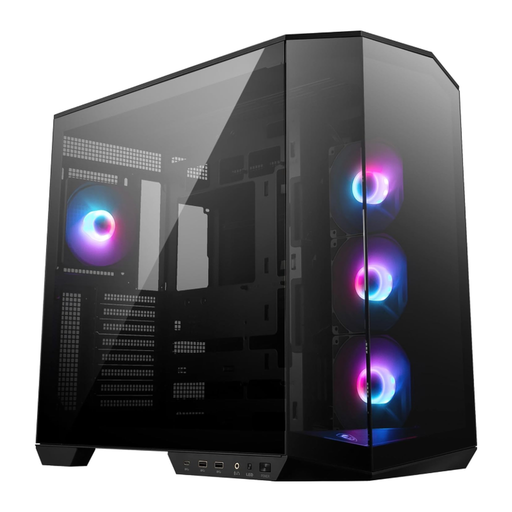
Why This Fits Their Persona: A functional choice for gamers who want modern features like a dual-chamber layout and ARGB lighting, but don't prioritize a white color scheme and are looking for a balanced price-to-performance ratio.
Offers the same structural advantages as the white version, including the dual-chamber design for easy cable management and four fans for great out-of-the-box cooling performance.
Delivers the core features of the PANO series in a classic black finish. A good balance between modern features and functionality.
We have compiled a complete, up-to-date list of products that fully meet these strict selection criteria and safety standards.
No, the case is fully compatible with standard ATX and Micro-ATX motherboards. However, to fully realize its aesthetic potential and achieve extremely clean cable management, a motherboard with rear-facing connectors (known as "Back-Connect" or, for MSI, "Project Zero" / PZ) is recommended.
The impact depends on the distance between the graphics card and the side panel. If the gap is too small, airflow to the GPU fans can be restricted, leading to higher temperatures. The MSI MAG PANO 100R PZ White comes with a dedicated bracket and its design generally provides enough space. Nevertheless, it is advisable to monitor temperatures after installation to ensure optimal performance.
Yes, the ARGB fans use a standard 3-pin 5V ARGB connector. You can connect this to the corresponding header on a compatible motherboard. This allows the lighting to be controlled via the motherboard manufacturer's software, such as MSI Mystic Light, ASUS Aura Sync, or Gigabyte RGB Fusion. Check your motherboard's specifications for compatibility beforehand.