Readers of complex essay PDFs
If your essays contain columns, footnotes or figures, check that they remain legible on screen at your usual text size, without you having to keep scrolling or zooming.


If you use research and note-taking apps alongside academic PDFs, or need to assess colour graphics, a versatile tablet is a natural place to start. For longer, text-focused reading with handwritten notes, it’s worth comparing it with an e-paper device. What matters is testing a sample PDF on the actual screen, checking how the stylus, import and export work together, and considering the weight and accessories you’ll need—not just the screen size.
If your essays contain columns, footnotes or figures, check that they remain legible on screen at your usual text size, without you having to keep scrolling or zooming.
If you highlight arguments or add notes, check how the stylus, import and export work together, and whether you can use the edited file afterwards.
If you mainly read longer texts with focus, you can compare e-paper with the extra apps available on a versatile tablet. Also consider whether you need to assess colour graphics.
A good fit if: You combine essays with research and note-taking apps, or regularly need to assess colour figures.
The trade-off: According to Samsung, the Galaxy Tab S10 FE+ (Wi-Fi) measures 13.1 inches and weighs 664 g, compared with 10.9 inches and 497 g for the FE (Wi-Fi). With Apple, you’ll need to choose the right Pencil for your model.
A good fit if: You mainly read longer texts but also want to use apps and a stylus on your e-paper device. The BOOX Note Air5 C is one example of this combination.
The trade-off: E Ink lists Kaleido 3 at 150 ppi in colour and 300 ppi in black and white. So check fine, colour-coded diagrams using one of your own files.
A good fit if: You prepare essays as PDFs in advance and want to annotate them by hand. According to the manufacturer, the reMarkable Paper Pro is designed for reading PDFs and handwritten work.
The trade-off: For the reMarkable workflow, the manufacturer limits web and USB imports to 100 MB per file; converting files into editable notebooks requires Connect.
| Priority | What to check when buying | Who it matters most to |
|---|---|---|
| Readability of fixed-layout PDFs | Test one of your own essay PDFs, including columns, footnotes and image captions, at your intended text size. | If I want to see details without constantly zooming, I check my own PDF on the actual screen. Around 31% of consumers put the readability of fixed-layout PDFs first. |
| Annotations and sharing PDFs | Check the stylus and what’s included with the exact model, as well as the import and export process; then open an annotated file on a second device. | If I want to mark up arguments by hand and reuse the edited file, the whole workflow matters to me. Around 25% of consumers prioritise annotations and being able to reuse PDFs. |
| Focused reading and colour | View longer passages of text and fine, colour graphics on the device under typical library lighting. | If I mainly read longer texts but occasionally need colour graphics, I compare both on the actual screen. Around 19% of consumers put focused reading first. |
| Portability and offline access | Factor in the device and any case you’ll need, and try opening a permitted, locally saved file without Wi-Fi. | If I take my tablet to the library and rely on files prepared in advance, I pay attention to weight and offline access. Around 13% of consumers prioritise portability and offline access. |
| Total cost of the workflow | Consider a compatible stylus, what’s included and only the features you actually need. | If I only want to pay for accessories and features I’ll really use, I compare the complete package. Around 12% of consumers put total cost first. |
With a fixed page layout, what matters is whether small text, footnotes and image captions are clear on the actual device. A larger screen can also mean more weight: Samsung lists the Galaxy Tab S10 FE+ (Wi-Fi) at 664 g and the Tab S10 FE (Wi-Fi) at 497 g.
Open a typical essay page on the device and check it at your usual text size. Include the weight of the exact model in your comparison, too.
For the iPad (A16), the right stylus depends on which Pencil you choose; Apple says the 1st generation Apple Pencil needs a USB-C adapter for pairing and charging. Samsung lists the S Pen as included with the Galaxy Tab S10 FE models covered here. The special feature for converting PDFs into editable notebooks on reMarkable requires Connect.
Check what’s included and which styluses are compatible with the exact model. With the reMarkable workflow, distinguish between importing a standard PDF and converting it into an editable notebook.
E Ink lists Kaleido 3 at 300 ppi in black and white and 150 ppi in colour. The black-and-white figure alone therefore doesn’t tell you how fine a colour graphic will look on the device.
Check small colour legends and diagrams using one of your own files, rather than relying only on the black-and-white resolution.
The iPad (A16) is a versatile tablet option with clearly specified Pencil compatibility.
The Galaxy Tab S10 FE and FE+ come in different screen sizes, so you can choose between a more compact format and more screen space.
According to BOOX, the Note Air5 C combines a 10.3-inch Kaleido 3 e-paper display with stylus input and Android 15.
The Paper Pro is a paper tablet alternative that, according to the manufacturer, is designed for reading PDFs and handwritten work.
With its 12.7-inch display, the Idea Tab Pro is another option if you’re looking for more screen space.
This selection includes tablets with large stated screen sizes, including models that support stylus input. If longer, text-focused reading is your priority, e-paper remains a separate alternative.
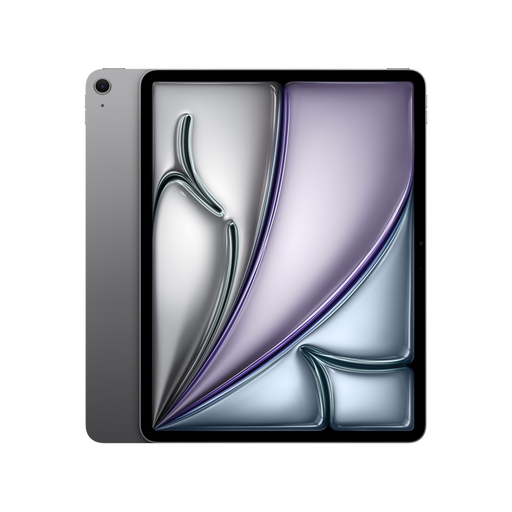 Image unavailable
The 13-inch size in the product name may be worth considering if you want more screen space for essays with a fixed page layout.
 Image unavailable
The stated 13.4-inch diagonal is one feature to consider if you’re looking for a larger screen for fixed-layout essays. Check how readable your own pages are on the display.
 Image unavailable
The product name specifies a 13.4-inch 2K display and a T-Pen with 4096 pressure levels. This could be useful if you want to read larger PDF pages and add handwritten notes.
 Image unavailable
The 12.1-inch diagonal stated in the product name may be useful for essays with a fixed page layout. Test columns and image captions on the actual screen.
 Image unavailable
The product name specifies a 12.7-inch 2K display and a T-Pen with 4096 pressure levels. The listed bundle also includes a protective case and an English Bluetooth keyboard.
Open one of your own pages with columns, footnotes and a labelled figure on the actual screen. Samsung lists different screen sizes and weights for the Galaxy Tab S10 FE and FE+; the inch measurement alone won’t tell you how your page will look.
reMarkable documents PDF transfer by USB and export as PDF for its paper tablets. For the web app and USB, the manufacturer lists a limit of 100 MB per file; test your usual file and annotation workflow before buying.
Not for standard PDF import: reMarkable lists the web app and other transfer methods for this. According to the manufacturer, Connect is required for the separate feature that imports PDFs as editable notebooks.
The German Federal Office for Information Security recommends avoiding access to confidential data over public Wi-Fi networks where possible. If you can’t avoid it, use a VPN if possible. For ordinary offline reading, you can save the files you need to your device in advance.
EU conformity requirements apply to radio equipment covered by the rules. Among other things, the German Federal Network Agency lists checking the CE marking and the required accompanying documents, including safety instructions in German, as a retailer responsibility. You’ll need to check whether a specific product meets these requirements for the device in question.