Which switch is right for you?

No power socket where the access point will be installed

If you want to power your access point over the network cable, check its PoE requirements against the switch’s standard, power per port and total power budget. TP-Link Germany states that the TL-SG1005P V5 provides up to 30 W per PoE port and 65 W across all PoE ports combined.

Home office with several LAN devices

Allow for the connection to your router and other wired devices as well as the access point. If your access point already has a suitable separate power supply, a switch without PoE may be enough for the data connection.

Home network with VLANs or a faster access point

If you want to configure network segments or use speeds above 1 Gbit/s, the switch, access point and other connected devices must support your planned configuration or speed. NETGEAR lists VLAN management for the GS305EP and 1/2.5 Gbit/s ports for the MS108UP.

What to look for when buying

What you need What to check when buying Who it matters most to
PoE power Check the access point’s PoE standard and power requirements against the power per switch port and the total power budget. There’s no power socket where I’m installing it, so I want my compatible access point to receive data and power over the same cable. Around 36% of consumers prioritise suitable PoE power.
Number of ports Count the router uplink, access point and other LAN devices, and remember to allow for the uplink port in use. I need enough separate LAN ports for my router, access point and office devices. Around 29% of consumers put the number of ports first.
VLAN management Check that your access point and the rest of your network support your planned VLAN configuration. If I want to set up separate network segments, the switch and the rest of my network need to support VLAN configuration. Around 14% of consumers prioritise VLAN features like these.
Connection speed Check the access point’s Ethernet ports and the connected devices against the switch speed. For a faster connection, both the access point and the connected device need to support speeds above Gigabit. Around 14% of consumers prioritise Multi-Gigabit speeds.
Noise and space Check whether the specific version has a fan, and allow space for the switch, cables and power supply. If the switch is close to my desk, fan noise and the space it takes up matter to me. Around 7% of consumers prioritise a quiet, space-saving setup.

Common misconceptions

  • Looking only at the power per port

    The maximum power available from a single PoE port is not the same as the shared power budget across all PoE ports. For example, the manufacturer states that the TP-Link TL-SG1005LP has a total power budget of 40 W for its four PoE+ ports.

    Compare the requirements of all the devices you want to power over PoE at the same time with both the limit per port and the total power budget.

    If the shared power budget isn’t enough, you may need another switch or a different power setup.

  • Forgetting the router uplink when counting ports

    One port connects the switch to your existing router network. On a five-port model, that leaves a maximum of four other direct connections.

    Before buying, make a list of everything you need to connect: your router, access point, other devices and any spare ports you might need.

  • Assuming ‘up to 250 m’ means standard Gigabit performance

    According to TP-Link Germany, the speed of the affected ports on the TP-Link TL-SG1005P V5 drops to 10 Mbit/s in Extend mode.

    For long cable runs, check the conditions for the specific model and remember that distance and speed are linked.

  • Assuming a higher PoE budget without checking the power supply

    The available PoE budget may depend on how the switch itself is powered. NETGEAR states that the GS308PP provides 83 W with the included power supply and 123 W only with an optional power supply. The budget for the Ubiquiti USW-Ultra also depends on its power source.

    Check the budget against the power supply option you actually plan to use.

    A suitable additional power supply may be needed to achieve a higher power budget.

Brands and suitable model ranges

TP-Link

The models listed include basic Gigabit switches without PoE, unmanaged PoE+ models and managed options.

  • TP-Link Germany states that the TL-SG1005P V5 has four PoE+ ports, up to 30 W per port and a total power budget of 65 W.
  • According to the manufacturer, the TL-SG105E has five Gigabit ports and management features.
  • The product page doesn’t list PoE power for the TL-SG105E, so you’ll need to arrange a separate power supply for your access point.

NETGEAR

The GS305EP and MS108UP models differ in their management features, port speeds and PoE capacity.

  • NETGEAR states that the GS305EP has four PoE+ ports, a total power budget of 63 W and VLAN management.
  • According to NETGEAR, the MS108UP has eight 1/2.5 Gbit/s ports and a total PoE power budget of 230 W.
  • For a single access point with a Gigabit connection, you don’t need the MS108UP’s Multi-Gigabit speeds and PoE capacity just because of the Wi-Fi specification.

D-Link

The DGS-1005P Revision B is a compact Gigabit PoE+ option for a setup that doesn’t need management features.

  • D-Link Germany states that this revision has four PoE+ ports, a total power budget of 60 W and fanless operation.
  • These specifications apply to Revision B and shouldn’t be assumed to apply to other versions without checking.

MERCUSYS

The MS105GP V2 is a simple Gigabit PoE+ option for a compatible access point.

  • MERCUSYS Germany states that it has four PoE+ ports, up to 30 W per port and a total power budget of 65 W.
  • Isolation mode isn’t the same as freely configurable 802.1Q VLAN management.

Ubiquiti

The UniFi Switch Ultra is suited to a carefully planned, appropriately managed UniFi network with a compatible power supply.

  • The Ubiquiti datasheet lists seven Gigabit PoE+ outputs.
  • The total PoE power budget depends on the power source: for example, the datasheet lists 16 W with a PoE+ input and 52 W with the specified 60 W power supply.
  • According to the datasheet, the 60 W power supply isn’t included with the USW-Ultra.

Joybuy products for access points

This selection from Joybuy includes Gigabit switches for wired access points: PoE+ models that carry data and power over one cable, and non-PoE models for setups where power is supplied separately.
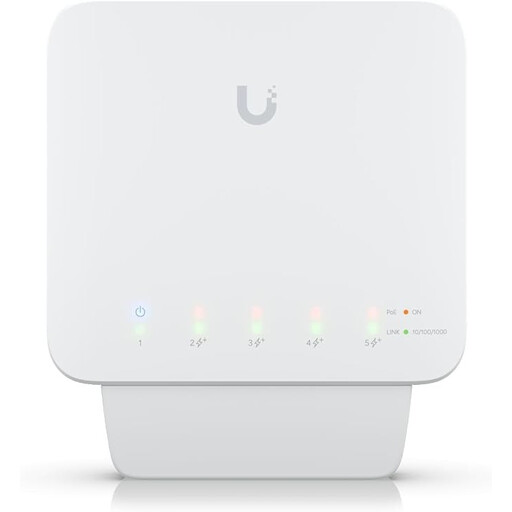
Ubiquiti UniFi Switch Flex USW-Flex, 5-port Gigabit PoE+, outdoor

Ubiquiti UniFi Switch Flex (USW-Flex), 5-port Gigabit PoE+, outdoor

For a managed setup with VLAN requirements and PoE for your access point and other devices.

Specifications list four Gigabit PoE+ outputs and one Gigabit PoE++ input.

A compatible PoE++ switch or PoE adapter is required but not included; the available PoE budget depends on the input power supply.

View at Joybuy

D-Link DGS-1005P/E, 5-port Gigabit switch with 4 PoE+ ports

D-Link DGS-1005P/E, 5-port Gigabit switch with 4 PoE+ ports

For a simple Gigabit setup where you want to power your access point over PoE+.

Specifications list four PoE+ ports, up to 30 W per port and a total PoE power budget of 60 W for this product.

The product name specifies a fanless metal housing and plug-and-play operation.

View at Joybuy

TP-Link TL-SG1005D, 5-port Gigabit desktop switch

TP-Link TL-SG1005D, 5-port Gigabit desktop switch

For extra wired connections when the access point has a separate power supply.

Specifications list five Gigabit Ethernet ports, Auto-Negotiation and Auto-MDI/MDIX.

The product description mentions plug-and-play operation and a fanless design.

View at Joybuy

TP-Link TL-SG105PE, 5-port Gigabit switch with 4 PoE+ ports and VLAN

TP-Link TL-SG105PE, 5-port Gigabit switch with 4 PoE+ ports

For a PoE+ access point when you also want to use VLAN features on the switch.

Specifications list four PoE+ ports, up to 30 W per port and a total power budget of 65 W.

VLAN features and a fanless metal housing are listed for this model.

View at Joybuy
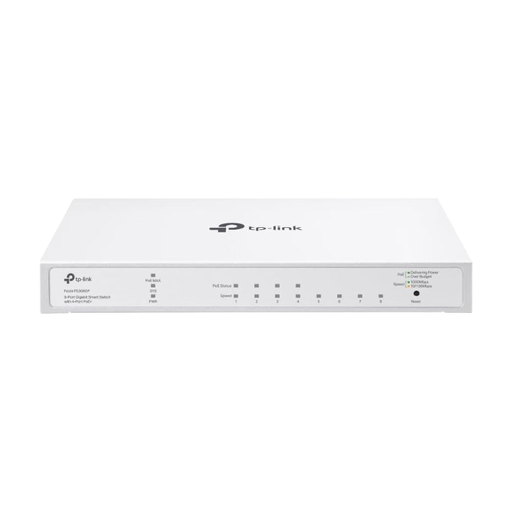
TP-Link Festa FS308GP, 8-port Gigabit switch with 4 PoE+ ports

TP-Link Festa FS308GP, 8-port Gigabit switch with 4 PoE+ ports

For several wired devices when you need VLAN features as well as PoE+ power.

Specifications list eight Gigabit ports, including four PoE+ ports, with up to 30 W per PoE+ port and a total power budget of 62 W.

Fanless operation and desktop and wall mounting are listed for this model.

View at Joybuy

Frequently asked questions about switches for access points

Can I connect an access point to a switch without PoE?

Yes, for the data connection, provided the access point has a suitable alternative power supply. A switch without specified PoE outputs won’t power the access point.

How do I connect a switch and access point in my home office?

Connect one switch port to your existing router network and another to the access point. If you want the switch to power the access point over PoE, use a designated output and first check that the standard, port power and total power budget match the access point.

Does Extend mode increase range without any downsides?

According to TP-Link Germany, the speed of the affected ports on the TP-Link TL-SG1005P V5 drops to 10 Mbit/s in Extend mode. The achievable distance also depends on factors such as the cable and power requirements.

What marking should I look for on a switch sold in Germany?

According to the German Federal Network Agency, products must comply with the applicable EU regulations; products that require CE marking must carry it. The agency lists checks including the marking, product identification, manufacturer details and any required German-language information. A CE mark alone isn’t an independent performance assessment.

What happens if the switch develops a fault after purchase?

For a consumer purchase in Germany, the statutory warranty against the seller is separate from a voluntary manufacturer’s guarantee. The Verbraucherzentrale generally gives a period of two years for defects that were present at the time of delivery. For sales contracts from 31 July 2026, it also describes a possible one-off extension of 12 months if you choose a repair within the warranty period. The conditions should be checked for each individual case.