What to look for when buying
Start by checking how your specific access point is powered, then count the connections you need, including the uplink. Extra management features and faster port speeds are only worthwhile if they suit your existing network.
| Buying priority |
What to check |
Who is it important to? |
| PoE power |
Check that the AP’s PoE standard and power requirements match the switch’s power per port and total power budget. |
If I want to power my AP over its network cable, both power ratings need to suit my device. Around 33% of consumers put suitable PoE power at the top of their list. |
| Enough ports |
Count the uplink, AP and every other wired device separately; check PoE outputs separately too. |
If I want to connect my AP, router uplink and other devices at my desk, the number of ports actually available matters. Around 25% of consumers prioritise the number of connections. |
| VLAN management |
Check whether your network uses VLANs and which VLAN features the switch and AP support. |
If my existing or planned network needs VLAN separation, I need to be able to configure the devices to work together. Around 17% of consumers prioritise VLAN management. |
| Space and noise |
Check the dimensions, fan specifications and whether the switch is designed for desk or wall mounting. |
If the switch will sit on a small desk, it needs to fit the space and have a fan setup that’s suitable for a workspace. Around 17% of consumers prioritise quiet, space-saving equipment. |
| Ethernet speed |
Compare the AP’s port with all the other connections along the data path. |
If I want my AP to use more than 1 Gbit/s over Ethernet, the rest of the connection path needs to support it too. Around 8% of consumers prioritise a Multi-Gigabit connection. |
Joybuy products
This selection includes basic Gigabit switches without PoE and PoE models with different management features. The key questions are whether your access point needs PoE and which ports and features your network requires.
 No image available
Ubiquiti UniFi Switch Flex Mini USW-FLEX-MINI-EU
A good choice if you’re looking for a compact Gigabit switch without PoE outputs and with VLAN support.
Five 10/100/1000-Mbps RJ45 ports; VLAN support and management through UniFi Network.
Powered via USB-C or 802.3af/at PoE. The switch doesn’t provide PoE power to connected devices, so an AP that relies on PoE will need another power source.
Joybuy
 No image available
D-Link DGS-1005P/E
A good choice if you want to power a compatible access point over PoE and don’t need VLAN management on the switch.
Five Gigabit ports, including four PoE+ outputs; up to 30 W per PoE port and a total power budget of 60 W.
Described as unmanaged, with no configurable VLAN management on the switch.
Joybuy
 No image available
TP-Link TL-SG105PE
A good choice if you want to power a compatible AP over PoE and use VLAN features on the switch.
Five Gigabit ports, including four PoE+ ports; up to 30 W per port and a total power budget of 65 W.
Easy Smart management and VLAN support; fanless design.
Joybuy
 No image available
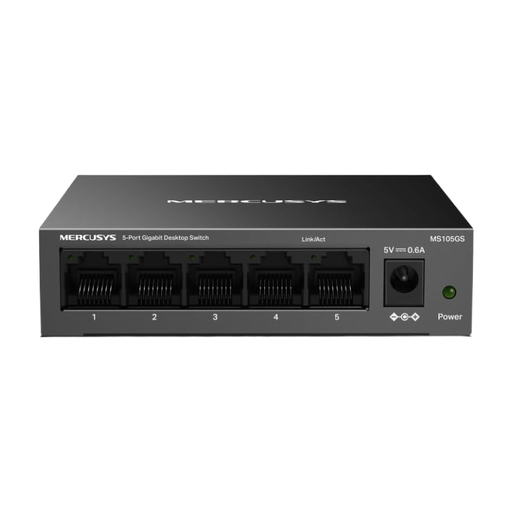
MERCUSYS MS105GS
A good choice if you want to connect your AP, uplink and other devices over Gigabit LAN and don’t need PoE output.
Five 10/100/1000-Mbps ports; unmanaged and fanless.
Designed for desk or wall mounting.
Joybuy
 No image available
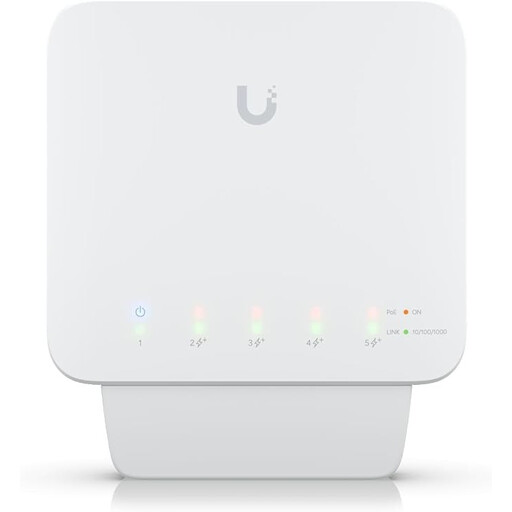
Ubiquiti UniFi Switch Flex USW-Flex
A good choice if you want to power several compatible devices over PoE and use VLAN management.
Five Gigabit ports, including four PoE+ outputs of up to 25 W per port; VLAN support.
Requires a compatible PoE++ source or a 60 W PoE adapter, which isn’t included. The available PoE output depends on the power source.
Joybuy
Frequently asked questions
Can I connect an access point to a switch without PoE?
Yes, for the data connection, as long as the AP gets power from a suitable alternative source. If it needs power over Ethernet, a switch without PoE output won’t be suitable. Check the power specifications for your specific AP.
Is 30 W per PoE port enough for several devices?
Not necessarily. As well as the power per port, the total power budget limits how much power is available to all devices at once. TP-Link specifies up to 30 W per PoE port for the TL-SG1005LP, but a total of 40 W across its four PoE ports. Compare both figures with the requirements of the devices you’ll connect at the same time.
What do I need to set up on a manageable switch?
If you use VLANs, make sure the switch settings are compatible with your router and access point. If you don’t need VLANs, there’s no need to set them up. The management and PoE features available depend on the model.
What are my rights if a switch is faulty?
Your statutory rights apply against the seller. A manufacturer’s warranty is separate and comes with its own terms. D-Link lists a two-year manufacturer’s warranty for the specified DGS-1005P revision B; this doesn’t replace your statutory rights.
What should I consider when buying and disposing of a switch in Germany?
For market surveillance, the German Federal Network Agency lists CE marking, product identification and manufacturer details among the points to check. A product description alone doesn’t confirm that a specific item for sale complies with the relevant requirements. Don’t put old switches in household rubbish: Germany’s Federal Environment Agency lists free take-back options, such as at a recycling centre.


