
Lieferung heute & morgen

Qualitätsgarantie

Willkommens-Angebote freischalten: KOSTENLOSE Lieferung | Bis zu 80 % RABATT | Kostenlose 30-Tage-JoyPlus-Testphase
App herunterladen
Finding a new notebook can be a challenge. The 16-inch laptop segment, in particular, offers a vast selection, and technical specifications are often difficult to compare. Anyone who needs a device for productive work, creative projects, and high-quality media consumption has high demands for display quality, performance, and mobility.
This article serves as a guide. We will introduce you to the Acer Swift Go 16 OLED series and highlight the key features of the various configurations. Our goal is to provide you with a factual basis to help you find the model that best suits your specific requirements.
Before making a decision, there are a few technical aspects to consider. These points will help you better understand the product descriptions.
A key feature of many modern ultrabooks is the display. The Acer Swift Go 16 OLED, as its name suggests, relies on OLED technology.
With the introduction of Intel Core Ultra laptop processors, Intel has placed a focus on efficiency and integrated AI acceleration. These processors include an NPU (Neural Processing Unit) specifically designed for machine learning tasks. For everyday use, this can mean improved performance with lower power consumption, which has a positive impact on battery life. The distinction between Core Ultra 5, 7, and 9 indicates the performance level and the number of processing cores, which is relevant for multitasking and demanding software.
Pay attention to the available ports. Modern standards like Thunderbolt 4 enable fast data transfers, connecting external monitors, and charging the device via a single USB-C port. For users in English-speaking regions, a 16-inch notebook with a QWERTY keyboard layout is also essential for a seamless typing experience without an adjustment period.
Here is a detailed look at different models designed for various user profiles.
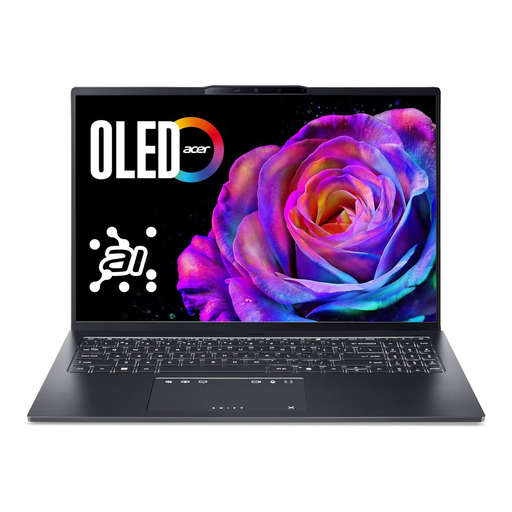
Why it stands out: This model offers a balanced combination of a high-quality OLED display and a powerful Intel Core Ultra 7 processor. It is designed as a versatile work device for both professional and personal daily use.
Pros:
Who is it for? Professionals, students, and creatives looking for a powerful all-round device with an excellent display for productivity, photo editing, and media consumption.
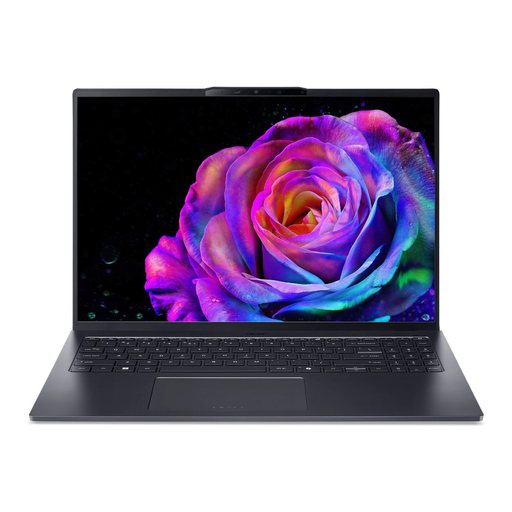
Why it stands out: As the top-of-the-line model in the series, this notebook combines maximum processing power with a generous amount of RAM. It is aimed at users with the highest performance demands.
Pros:
Who is it for? A laptop for creatives such as video producers, 3D designers, and software developers who need maximum mobile performance for their projects and do not want to compromise on specifications.
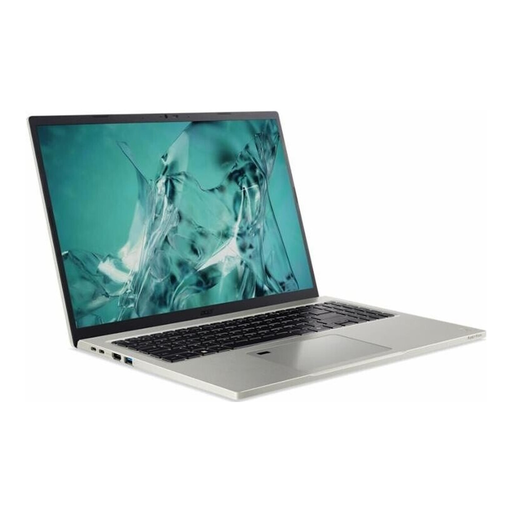
Why it stands out: The Acer Aspire Vero 16 is an interesting alternative that focuses on efficiency and practical features. Instead of an OLED panel, it uses a high-quality IPS display.
Pros:
Who is it for? Users who are looking for a reliable and long-lasting notebook for office applications, research, and everyday multitasking, and who value a matte display and long battery life.
The models presented here cover a broad spectrum. However, if you prefer other configurations or designs, you can find more alternatives in our main category.
? Discover our selection of grey laptops
1. Is the Acer Swift Go 16 OLED suitable for photo editing? Yes, the models with an OLED display are well-suited for photo editing due to their features. The high contrast ratio, deep black levels, and vibrant colour reproduction allow for a precise evaluation of images. Professional photographers and designers will benefit from the accurate colour representation.
2. Is the RAM in the Acer Swift Go 16 upgradeable? No, in the Swift Go 16 series models presented here, the memory (RAM) is soldered directly onto the motherboard. This means it cannot be expanded or replaced after purchase. It is therefore advisable to consider before buying whether 16 GB is sufficient for your intended use cases or if the 32 GB variant is the more future-proof choice.
3. What is the difference in battery life between the models? Battery life varies depending on the configuration and usage. Models with more powerful processors like the Core Ultra 9 and brightly set OLED displays tend to consume more energy than models with a Core Ultra 5 and an IPS display. For the Acer Aspire Vero 16, for example, the manufacturer specifies a video playback time of up to 12 hours. However, the actual real-world battery life depends heavily on the programs used, screen brightness, and power settings.