Solo performer recording vocals and guitar
If you want to record an acoustic demo with minimal setup, decide in advance whether a single take will do or whether you’ll need to edit the vocals and guitar separately.


If you want to record vocals and an instrument with one microphone, first decide whether you want to connect directly via USB or already have a suitable XLR interface with the required power supply. When choosing between a condenser and a dynamic microphone, also consider room noise, positioning and distance. You can’t split a single microphone signal into separate vocal and guitar tracks afterwards.
If you want to record an acoustic demo with minimal setup, decide in advance whether a single take will do or whether you’ll need to edit the vocals and guitar separately.
If you can’t make major changes to your room, factor microphone position, distance and unwanted noise into your choice.
If you want to get started directly on your computer, check whether USB is an option or whether an XLR condenser microphone requires a suitable signal path with a power supply first.
First, decide whether one take will do or whether you need separate tracks. Then check that the connection suits your existing setup and try different microphone positions at your recording spot.
| What you need | What to look for when buying | Who is it important to? |
|---|---|---|
| Recording vocals and an instrument together | Decide whether one take will do or whether you need separate microphone positions and inputs. | If I want to record vocals and guitar in one take, I need to position both sensibly and shouldn’t expect to be able to edit them independently. Around 33% of consumers put recording vocals and an instrument together first. |
| Room sound and background noise | Check the polar pattern, mounting and pop filter, and test the microphone’s direction at your intended recording spot. | If my room is untreated, I want to try different positions and distances rather than expect the microphone type to eliminate all room noise. Around 25% of consumers prioritise being able to control how much room sound is picked up. |
| Connection and setup | Check that the USB or XLR output, computer or interface, phantom power and included cables match the full model name. | If I want to get started on my computer without a separate interface, or use existing XLR equipment, the connection needs to suit my setup. Around 25% of consumers prioritise a straightforward or compatible connection. |
| A separate instrument track | Check whether the microphone is specified as suitable for acoustic instruments and try different positions; manufacturer-recommended distances are just a starting point. | If I want the guitar on its own track, I need to be able to position it carefully and record it separately. Around 17% of consumers prioritise having a separate instrument track. |
The NT1 5th Generation has USB-C and XLR connections; other NT1 versions don’t necessarily have both.
Check the full model name and connections in the product details. Assuming it has USB when it doesn’t could mean you need to buy extra XLR equipment.
According to Audio-Technica, the AT2020 requires 48 V phantom power; the EU product page lists the XLR cable as sold separately.
Check the power requirements and what’s included with the specific model. Depending on your setup, you may also need a compatible interface or another suitable source of phantom power, as well as an XLR cable.
Shure recommends pointing the SM57 towards the sound source you want to record and away from unwanted sound, so position and distance still matter.
Try a few short recordings at your actual recording spot, changing the position and direction of the microphone.
A single microphone signal won’t give you separate vocal and guitar recordings that you can split afterwards.
Before you buy, decide whether one demo take will do or whether you want to record both sources separately. You may need another microphone and an additional input to record separate microphone tracks.
The NT1 5th Generation is a studio condenser microphone with USB-C and XLR connections.
The AT2020 is an XLR condenser microphone for home studio use, including vocals and instruments.
The dynamic SM57 is an option for close-miking instruments and, according to Shure, vocals too.
The LCT 240 PRO is an XLR condenser microphone for vocals and acoustic instruments.
The P170 is particularly suited to acoustic guitar and other string instruments.
The X1 S is a condenser microphone that the manufacturer recommends for vocals and acoustic guitar, among other uses.
The Joybuy options below include microphones with USB or XLR connections for vocal recording, as well as a wireless microphone system.
 No image available
For recording vocals on your computer when you want to connect directly via USB-C or use an XLR signal path.
Dynamic microphone; USB-C and XLR. The product description states that the XLR cable and microphone arm aren’t included.
 No image available
For recording vocals and speech when you want to choose between USB and XLR and position the microphone on the included boom arm.
Dynamic microphone; USB and XLR. According to the product description, the kit includes a boom arm, shock mount, windscreen and USB-C cable; an XLR cable isn’t included.
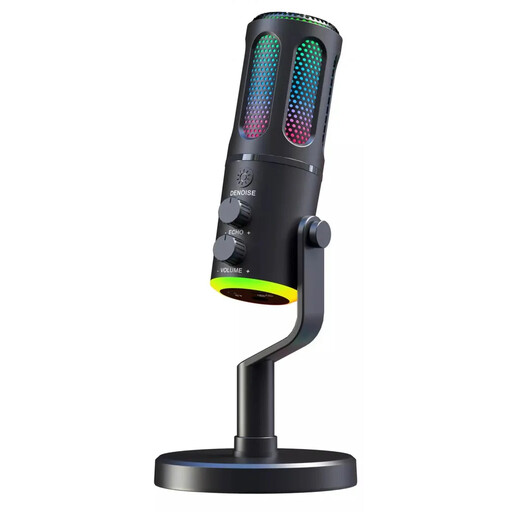 No image available
For recording vocals via USB when the specified cardioid polar pattern suits the direction you want to record from.
Wired USB microphone with a cardioid polar pattern; a desktop stand and USB cable are listed as included.
 No image available
For recording speech and podcasting on a PC when a USB microphone kit suits your recording setup.
Condenser microphone with USB connection; the product description lists a 7-piece set with a USB cable and Type-C adapter.
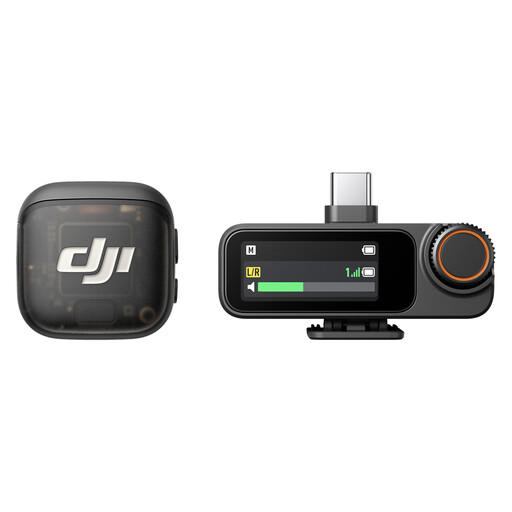 No image available
For a wireless recording setup with two transmitters and one receiver. Before you buy, check whether this microphone arrangement suits your plan to record vocals and an instrument together or separately.
2 TX + 1 RX with charging case; 8 GB storage per transmitter. USB-C, Lightning and 3.5 mm connections are listed.
No. RØDE says you can connect the NT1 5th Generation directly to a computer via USB-C. An XLR condenser microphone such as the AT2020, on the other hand, needs a suitable XLR signal path with 48 V phantom power. So check the specific model and your setup.
For a single-microphone recording with the LCT 240 PRO, LEWITT suggests starting 20–30 cm away and pointing the microphone at the point where the neck meets the body. This is a model-specific starting position: listen back to a test recording and adjust it to suit your instrument and room.
Check whether you already have an interface, XLR cable, stand and pop filter, or whether they’re included with the specific model. If you buy from a trader in the EU, Your Europe states that you’re entitled to a legal guarantee of at least two years from the date you receive the goods; the seller is responsible for handling your claim. This is separate from any voluntary manufacturer’s guarantee.