For recording acoustic guitar at your home office desk, a compact pair of active stereo speakers is a straightforward place to start, provided the connections and space available suit your audio source and workspace. Nearfield monitors are worth considering if you want to assess or edit recordings carefully and position the speakers towards a fixed listening spot. Passive pairs need a suitable amplifier, while a single speaker saves space but is no substitute for a separate stereo setup. This overview is based on design and manufacturer information, not a listening comparison of every model.
Who are the different types of speakers suited to?
Listeners using a computer
If you mostly play guitar recordings through your work computer, check that the speakers have the right inputs for your audio source and can be used without a separate amplifier. Edifier lists USB-C, AUX and Bluetooth inputs for the M60.
Listeners with a small desk
If there’s little room beside your screen and work materials, measure the space available for both speakers and check whether you can angle them towards your listening spot. Kali Audio and ADAM Audio describe desktop models with positioning options for their respective products.
Anyone who wants to check recordings
If you want to assess or edit guitar recordings carefully, the right connections and the ability to position the speakers towards a fixed listening spot are important factors. Kali Audio and ADAM Audio list features and connections for desktop use on their respective models.
What should you look for when buying?
| Consideration |
What to check before buying |
Who it matters most to |
| Stereo and listening position |
Check that you have room for a speaker on each side and can angle both towards your seat. |
If I want to listen to guitar recordings in stereo from a fixed seat, I need two speakers that can be positioned sensibly. Around 33 % of consumers prioritise playback from a stereo listening position. |
| Connecting to your audio source |
Check your computer, dock or smartphone’s audio outputs against the inputs listed for the specific model. |
If I want to connect my existing audio source directly, I need a suitable signal path. Around 25 % of consumers prioritise connecting to their audio source. |
| Space and positioning |
Measure the available width, depth and clearance for both speakers, and allow for stands, cables and your planned positioning. |
With limited space at my home office desk, I want to fit both speakers and angle them towards my seat. Around 25 % of consumers prioritise space and positioning. |
| Carefully checking recordings |
Check that the design, connections and positioning options suit your fixed listening or editing spot. |
If I want to edit or assess guitar recordings rather than simply have them on in the background, I need a suitable setup for my fixed listening spot. Around 17 % of consumers prioritise this use. |
Avoiding common buying mistakes
-
Choosing based only on wattage or the lowest frequency
Power ratings and frequency limits are only meaningful when their reference values and test conditions are comparable. For example, Kali Audio lists 39 Hz at −10 dB and 54 Hz as the lower limit of the ±3 dB range for the LP-UNF; these figures describe different measurement ranges.
Compare each measurement and its conditions. If possible, listen to familiar recordings from the position where you plan to use the speakers, rather than judging playback by a single figure.
-
Treating passive speakers like active speakers that connect directly
Passive speakers need an external amplifier. KEF describes its passive Q Series models as speakers that connect to a separate amplifier; active pairs have amplification built in.
Before choosing, check whether you already have a suitable amplifier or are looking for an active pair that connects directly.
-
Ordering a stereo pair without checking there’s room for both speakers
Speaker positioning affects playback from your listening spot. Different cabinet sizes can also mean that a pair won’t fit on your desk as planned.
Measure the space for both speakers and plan how to position them. Genelec recommends a 60° angle between monitors at the listening position when assessing music productions.
Key brands at a glance
Edifier
Edifier describes the M60 as a compact pair of active desktop speakers with USB-C, AUX and Bluetooth. According to the manufacturer, the larger R1280DB has optical, coaxial and RCA inputs.
- The connections on each model make it easier to choose speakers to suit your existing audio source.
- Compare the space required and inputs for the specific model; the connection details alone don’t provide a general indication of sound quality.
Kali Audio
Kali Audio describes the LP-UNF as a pair of desktop nearfield monitors with USB-C, Bluetooth, RCA and TRS inputs.
- For the LP-UNF, the manufacturer lists positioning profiles for different desk and wall setups.
- The manufacturer’s descriptions of imaging and sound don’t show how the pair will sound in your listening space.
ADAM Audio
According to ADAM Audio, the D3V is an active desktop monitor system with USB-C, balanced TRS inputs and detachable stands included.
- The listed connections and stands are useful when planning a fixed workspace setup.
- Check that the inputs suit your audio source and that the stands work for your setup.
Nubert
Nubert describes the nuBoxx A-125 pro as an active stereo pair with USB-C, digital inputs and Bluetooth for use on a desktop or with other audio sources.
- The listed inputs offer several ways to connect an audio source.
- Power and sound claims on the product page come from the seller and aren’t a direct comparison with the other models mentioned here.
KEF
KEF points to passive Q Series speakers as an example of a traditional hi-fi setup with a separately chosen amplifier.
- You can choose the speakers and amplifier separately.
- A passive pair needs a suitable external amplifier; this doesn’t mean it will always sound better than an active pair.
Joybuy speakers for your desk
This Joybuy selection includes active desktop and computer speakers for listening to music at work. The products are described as stereo, tabletop or 2.1 systems; before buying, check that the design and connections suit your listening position and audio source.
 No image available
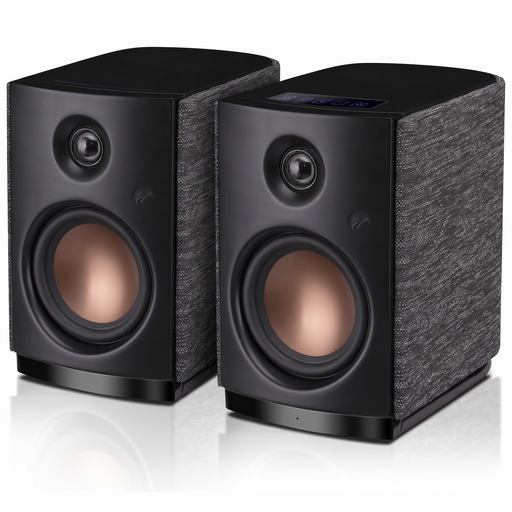
HiVi-Swans OS-10 hi-fi stereo speakers, black
These active hi-fi stereo speakers are worth considering for your desk if your audio source supports Bluetooth or AUX.
- Bluetooth 5.0 and AUX
- 4-inch woofer
- 62 W RMS
View at Joybuy
 No image available
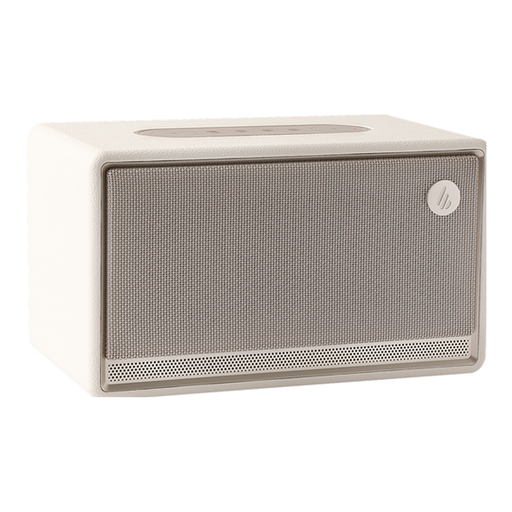
Edifier ES300 tabletop Bluetooth speaker, ivory
This model is an option if a single tabletop speaker is all you need at your workspace. If you want separate stereo channels, check whether stereo pairing is supported and whether you’ll need a second unit.
- Bluetooth
- Tabletop speaker
View at Joybuy
 No image available
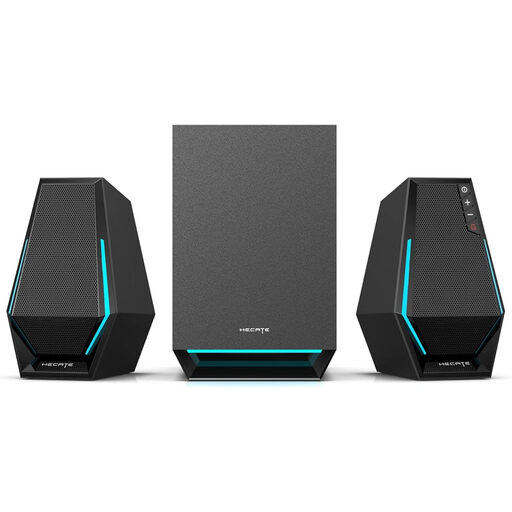
Edifier Hecate G1500 MAX 2.1 speaker system, black
This computer speaker system is an option if you’re looking for a 2.1 setup for listening to music at work; check that its connections suit your audio source.
- Bluetooth 5.3, USB, Type-C and 3.5 mm AUX
- 60 W
View at Joybuy
 No image available
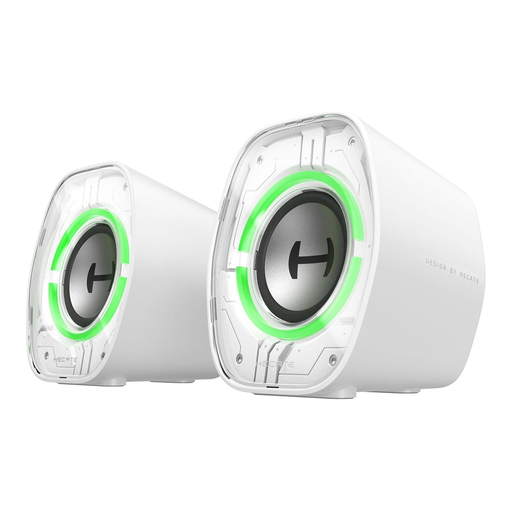
Edifier G1000 II desktop computer speakers, white
These desktop computer speakers are worth considering if your audio source supports one of the listed connection options.
- Bluetooth 5.4, USB-C and AUX
- 2.5-inch full-range driver
View at Joybuy
 No image available
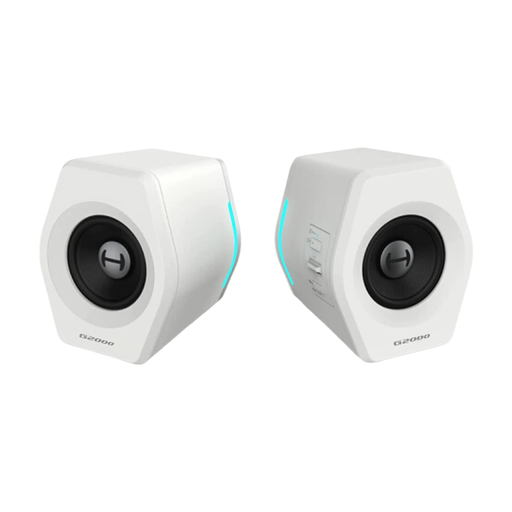
Edifier G2000, 32 W, white
These computer speakers are an option if their connection options suit your audio source and you want a subwoofer as part of the system.
- Bluetooth, USB and 3.5 mm connection
- 32 W
- Subwoofer
View at Joybuy
Frequently asked questions
Is one Bluetooth speaker enough for guitar recordings?
If saving space is your main priority, a single unit may be enough. For separate left and right stereo channels, check whether you need a pair of speakers or stereo pairing with a second unit that’s specifically supported.
How should I position two speakers on my desk?
Angle both speakers towards your usual listening spot and position them as symmetrically as possible. Genelec recommends a 60° angle between monitors at the listening position when assessing music productions; surfaces in the room can also affect playback.
What else do I need for passive speakers?
Passive speakers need a suitable external amplifier. Also check that you can connect the amplifier and speakers to your audio source, and find out which cables you’ll need. Active speakers have amplification built in.
Which connections should I check for my computer?
Check your computer’s audio outputs against the inputs on the specific speakers. Edifier lists USB-C, AUX and Bluetooth for the M60, while ADAM Audio lists USB-C and balanced TRS inputs for the D3V. You only need connections that suit your audio source and planned signal path.


