Players with a bright TV room
You mainly want to play action RPGs on a big screen. Before choosing a console, check whether windows or lamps reflect on your TV.


Start by choosing the action RPGs you want to play, then think about where you’ll play them. With a PS5 or Xbox connected to a TV, the screen’s brightness and reflections affect visibility. The Switch 2 and Steam Deck OLED have their own portable screens, so you’ll also want to check the screen finish and game compatibility.
You mainly want to play action RPGs on a big screen. Before choosing a console, check whether windows or lamps reflect on your TV.
You want to be able to move away from distracting light while playing, so you’re comparing devices with built-in screens and TV modes.
You have particular action RPGs in mind, or games you’ve already bought. Their platform and compatibility may matter more than general console features.
With a home console, direct reflections on the connected screen affect visibility. Changing where you play only helps if it actually changes the angle between you and the light.
A good fit if: Your chosen action RPGs are available on PS5 and your TV is suitable for a bright room.
Consider: According to Sony, 4K and HDR picture quality also depends on the rest of your screen setup. The PS5 Pro doesn’t have a built-in disc drive.
A good fit if: Your chosen games are available for Xbox Series X|S.
Consider: Microsoft’s comparison highlights differences in disc drive, storage and game resolution between the models compared. Both need an external screen.
A good fit if: Your chosen games are available on the system and you want to switch between handheld, tabletop and TV modes.
Consider: The Switch 2 has a 7.9-inch LCD screen. Some Switch games aren’t compatible, or aren’t fully compatible.
A good fit if: Your preferred action RPGs are available on Steam and work well on Steam Deck, and you want a portable screen.
Consider: Valve says the 1 TB model has anti-glare etched glass. This doesn’t guarantee a reflection-free picture, and some games may need adjustments.
| What matters when buying | What to check | Who will care most? |
|---|---|---|
| Visibility in daylight | Reflections from where you sit; screen brightness and finish. | If I play on a TV, I want to judge reflections from where I sit. Around 33% of consumers put daylight visibility first. |
| Availability of the games you want | The platform the specific game is on; compatibility with Steam Deck or Switch 2. | If I have a particular game in mind, I want to know in advance whether it’s available and playable on my chosen platform. Around 27% of consumers prioritise the availability of specific games. |
| A portable place to play | Handheld, tabletop and TV modes; screen size and, where relevant, battery life for the games you play. | If windows or lamps get in the way, I want to be able to move the screen to a better spot. Around 20% of consumers put a flexible place to play first. |
| Game media and storage | The exact disc-drive model; storage requirements and expansion options. | If I use discs or have a large digital games library, I want to know the drive and storage specifications for the exact model. Around 20% of consumers focus primarily on media and ongoing costs. |
With a home console, the game appears on the connected screen. Direct reflections and the screen’s brightness affect how easy the picture is to see.
Check your TV from your usual playing position in typical daylight before choosing a console.
You may need to move your setup or choose a more suitable screen.
Screen finish, light sources and where you sit all affect reflections, regardless of HDR specifications. The 1,000 nits quoted by Valve refers to the Steam Deck OLED’s peak HDR brightness.
Compare specifications for the exact model, and assess reflections separately from HDR and contrast.
The Xbox Series S and PS5 Pro models compared here don’t have a built-in disc drive.
Check the exact model and the game media you already own before choosing between a disc and digital edition.
Depending on the model, you may need a compatible disc drive, sold separately. Alternatively, you’ll need digital versions of your games.
Nintendo warns that some Switch games may have limitations on Switch 2. On Steam Deck, titles marked as “Playable” may need manual adjustments.
Check your most important games individually on the relevant platform before choosing a device.
Depending on the game, you may need to buy additional titles or accessories.
The PS5 family is worth considering if your chosen action RPGs are available on PS5 and you play on an external screen.
The Xbox Series X and Series S are options for games available on Xbox Series X|S; the models differ from one another.
The Switch 2 and Switch OLED are different options for compatible Nintendo games. The Switch 2 can also connect to a TV.
The Steam Deck OLED is a portable gaming PC for compatible Steam games. Some games may need adjustments or may not be supported.
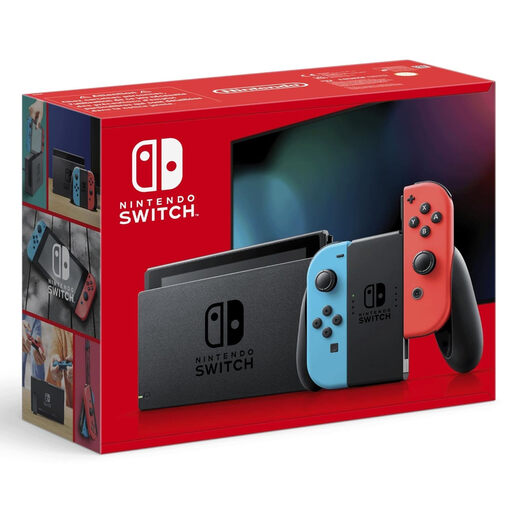
These consoles cover flexible gaming with Nintendo Switch, as well as playing PS5 titles on your TV.
 No image available
Handheld, tabletop and TV modes let you change where you play if you want to move away from the light.
7.9-inch LCD screen and 256 GB storage. Check the compatibility of your existing Switch games individually.
 No image available
Play on your TV, in tabletop mode or in handheld mode, and move to a better spot if it helps you avoid the light.
6.2-inch screen with 1280 × 720 pixels and 32 GB storage. In TV mode, your TV’s brightness and reflections still matter.
 No image available
Suitable for PS5 games such as Monster Hunter Wilds if you play on a TV and its reflections are manageable in your room.
Disc drive and 1 TB SSD. The console itself won’t eliminate reflections on your connected TV.
 No image available
Suitable for digital PS5 games such as Monster Hunter Wilds if you play on a TV and its reflections are manageable in your room.
825 GB SSD and no disc drive; games are bought digitally. The console itself won’t eliminate reflections on your TV.
No. According to Sony, the picture quality available depends on the rest of your screen setup. RTINGS.com also identifies direct reflections as a factor that affects visibility. So check your TV in typical daylight and from your usual playing position.
Nintendo describes automatic or manual screen-brightness adjustment in handheld and tabletop modes. In TV mode, the connected TV’s characteristics are what matter. Also check whether changing your viewing angle in relation to windows or lamps would help.
No, check compatibility for each game individually. Valve notes that Steam Deck games rated “Playable” may need adjustments. Nintendo lists some games that aren’t compatible, or aren’t fully compatible, with Switch 2.
The PS5 Pro doesn’t have a built-in disc drive; Sony lists a compatible drive as a separate purchase. To expand the Switch 2’s storage, you’ll need a compatible microSD Express card. Before buying, check whether your games use discs and how much extra storage your library needs.
Check the German age rating for the specific game. The USK describes the rating requirement for games released on physical media that are to be made publicly available to minors in the German market; retailers must observe the rating when supplying them. This doesn’t mean there’s a general age restriction on adults buying a console.