Start with your game library
You have particular action RPGs in mind, or already own some games, and want to check they’re available on your chosen platform before you buy.


Start with the action RPGs you want to play and the games you already own: a must-play title matters more than a console’s headline resolution. Then decide whether you’ll mostly play at your office monitor or on the go as well, whether you want to use discs, and whether you have enough room for the console and its ventilation.
You have particular action RPGs in mind, or already own some games, and want to check they’re available on your chosen platform before you buy.
You mainly play at your desk, so you need to make sure the monitor’s video input, the console’s size and the space needed for ventilation all work together.
You want to play at your desk and carry on gaming without needing a monitor permanently connected.
When choosing a console for action RPGs in your home office, your priorities often depend on the games you want to play and how much space your setup allows.
A good fit if: Your chosen games are available on PS5 and you mainly play at a fixed screen.
Consider: The Digital Edition has no disc drive, so check whether your game library is digital.
A good fit if: You’ve already settled on PS5 and have a suitable display and games that support it.
Consider: It doesn’t have a built-in disc drive, and enhancements don’t apply to every action RPG.
A good fit if: You’ve checked which platform your chosen games are on and which version suits your screen.
Consider: The Series X with a disc drive and the digital Series S differ in their disc drives and stated gaming resolutions.
A good fit if: Your chosen RPGs are available for Switch 2 and you want to switch between screen, tabletop and handheld modes.
Consider: Not every older Switch game is compatible, and video output also depends on resolution and frame rate.
A good fit if: You mainly want to play games from your Steam library on the go or on an external screen.
Consider: Check the compatibility rating for each game you want to play; having a dock doesn’t mean every title will run well.
| Priority | What to check before buying | Who should pay particular attention? |
|---|---|---|
| Games and library | Check which platform your must-play title is on, whether you need a disc or download version, and whether older games are compatible. | If I want to play particular action RPGs or games I already own, I’ll check the platform and version first. Around 26% of consumers put their must-play title or existing library first. |
| Screen and setup | Check the monitor’s HDMI input and supported resolution; allow enough room for the console and the ventilation clearance recommended for that model. | If the console is going by my office monitor, the connections and available space need to suit my setup. Around 21% of consumers prioritise their screen and setup. |
| Disc or digital | Check the exact model and whether it has a built-in disc drive; if you’re choosing a Digital Edition, make sure it suits the games you want to play. | If I want to use discs I already own or plan to buy, the disc-drive version matters. Around 21% of consumers pay particular attention to disc use. |
| What you need to play | Check the box contents, storage expansion options and online requirements for the games you play. | If I want to know what equipment and features my games require, I’ll check storage, accessories and online requirements. Around 16% of consumers make these requirements their top priority. |
| Playing on the go | Check handheld, tabletop or TV mode, and for Steam Deck, the compatibility rating of each game. | If I want to carry on playing away from my desk, the device needs to suit the way I plan to move between places. Around 16% of consumers prioritise flexible gaming. |
The Xbox Series X is also available as a Digital Edition, the Series S has no disc drive, and the PS5 Pro doesn’t have a built-in disc drive. A PS4 game disc can’t be used to get a disc-based upgrade on a PS5 Digital Edition.
Check the full model name, disc drive and box contents for the specific product you’re buying.
Nintendo states that Switch 2 supports TV output of up to 4K at a maximum of 60 fps; up to 120 fps is supported at lower output resolutions.
Check your screen’s resolution and frame rate against the system’s output and the specifications for the particular game.
Sony and Xbox warn that blocked ventilation can cause overheating; the recommended clearances vary by system.
Before you buy, allow for the clearance recommended for the specific model. Sony recommends at least 10 cm of space on every side of the PS5; Xbox recommends 10 to 15 cm on all sides of the Series X and S and advises against placing them in enclosed cabinets.
Nintendo specifies microSD Express as the standard for expandable storage and notes that some older games may have limited functionality or may not be supported.
Check the card standard and the official compatibility status of each game you want to play.
PS5 models for gaming at a fixed screen; the Digital Edition has no built-in disc drive.
Series X and Series S for Xbox gaming at a fixed screen; disc drive and stated gaming resolution vary by model.
Switch 2 for players who want to combine TV, tabletop and handheld modes and choose compatible titles from Nintendo’s range.
Steam Deck OLED is a portable, console-style device for players with a Steam library; a dock connects it to an external screen and peripherals.
This selection includes consoles for gaming on a screen, as well as models with tabletop or handheld modes. Before deciding, check that your chosen action RPGs are available on the relevant platform and compatible with the model.
 No image available
A good fit if you want to play on a screen and switch between TV, tabletop and handheld modes.
The product description lists HDMI and 256 GB of storage. Nintendo notes that some older Switch games may have limited functionality or may not be supported.
 No image available
A good fit for a digital PS5 game library and gaming at a fixed screen; PlayStation lists Elden Ring for PS5.
The product description lists an 825-GB SSD and no built-in disc drive. Sony recommends leaving at least 10 cm of clear space on every side.
 No image available
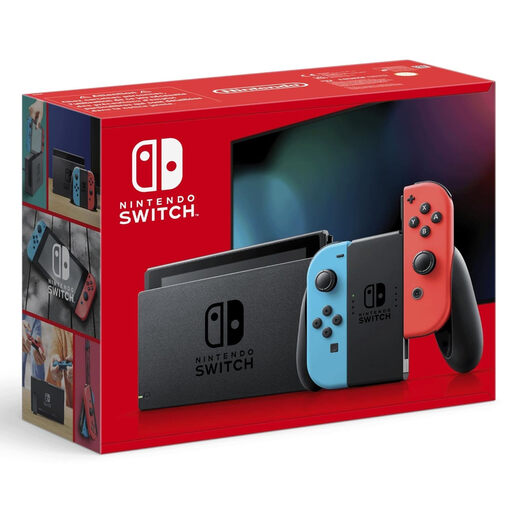
A good fit if you want to switch between TV, tabletop and handheld modes and your chosen games are available for Nintendo Switch.
The product description lists a 6.2-inch screen, 32 GB of storage and an HDMI connection.
No, not when choosing a console in general. Check the HDMI connection, supported output resolution and the game you want to play: Nintendo states that Switch 2 supports TV mode at up to 4K at 60 fps, or up to 120 fps at 1080p or 1440p.
Keep the vents clear and follow the recommendation for your specific model. Sony recommends at least 10 cm of space on every side of the PS5; Xbox recommends 10 to 15 cm on all sides of the Series X and S and advises against placing them in enclosed cabinets. Before cleaning a PS5, disconnect the power cable and follow the manufacturer’s safety advice.
No. Nintendo supports compatible physical and digital Switch games, but notes that some may have limited functionality or may not be supported. Check the individual title before deciding.
No, that isn’t true of the whole genre. Sony states that online multiplayer on PS5 Pro requires a paid PlayStation Plus subscription; check the online features and platform requirements for the game you want.
Goods in the EU are covered by a legal guarantee of at least two years from receipt; if something is faulty, contact the seller first. Any additional manufacturer’s guarantee offered is separate.