Platform-loyal RPG players
You want to avoid buying a controller for the wrong console, PC setup or game version. The model generation is particularly important with Nintendo.


First, choose a controller that works with your console or PC and supports the inputs you need in the game. Then consider comfort and connectivity. Lighting can help you find your way around, but RGB zones or illuminated thumbstick rings don’t automatically mean the button labels light up.
You want to avoid buying a controller for the wrong console, PC setup or game version. The model generation is particularly important with Nintendo.
You want to find the controls more easily without mistaking RGB lighting on the casing for illuminated button labels. Adjustable brightness may matter more than having as many lighting effects as possible.
You’re looking for easy-to-reach extra buttons and a comfortable grip, and considering whether a cable or charging breaks will suit the way you usually play.
| What matters when buying | What to check | Who it matters most to |
|---|---|---|
| Platform and game | Check the full model name, console generation and PC operating system; only count on special features if the specific game supports them. | If you want to make sure the controller and game work together on your system, compatibility comes first. Around 26 % of consumers rank it as their top priority. |
| Finding your way in low light | Check the difference between lighting on the casing, thumbstick rings and button labels; see whether the lighting can be adjusted or switched off. | If you want to find the controls more easily in a dark room without distracting effects, pay particular attention to the type of lighting and whether it can be adjusted. Around 21 % of consumers prioritise visibility. |
| Combat inputs | Check the position and customisation options for extra buttons, and whether the game supports those inputs. | If you often use combos in combat, easy-to-reach buttons and a layout that works for you are essential. For around 21 % of consumers, combat inputs are the top priority. |
| Grip and comfort | Consider the shape of the grip and the position of frequently used buttons; the manufacturer’s claims about ergonomics are no substitute for a comfortable fit. | If you play for longer periods, it’s important that the grip and button layout suit your hands. Around 16 % of consumers give comfort the greatest weight. |
| Power and cables | Check the cable connection and route, or the charging method for the exact model; plan charging breaks around the length of your sessions. | If you want to move freely while playing or enjoy long sessions without interruption, connectivity and power are especially important. Around 16 % of consumers put this first. |
PowerA describes four lighting zones on the Advantage Lumectra, while 8BitDo lists illuminated thumbstick rings on the Ultimate 2 Wireless. Neither feature means that the button symbols themselves light up.
Check exactly which parts are illuminated on the model you’re considering, and whether you can adjust or switch off the brightness and effects.
Nintendo states that the Switch 2 Pro Controller can only be used with Nintendo Switch 2. 8BitDo also lists the Ultimate 2 Wireless and Ultimate 2 Bluetooth as separate models.
Before buying, check the full model name and the platform it supports.
The PowerA Advantage Lumectra connects via USB. Depending on where you sit, the cable could restrict your setup or become a trip hazard.
Plan the cable route to your device and keep walkways clear. If that doesn’t suit your space, consider a wireless model that works with your platform instead.
Verbraucherzentrale distinguishes between your statutory rights against the seller and a voluntary manufacturer’s warranty, which is subject to separate terms.
Keep your proof of purchase and check the warranty terms separately from your statutory rights.
A platform-specific option for Xbox consoles and Windows PCs.
The DualSense is aimed at PS5 players who want to use haptic feedback and adaptive triggers in supported games.
The Switch Pro Controller and Switch 2 Pro Controller are separate options for their respective Nintendo consoles.
The wired Advantage Controller with Lumectra is an option if its platform compatibility and adjustable casing lights suit your needs.
The Ultimate 2 Wireless is aimed at users of supported systems who want extra controls and illuminated thumbstick rings.
The following Joybuy products include controllers for Nintendo Switch, Xbox and Windows PC, as well as PS4 and PS5 systems. Check the platform listed for each model before choosing a version.
 No image available
For Nintendo Switch players considering lighting and extra input features.
Bluetooth; 7-colour LED; vibration feedback; turbo function and 6-axis gyroscope. The stated play time is up to 20 hours.
 No image available
For Xbox or Windows players who want extra mappable buttons and can accommodate a wired connection.
Wired model with a 3-m USB-C cable, four back buttons and six mappable buttons. Hall Effect sticks and HyperTriggers are also listed.
 No image available
For players looking for a wireless controller for PS4 or PC; check compatibility with your specific game and system.
Product details list a touchpad, dual vibration, a 6-axis gyroscope, a turbo function and a 3.5 mm connection.
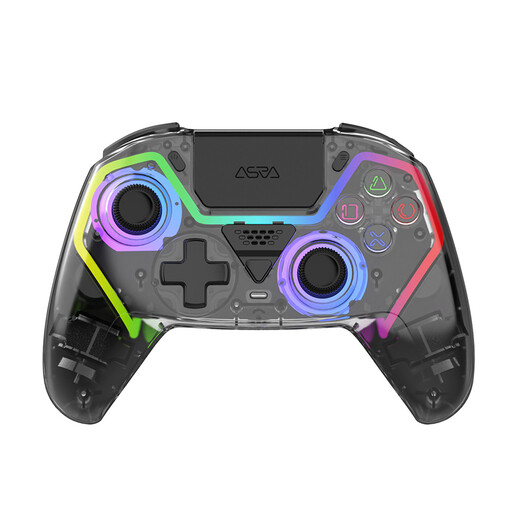 No image available
For PS5 players considering a wireless controller with lighting and extra programmable buttons.
Features listed include Hall Effect sticks and triggers, motion controls, RGB lighting and two programmable back buttons. The stated battery life is up to 10 hours.
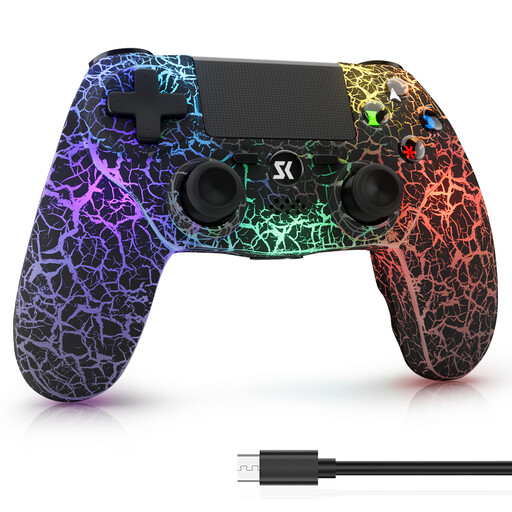 No image available
For PS4, PS4 Pro or Windows players looking for wireless play and customisable RGB lighting modes.
Product details list five RGB lighting modes, dual vibration, 6-axis motion controls and a 1000-mAh battery. The stated wireless play time is 8–12 hours.
Not necessarily. PowerA describes four lighting zones on the Advantage Lumectra, while 8BitDo lists illuminated thumbstick rings on the Ultimate 2 Wireless. Check the exact model to see whether the button symbols themselves light up and how you can adjust the brightness.
No. Nintendo states that the Switch 2 Pro Controller can only be used with Nintendo Switch 2.
Check the button layout in the game and, if you’re using a wired model, make sure the cable route works for you. Charge a battery-powered controller beforehand. Nintendo estimates the Switch Pro Controller’s battery life at around 40 hours, depending on use. For the Ultimate 2 Wireless lighting effects, the 8BitDo manual recommends that people with light sensitivity switch them off.
Your statutory rights against the seller are separate from any voluntary warranty. According to Verbraucherzentrale, online purchases usually come with a 14-day right to cancel. Check the terms that apply to your contract and notify the other party to the contract if you wish to cancel.
No. The German Environment Agency says that old electrical equipment must be collected separately from unsorted household waste, for example at a recycling centre or an appropriate collection point. Where possible, removable batteries should be taken out and disposed of separately at a battery collection point.