
Lieferung heute & morgen

Qualitätsgarantie

Willkommens-Angebote freischalten: KOSTENLOSE Lieferung | Bis zu 80 % RABATT | Kostenlose 30-Tage-JoyPlus-Testphase
App herunterladen
The introduction of laptops with dedicated AI processors marks a turning point in mobile computing technology. For tech-savvy professionals, creatives, and power users seeking a future-proof and high-performance device, these new models represent a significant evolution. An AI laptop promises not only more processing power but also smarter and more efficient workflows.
This article serves as a guide. It explains the core technologies behind these new devices and presents a selection of current models to provide you with a solid basis for making an informed decision based on your needs.
Choosing the right device depends on specific criteria that go beyond traditional performance metrics like CPU clock speed and RAM size.
The defining feature of an AI laptop is its integrated NPU (Neural Processing Unit). Processors like the Intel Core Ultra or AMD Ryzen AI include this specialised unit, which is designed exclusively to accelerate AI applications. A notebook with an AI processor can perform tasks such as real-time video editing, voice and image recognition, or complex data analysis locally on the device. This leads to three key advantages:
For a laptop for creatives, display quality is of paramount importance. An OLED laptop offers clear advantages here with perfect black levels, extremely high contrast, and precise colour reproduction, which is essential for image and video editing.
At the same time, the form factor is gaining importance. A 2-in-1 laptop or a convertible notebook can be used flexibly as a classic notebook, as a tablet for drawing, or in stand mode for presentations, thanks to a 360-degree hinge. This versatility supports mobile and hybrid work models.
A premium notebook should be equipped for the demands of the coming years. Look for modern standards like Wi-Fi 7, which enables significantly higher speeds and more stable connections in congested networks. Ports like Thunderbolt 4 or USB4 are also important, as they allow for fast data transfer, device charging, and connecting multiple high-resolution monitors via a single cable.
Here is a curated selection of devices that combine the new AI features with high-quality hardware.
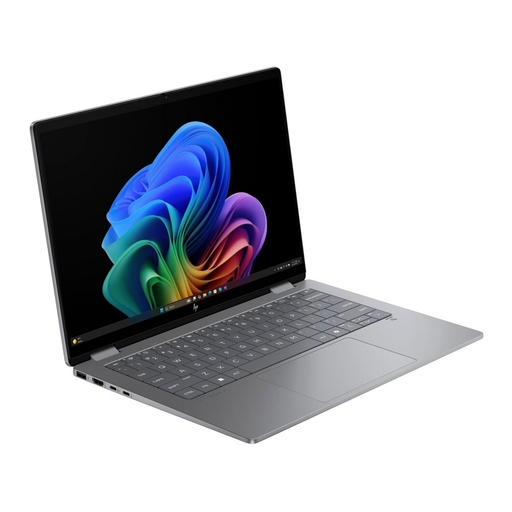
Why it stands out: This model combines a generous 16-inch OLED display with the flexibility of a convertible design. Powered by the AMD Ryzen AI processor, it is a powerful platform for creative tasks that require a large and colour-accurate workspace.
Advantages:
Who is it for? Creatives and professional users looking for a versatile convertible notebook with a large, high-resolution touch display for design, video editing, or presentations.
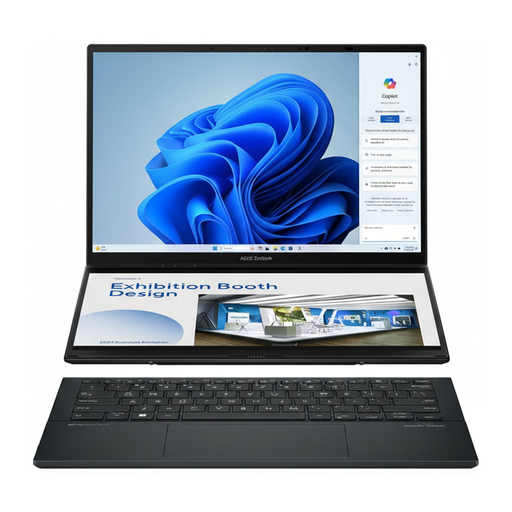
ASUS Zenbook Duo UX8406CA-PZ195X Core Ultra 9 285H 32 GB/2 TB 14-inch WQXGA+ OLED Touchscreen
Why it stands out: The Zenbook Duo redefines multitasking with its innovative dual-screen design. Two full-sized 14-inch OLED touchscreens offer an unprecedented workspace for complex applications and parallel workflows.
Advantages:
Who is it for? Power users, developers, traders, and content creators who benefit from maximum screen real estate for complex multitasking scenarios and require an extremely powerful notebook.
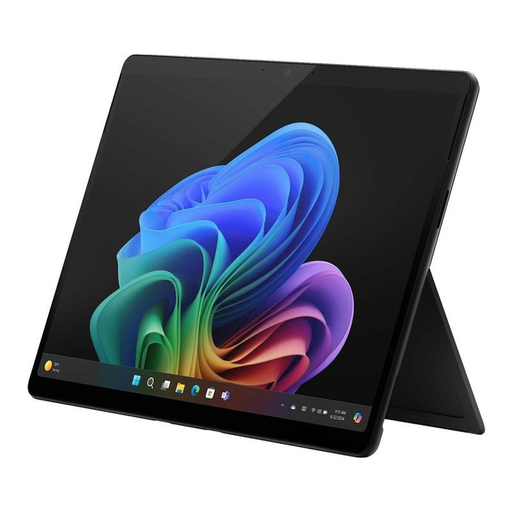
Microsoft Surface Pro 11 for Business 13" OLED 2-in-1 Platinum Core Ultra 7 266V 16 GB/512 GB SSD
Why it stands out: As a Copilot+ PC, the Surface Pro 11 is built from the ground up for AI-powered productivity and mobility. It combines the portability of a tablet with the performance and security features of a full-fledged business laptop.
Advantages:
Who is it for? Mobile professionals, consultants, and executives who need an ultra-light, secure, and AI-optimised device for daily use in and out of the office.
The models presented here are just a snapshot of the latest developments. If you are looking for other devices that offer flexibility through interactive displays, you can find a wider selection of models for various use cases in our Touchscreen Laptops category.
1. What is a Copilot+ PC? A Copilot+ PC is a category of Windows PCs defined by Microsoft that features a particularly powerful NPU (Neural Processing Unit) with over 40 TOPS, or 40 trillion operations per second. These devices are designed to run advanced AI features directly on the device, enabling a new generation of intelligent software applications.
2. What is the advantage of a notebook with an AI processor (NPU)? A notebook with an AI processor offloads the computation of AI tasks from the main CPU to the specialised NPU. This results in higher speed for AI applications, better energy efficiency, and thus longer battery life. Additionally, data privacy is enhanced as sensitive data can be processed locally instead of being sent to the cloud.
3. Does an OLED display make sense for a business laptop? Yes, an OLED display also offers advantages for a business laptop. In addition to superior image quality for presentations and media, the true black levels and high contrast provide sharper text rendering. This can reduce eye strain and improve readability, especially when working with dark-mode applications or in poorly lit environments.