
Lieferung heute & morgen

Qualitätsgarantie

Willkommens-Angebote freischalten: KOSTENLOSE Lieferung | Bis zu 80 % RABATT | Kostenlose 30-Tage-JoyPlus-Testphase
App herunterladen
Anyone looking to buy an AI PC and workstation needs to consider technical specifications in context. A high processor clock speed alone says little about whether a system is suitable for local AI models, CAD, video editing, gaming or everyday office work. Graphics memory, RAM, operating system, expandability and the existing software environment are also key factors.
Many current processors feature an NPU, such as Intel AI Boost or a comparable processing unit. It can run certain AI functions efficiently, but it does not automatically replace a dedicated GPU with sufficient VRAM. For local image generation, large language models, 3D rendering or CUDA applications, the graphics card and memory architecture are often decisive.
An AI PC for office applications is therefore not automatically an AI workstation for demanding model inference.
With traditional PCs, people often compare only the amount of RAM. For local AI models, however, memory bandwidth, GPU memory and whether the CPU and GPU can access a shared memory pool also matter.
An AI computer with 128 GB RAM may be an interesting option for certain large models. Its actual suitability depends on the model, quantisation, software used and the desired processing speed. Manufacturer claims such as “up to 200 billion parameters” should therefore be understood as compatibility information, not as a blanket performance guarantee.
Despite its small dimensions, an AI mini PC needs effective cooling. With sustained high workloads, airflow, exhaust ventilation and placement all need to be taken into account. A device that fits inside a closed shelving unit is not automatically suitable for continuous computing workloads.
The reverse applies to tower systems: more space does not necessarily mean the specification is right. The power supply, expansion slots and certified drivers should match the intended use.
When choosing a GPU for AI development and professional visualisation, you should look beyond the model name. Important factors include:
An NVIDIA Grace Blackwell system, such as a computer with NVIDIA GB10, is designed for different scenarios than a gaming PC with a GeForce graphics card. According to the product specifications, the GB10 platform combines a 20-core ARM CPU with an integrated Blackwell GPU and a shared memory pool. This can simplify working with large datasets, but requires a suitable Linux environment and the relevant software expertise.
For office work, development and multitasking, 16 to 32 GB of RAM may be sufficient. For data analysis, virtual machines, 3D projects or local models, 64 GB or more is a more sensible choice. Models and datasets also require enough SSD storage. 512 GB may be sufficient for a basic system, while 1 TB or 2 TB offers more room for larger projects.
Check whether the RAM can be upgraded later. With soldered LPDDR5X memory, the specified capacity is generally fixed. Tower systems usually provide more scope for RAM, SSD and PCIe upgrades.
A Windows 11 Pro PC makes business features such as BitLocker, Secure Boot, centralised management and domain integration easier to use. Linux systems with NVIDIA DGX OS or an Ubuntu base may be suitable for AI development, but require a different setup and compatibility checks.
You should also check:

Why this product suits the profile: This compact computer combines 24 GB LPDDR5 RAM, a 512-GB SSD and Radeon 760M graphics with connections for up to three 4K displays.
The specific CPU, RAM, SSD and connection details make the system’s limitations clear. However, for large local models, this specification should not be viewed as a replacement for a dedicated AI workstation.
Compact dimensions, 2.5-GbE networking and USB 4.0; suitable for office work, working from home and everyday multimedia tasks.

Why this product suits the profile: This workstation combines Intel Core Ultra 7 265, 32 GB DDR5, NVIDIA RTX A400 and Windows 11 Pro for business, development and visualisation tasks.
The dedicated RTX A400 graphics are clearly distinguished from the integrated processor graphics. This makes it easier to assess whether the GPU is suitable for professional applications.
Windows 11 Pro, 500-W power supply, DisplayPort and HDMI, plus a keyboard and mouse included.
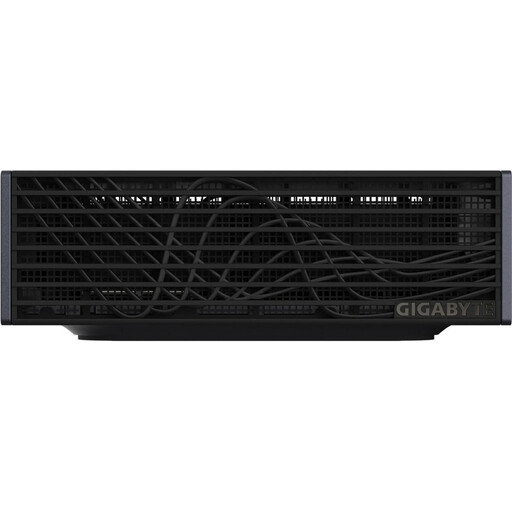
Why this product suits the profile: According to the product specifications, this compact AI supercomputer features NVIDIA GB10 Grace Blackwell, 128 GB LPDDR5X and a 4-TB PCIe 5.0 SSD for local AI development.
The Unified Memory capacity and Linux-based DGX OS environment are clearly specified. Before buying, you should still check whether your software is compatible with ARM and Linux.
128 GB Unified Memory, 4 TB NVMe storage, 10GbE and Wi-Fi 7 in a case with a volume of around one litre.

Why this product suits the profile: This tower workstation is designed for CAD, rendering, simulation and AI development, with a Xeon processor, 64 GB DDR5 and an NVIDIA RTX PRO 4000 with 24 GB of graphics memory.
The professional GPU, PCIe slots and 1,125-W power supply are all specified in detail. This makes it easier to compare your expansion requirements with the existing specification.
24 GB GDDR7, multiple PCIe slots, a 1-TB NVMe SSD and Windows 11 Pro for professional working environments.
We have put together a complete, regularly updated list of products that fully meet these strict selection criteria and the safety regulations applicable in the EU.
For office software and basic AI functions, 16 to 32 GB is often enough. For data analysis, virtual machines and local models, 64 GB or more is advisable. 128 GB can be useful for large models and extensive datasets. The specific model size, quantisation and software support remain decisive.
A gaming PC with a dedicated NVIDIA graphics card may be suitable for certain AI applications. However, you should check the VRAM, CUDA support, power supply and cooling. A gaming GPU is not automatically certified for professional CAD or simulation software. For these tasks, a professional workstation with RTX A or RTX PRO graphics may be a better fit.
Consumption depends on the processor, graphics card, power supply, workload and operating time. A compact AI PC with a 240-W power supply may require less space and energy for certain workload profiles than a large workstation. For a realistic estimate, check the actual consumption with a meter rather than relying solely on the power supply’s maximum rating.