
Lieferung heute & morgen

Qualitätsgarantie

Willkommens-Angebote freischalten: KOSTENLOSE Lieferung | Bis zu 80 % RABATT | Kostenlose 30-Tage-JoyPlus-Testphase
App herunterladen
A pair of AI smart glasses can combine several device functions in a single frame: calls, music, voice assistance, translation, photo and video capture, or a visual display. That sounds useful for professionals, travellers, commuters and outdoor enthusiasts. But important differences can be obscured by broad claims when you’re deciding what to buy.
If you’re looking to buy smart glasses with AI, don’t focus solely on terms such as “intelligent”, “real time” or “ChatGPT”. What matters is which functions are actually supported, whether the glasses are compatible with your smartphone, how comfortable they are to wear and how recorded data is handled.
Depending on the model, smart glasses with translation may need an app, an internet connection and a compatible smartphone. Claims such as “128 languages” or “145 languages” don’t automatically mean that translation works entirely on the glasses. Before you buy, check:
With smart glasses with real-time translation, performance can also vary depending on the language, background noise and smartphone model.
Bluetooth glasses with open-ear speakers play music, calls or voice prompts. AR glasses with a display, on the other hand, show information in your field of view. These two product categories are often confused.
If you want to see navigation, meeting notes or text directly in front of your eyes, you’ll need a model with a display. With glasses with open-ear speakers, the focus is on discreet audio and keeping your ears free. A display, camera and audio unit are therefore different features, not interchangeable ones, and each calls for its own buying criteria.
Smart glasses with a camera or smart glasses with recording features may be useful for travel videos, bike rides or spontaneous shots. However, you’ll need to respect privacy rights and data protection laws in Germany. Conversations must not be recorded or stored without the appropriate consent. In meetings, get everyone’s permission before making an audio or video recording.
Use while driving, cycling or in other situations that require your full attention may also be restricted or expressly prohibited. The manufacturer’s guidance should therefore be part of your buying decision.
If you’re considering AR glasses, check the display type, resolution and brightness. According to the product details, the INMO GO3 has a 1500-nit display and weighs 58 g. A high brightness rating can help make the display easier to read outdoors, but it’s no substitute for checking the field of view, contrast and controls.
If you mainly want to make calls or listen to music, you may not need a display. For navigation, visual prompts and meeting notes, however, a display makes a real difference.
For everyday use, weight, pressure from the arms, nose pads and the ability to adjust the fit can all make a noticeable difference. As a guide:
If you’re looking for lightweight smart glasses for commuting or long meetings, remember to factor in any prescription or sunglass lenses as well as the frame.
Battery life depends on the camera, display, volume, translation and cloud use. A model with several functions may need charging more often than a pair of audio-only glasses. You should also check:
According to the product details, 3K video recording at 60 frames per second on the BleeqUp Ranger is currently listed for iPhone 14 or later running iOS 18.7.5 or higher. The availability of individual features may vary by device.
The models below cater to different needs. Product details are taken from the relevant listings, so check them against the current product page before you buy.
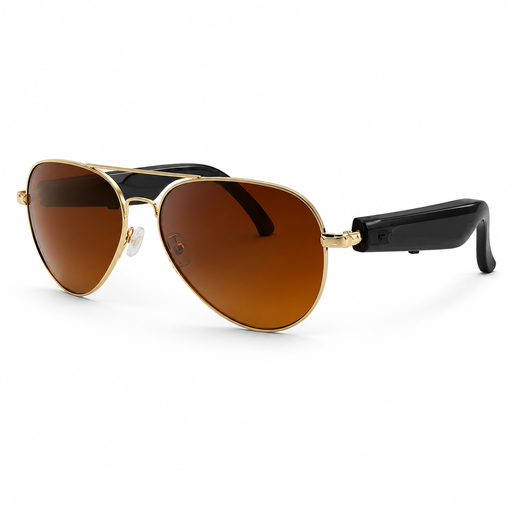
Why this product suits this profile: These Bluetooth glasses combine translation, music, calls and access to ChatGPT, and the listing says they support Android and iOS.
The product description clearly lists compatible platforms, battery, charging time and translation capabilities. You can check these details against your own smartphone before buying.
According to the listing: support for more than 100 languages, a 230-mAh battery and app pairing via iOS or Android.
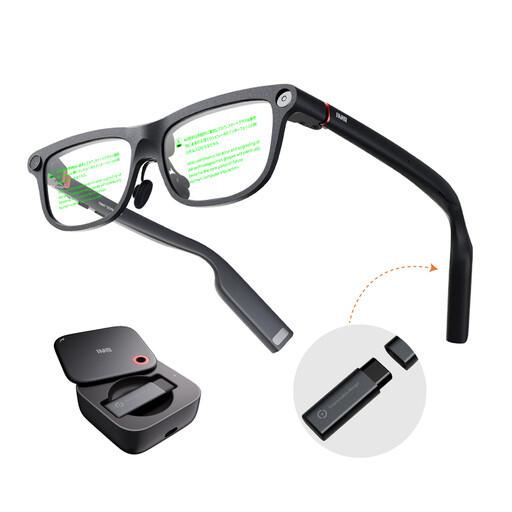
Why this product suits this profile: For work, navigation and visual information, an integrated display is more useful than audio features alone.
Instead of relying on general AI claims, the product page lists the display brightness, weight and specific features such as navigation, translation and meeting notes.
According to the product details: 1500 nits of brightness, a weight of 58 g and real-time translation in more than 98 languages.
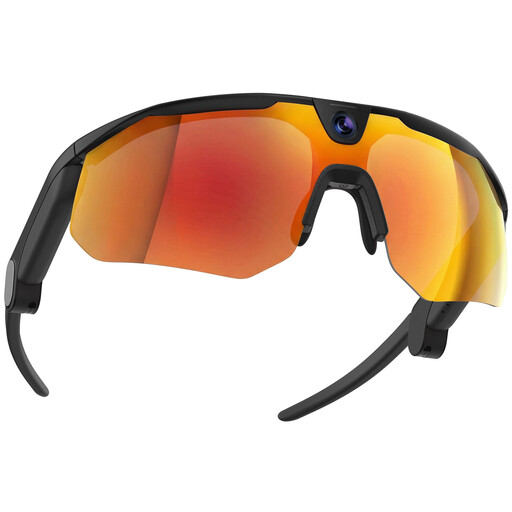
Why this product suits this profile: For content creators, cyclists and outdoor enthusiasts, these smart sports glasses combine a camera, open-ear audio and app features.
Compatibility for the 3K60 feature is explicitly specified for certain iOS devices, so you can check platform support before buying.
According to the listing: a 16-MP camera, 3K recording at 60 frames per second, electronic image stabilisation and open-ear audio.
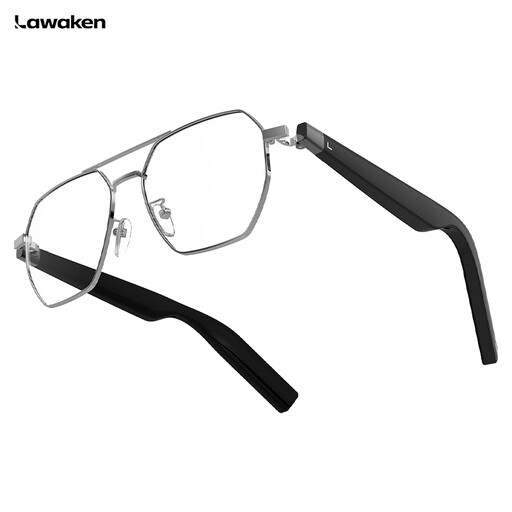
Why this product suits this profile: These smart audio glasses are designed for hands-free communication, translation and note-taking, and are aimed at iOS and Android users.
The listing covers the Bluetooth version, battery life, IP rating, cloud storage and privacy guidance. These details help clear up uncertainties around using the glasses for work.
According to the product details: 33 g without lenses, up to 12 hours of use, Bluetooth 5.3 and support for ChatGPT, Gemini and Claude.
Usually, you’ll need to charge the glasses first, pair them via Bluetooth and connect them to the manufacturer’s app. Then review permissions for the microphone, camera, contacts and location individually. Before using the glasses for the first time, check the language, cloud settings and automatic recording features too.
Battery life depends largely on the display, camera, volume, translation and standby mode. Manufacturer claims such as “up to 12 hours” usually refer to specific usage scenarios. Recording video intensively or translating frequently may reduce battery life.
The glasses themselves may be a one-off purchase. However, certain AI, translation or cloud features may require app fees or an account, or be subject to usage limits. Before buying, check which features are available at no extra cost and whether recorded audio or image data is processed on external servers.