
Lieferung heute & morgen

Qualitätsgarantie

Willkommens-Angebote freischalten: KOSTENLOSE Lieferung | Bis zu 80 % RABATT | Kostenlose 30-Tage-JoyPlus-Testphase
App herunterladen
An AI supercomputer is designed for users who want to develop, fine-tune or run large models locally. For AI developers, data science teams, research institutions and start-ups, the stated processing power is only part of the picture. What matters is whether the memory, software, cooling and connectivity suit your intended workflow.
Many purchasing decisions fall into three common traps:
On a Mini AI Supercomputer with 128 GB Unified Memory, the CPU and GPU access a shared memory pool. This can reduce data copying and simplify the creation of local workflows. This configuration is particularly relevant for AI inference, fine-tuning and development environments working with large datasets.
However, the possible model size depends on several factors:
The claim that a system supports models with up to 200 billion parameters should therefore be understood as a manufacturer specification under certain configurations. Larger models may require multiple devices to be connected.
The NVIDIA GB10 Grace Blackwell product specifications state up to 1 PetaFLOP AI performance with FP4 inference. Buyers should consider whether this performance actually matches their intended use. Inference, training and fine-tuning place different demands on memory bandwidth, computing format and software.
Pre-installed NVIDIA DGX OS, based on Linux or Ubuntu, can make it easier to get started. Depending on the model, the software stack includes CUDA, PyTorch, TensorFlow, Jupyter, TensorRT, NIMs and Blueprints. Before buying, check whether your own libraries, containers and drivers are supported. A Windows desktop is not automatically compatible with every Linux-based AI workflow.
A 1 TB SSD is suitable for the operating system, development environment and a few models. For extensive datasets, multiple checkpoints or local Llama-3.1 and DeepSeek-R1 variants, 4 TB of NVMe storage is more practical.
Network specifications are important for distributed tasks. 10GbE is sufficient for many local workstations. NVIDIA ConnectX-7, with its high transfer rate, is designed to link compatible systems. According to the product description, two ASUS Ascent GX10 systems can be connected to work with larger models such as Llama 3.1 with 405 billion parameters. Actual performance depends on the software, model configuration and data transfer.
Heat output should not be underestimated either. Compact devices need unobstructed ventilation and should not be placed in enclosed cabinets. Under sustained heavy loads, room temperature, air circulation and noise levels in office or laboratory environments should all be taken into account.
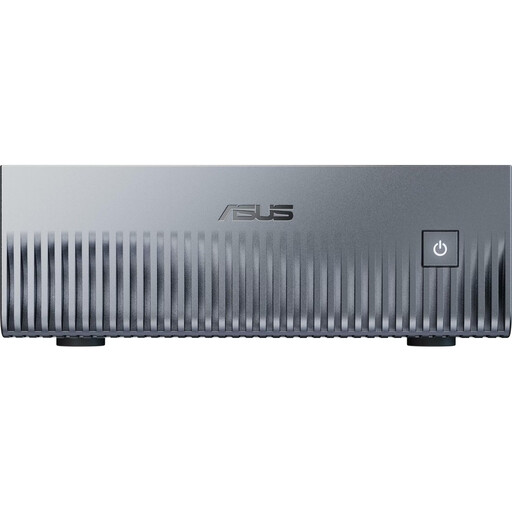
Why this product suits this profile: This compact system combines NVIDIA GB10 Grace Blackwell, 128 GB LPDDR5X Unified Memory, a 1 TB PCIe-4.0 SSD and NVIDIA DGX OS in a chassis measuring 150 × 150 × 51 mm.
The 128 GB of shared memory avoids the typical limitations of basic mini PCs with 16 or 32 GB of RAM. According to the product description, CUDA, PyTorch and TensorFlow are already set up.
1 PetaFLOP FP4 inference according to the product specification, 10GbE, Wi-Fi 7 and four USB-C ports.
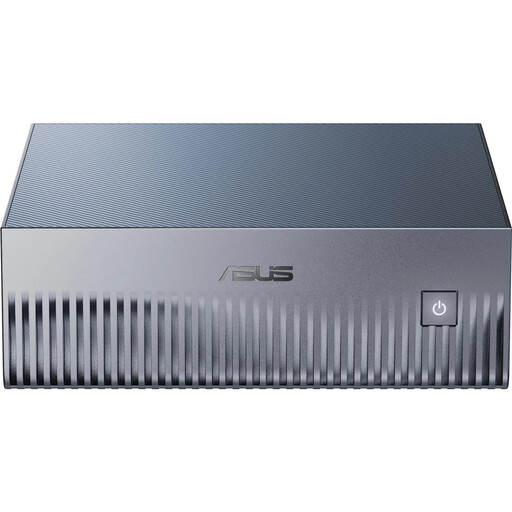
Why this product suits this profile: 4 TB of PCIe-5.0 NVMe storage provides more space for models, datasets and checkpoints, while ConnectX-7 provides the foundation for a scalable configuration.
The larger SSD reduces the need to continually move data to external storage. The model specifications of up to 200B on one device and up to 405B with two GX10 systems should be understood as configuration-dependent manufacturer claims.
128 GB Unified Memory, 4 TB PCIe 5.0 SSD, HDMI 2.1 and a pre-installed NVIDIA AI software stack.
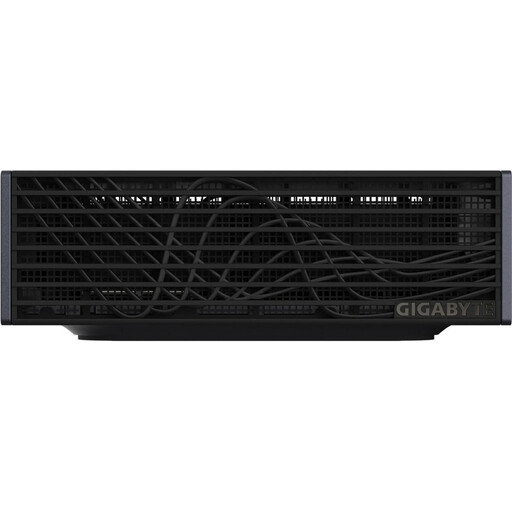
Why this product suits this profile: The 1-litre chassis with 128 GB LPDDR5X, a 4 TB PCIe-5.0 SSD, 10GbE and Wi-Fi 7 is suitable for local development and inference environments that are used continuously.
The configuration combines ample Unified Memory with sufficient SSD capacity. A robust cooling system and unobstructed ventilation are still essential under sustained heavy loads.
Compact dimensions, 240 W power supply, four USB4 ports and NVIDIA DGX OS.
An AI supercomputer with a 240 W power supply may use considerably less electricity at full load than a large workstation with multiple graphics cards. However, actual consumption depends on the workload, cooling, peripherals and standby time. For a realistic calculation, users should measure consumption at the wall socket.
Leaving at least five to ten centimetres of clearance around ventilation areas, using a stable surface and keeping the room temperature within the manufacturer’s specified range are all advisable. Before buying, also check whether a monitor, keyboard, additional SSDs or a high-speed network switch are already available.
We have put together a complete, regularly updated list of products that fully meet these strict selection criteria and the safety regulations applicable in the EU.
Yes, provided the model size, quantisation and available memory are compatible. Systems with 128 GB Unified Memory are designed for many local inference workflows. Beforehand, check the model, context length and required libraries.
NVIDIA DGX OS is based on Linux or Ubuntu and designed for CUDA workflows. Its prepared environment can be practical for PyTorch, TensorFlow, Jupyter and TensorRT. However, Windows-specific programmes will not run automatically without adjustment or additional virtualisation.
A fixed operating lifespan cannot be determined from the technical specifications alone. Cooling, dust exposure, room temperature, firmware and security updates, as well as the workload, are all important factors. During continuous operation, keep ventilation openings clear and use the power supplies specified by the manufacturer.