Shooter players training in a small space
If you practise quick mouse movements at a desk in a shared bedroom, you’ll need to make sure the screen and stand fit the space available.


For aim training at a cramped desk, a compact Full HD IPS monitor is an obvious starting point. However, the frame rate you can actually achieve and the way the monitor handles motion matter too. QHD may be a better fit if you also want to use the screen for other games or PC tasks, while very high frame rates and OLED bring their own requirements and trade-offs.
If you practise quick mouse movements at a desk in a shared bedroom, you’ll need to make sure the screen and stand fit the space available.
If you use the same screen for other games or PC tasks as well as aim training, you’ll need to weigh the extra sharpness of QHD against the space it takes up and the demands it places on your PC.
If fast-moving action in shooters is your priority, it’s worth considering the refresh rate, measured input lag and visible motion artefacts separately.
First, measure the space available, then check the resolution and frame rate your PC can actually manage in the shooter you play. Also compare motion handling rather than basing your decision solely on an advertised Hz or millisecond figure.
| What matters | What to check when buying | Who should pay particular attention? |
|---|---|---|
| Motion clarity and input lag | Compare independent measurements at the frame rates you’ll use; check the refresh-rate limit for the connection you plan to use. | If you’re tracking moving targets, refresh rate, pixel transitions and signal processing all matter. Around 31% of consumers put motion clarity first. |
| Space and setup | Compare the monitor and stand dimensions with the desk space available; check whether the specific model offers height adjustment and a VESA mount. | In a shared bedroom, the stand alone can determine whether the monitor will fit. Around 31% of consumers prioritise space and positioning. |
| Resolution and other uses | Check which resolution and frame rate your PC can achieve in the game you play; for dual-mode monitors, match each Hz figure to its resolution. | If you also use the same screen for other games or PC tasks, extra sharpness is an important part of the decision. Around 23% of consumers prioritise resolution and versatile use. |
| Purchase and ongoing use | For OLED, weigh up how you’ll use the monitor and check the care guidance and warranty terms for the specific model; distinguish voluntary warranties from your statutory rights. | If you’re thinking about care and conditions after purchase as well as the initial cost, read the information for the specific model in advance. Around 15% of consumers prioritise cost and post-purchase conditions. |
GtG describes pixel transitions. Input lag is the delay between a signal and the image appearing on screen, and is measured separately.
Compare independent measurements at the frame rates you actually plan to play at.
The casing and stand can take up more space in a shared room than the screen size in inches might suggest. A compact screen won’t necessarily have an adjustable-height stand either.
Measure the space available and check the specific model’s physical specifications before buying.
According to LG, the LG 27GX790B-B reaches 720 Hz at HD; at QHD, it reaches 540 Hz.
Always read the resolution and its corresponding refresh rate together.
With OLED, text clarity and the risk of burn-in may be relevant to how you use the screen. The warranty terms should also suit the specific model.
Weigh up gaming against static PC content, and read the manufacturer’s care and warranty guidance.
The TUF range includes compact Full HD IPS models. ASUS Germany lists a refresh rate of up to 310 Hz for the VG259QMR5A.
The 24G4XE is a more compact Full HD Fast IPS option with a 180 Hz refresh rate.
MSI offers a range of different models, including the 27-inch QHD IPS G274QPX and the MPG 271QRXDE QD-OLED.
The 27GX790B-B is a 27-inch QHD OLED option with two resolution and refresh-rate modes.
The XL2586X+ is a specialist Full HD Fast TN monitor for esports shooters.
This selection from Joybuy includes monitors for fast-paced shooter action, as well as QHD models for other games and PC tasks.
 No image available
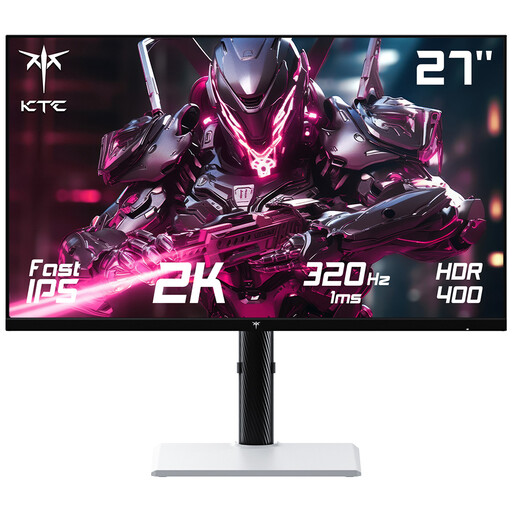
For high-refresh-rate QHD shooter training, provided your PC can deliver the output you want.
27 inches, 2560 × 1440 pixels and 320 Hz according to the product title. The product description lists FreeSync and G-Sync compatibility, plus a height-adjustable stand with tilt, swivel and pivot functions.
 No image available
A QHD option for fast-paced games and other PC tasks, if the screen size and features suit your desk.
27 inches, QHD, IPS and 275 Hz according to the product specifications; the title also lists 1 ms. The description features FreeSync and a height-adjustable stand with tilt and swivel functions.
 No image available
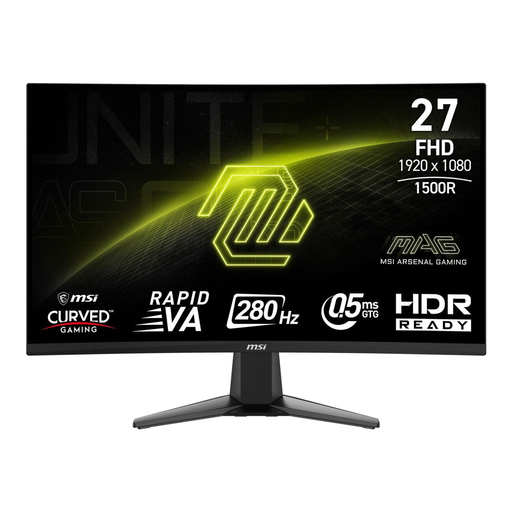
For Full HD use focused on shooters, if a curved screen and its size suit the space you have available.
27 inches, Full HD, curved Rapid VA panel and 280 Hz according to the product title. The product description lists FreeSync and HDMI and DisplayPort connections.
 No image available
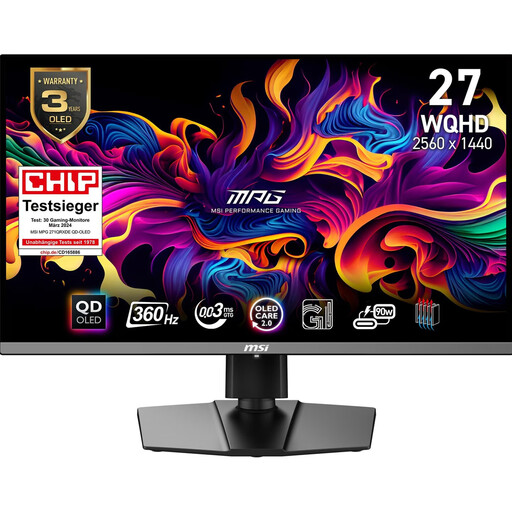
For fast motion clarity and versatile QHD use, if you’ve carefully considered OLED and its space and care requirements.
26.5 inches, WQHD, QD-OLED and 360 Hz according to the product specifications. The description lists Adaptive-Sync and a height-adjustable stand with pivot, tilt and swivel functions.
 No image available
A QHD option for shooters and other PC tasks; check the frame rate your PC can achieve at your chosen resolution.
27 inches, 2560 × 1440 pixels and 240 Hz, with overclocking up to 275 Hz according to the title. The title also lists 1 ms, HDR400, FreeSync and G-Sync compatibility, VESA 100 × 100, a height-adjustable stand, HDMI 2.0 and DisplayPort 1.4.
What matters is the frame rate your game and PC can actually deliver, and how the monitor handles motion. Compare independent input-lag measurements too; a higher quoted refresh rate or a low GtG figure alone doesn’t prove that you’ll get better at training.
Check the input you’ve selected, the resolution and the refresh rate set in your system. ASUS’s German spec sheet lists up to 310 Hz via DisplayPort for the VG259QMR5A, but up to 240 Hz via HDMI; the LG 27GX790B-B reaches 720 Hz only at HD, not QHD.
Measure the clear desk space, including the room needed for the stand, and check the adjustment options on the specific model. If you plan to use a mount, make sure its VESA specifications match the monitor’s; for OLED, you should also follow the manufacturer’s care guidance.
Statutory consumer rights apply against the seller and are separate from a voluntary manufacturer’s warranty. Online purchases also generally come with a 14-day right to cancel from the day you receive the goods; the conditions for this are not the same as making a faulty-goods claim.
The Bundesnetzagentur explains that the CE marking is the manufacturer’s declaration that a product meets applicable EU requirements, and describes the checks retailers make on labelling and required accompanying documents. According to guidance from the German Environment Agency, an old monitor should not go in household waste; depending on the applicable conditions, electrical waste can be returned to a recycling centre or a retailer, among other options.