
Lieferung heute & morgen

Qualitätsgarantie

Willkommens-Angebote freischalten: KOSTENLOSE Lieferung | Bis zu 80 % RABATT | Kostenlose 30-Tage-JoyPlus-Testphase
App herunterladen
An AIO CPU liquid cooler can handle high processor loads during gaming, rendering or video editing, while also giving you more design freedom inside your case. However, your choice shouldn't be based solely on lighting, screen size or a flashy product image. As Joybuy's Product Recommendation Officer, I filter the key specifications by practical criteria and show you which points to check before buying.
A 420mm AIO liquid cooler needs more space than a 360mm or 240mm variant. What matters isn't just the radiator length and width, but also the possible mounting position, the height of the radiator including fans, and the clearance to memory modules or motherboard heatsinks. Before you buy, your case manual should explicitly confirm the supported radiator size.
An ARGB CPU cooler offers customisable lighting, but says nothing about pump control, fan bearings or heat transfer. Likewise, an AIO liquid cooler with a display is primarily a comfort and design feature. Screen size or 3D effects should therefore be evaluated separately from the technical cooling data.
The actual noise level of a quiet CPU cooler depends on the fan curve, pump speed, case ventilation and processor load. PWM control allows adjustment based on temperature. A high maximum fan speed can provide extra airflow when needed, but isn't essential for everyday use. Decibel ratings should only be compared if the measurement conditions and fan speeds are identical.
Radiator surface area alone doesn't guarantee a specific temperature. Just as important are the cold plate contact area, pump regulation, thermal paste and a sensible airflow inside the case.
A CPU liquid cooler for Intel and AMD must fit your specific motherboard. For current platforms, Intel LGA 1851, LGA 1700, AMD AM5 and AM4 are particularly relevant. You also need to check whether the required mounting brackets are included in the box.
With some Intel models, an included contact frame can enable more even pressure distribution. Installation should follow the manufacturer's instructions. Incorrectly fitted brackets, overtightened screws or forgotten protective films can impair cooling performance or damage components.
Look out for:
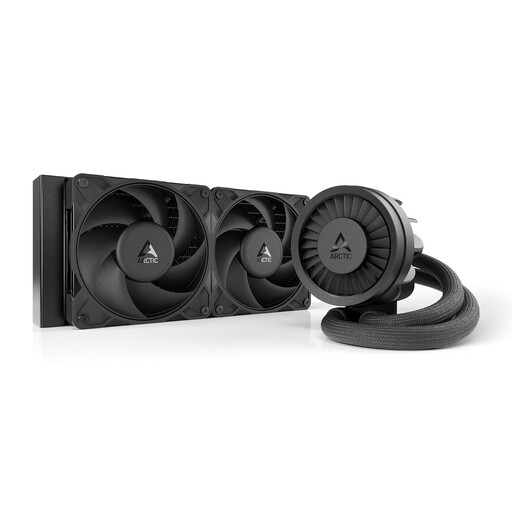
Why this product fits the profile: The 240mm design requires less mounting space and uses two 120mm fans. This makes integration into more compact PC cases easier.
The selection focuses on radiator size, PWM control and socket support rather than purely on design features.
240mm radiator, two 120mm fans, PWM pump, integrated VRM fan and support for Intel LGA 1851/1700 and AMD AM5/AM4.
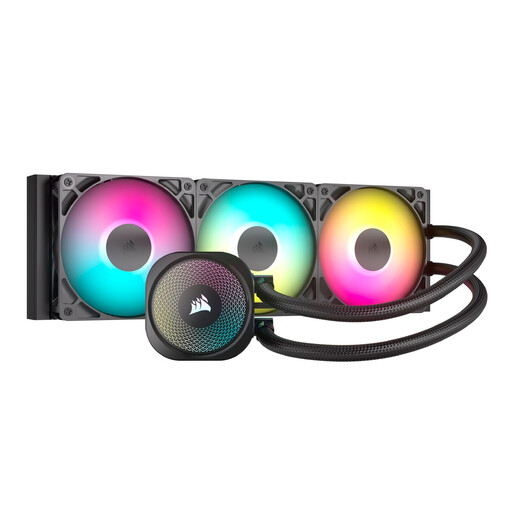
Why this product fits the profile: The 360mm AIO liquid cooler combines three RS120 ARGB fans with direct motherboard connectivity, making it a great fit for tidy gaming and creator systems.
The product specifications list PWM control, a 5V 3-pin ARGB header and broad compatibility. This lets you clarify important connection questions in advance.
360mm radiator, three PWM fans, direct motherboard connection and support for LGA 1851, LGA 1700, AM5 and AM4.
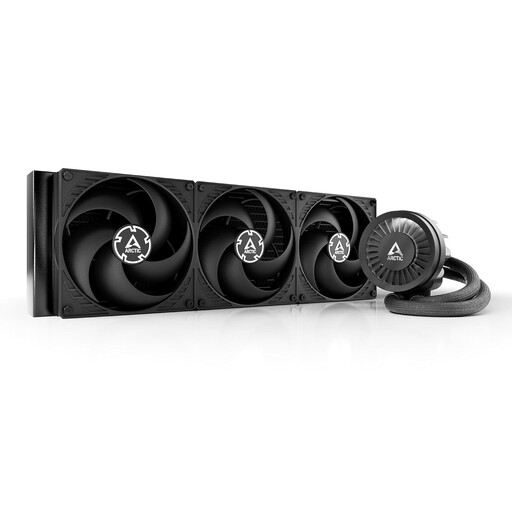
Why this product fits the profile: Three 140mm fans and the 420mm radiator are aimed at systems under sustained heavy load, provided your case supports the dimensions.
The selection explicitly highlights the need for case checking and the higher weight of 2.37 kg. This means mounting isn't judged solely by radiator surface area.
420mm radiator, three 140mm PWM fans, integrated VRM fan and native offset mounting system according to product specifications.
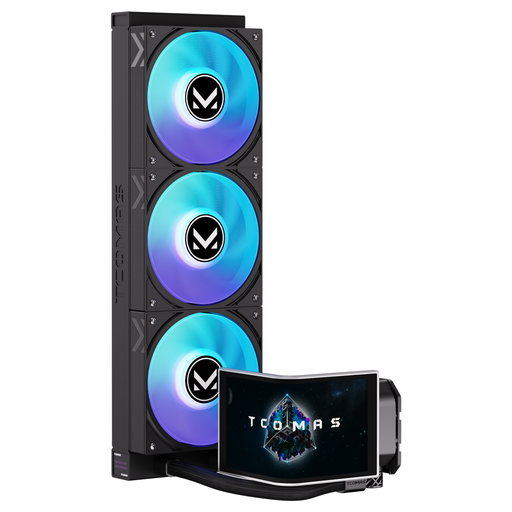
Why this product fits the profile: This model combines a 360mm radiator with a 6.67-inch curved AMOLED display and customisable image content.
The display and ARGB lighting are treated as feature additions separate from the cooling classification. Socket support remains an independent check criterion.
6.67-inch AMOLED display, 3D visual effects, customisable screen, ARGB support and compatibility with LGA 1851/1700 as well as AM5/AM4.
We've put together a complete, regularly updated list of products that fully meet these strict selection criteria and the safety regulations in force in the EU.
For a reliable installation, the radiator should preferably be mounted at the top or front of the case, provided the case manual allows this position. The fan direction must match the existing airflow. Before first startup, it's a good idea to check in the BIOS or motherboard software:
If you notice a visible leak, switch off the PC immediately and disconnect it from the mains. Do not open a sealed cooling loop yourself.
The lifespan depends on factors including the pump, fans, storage conditions, operating time and ambient temperature. Since the systems are factory-sealed, no regular fluid refilling is intended. Dust should be removed from the radiator and fans without bending the fins.
That depends on the processor, case ventilation and your intended use. For gaming and many everyday tasks, a 240mm model can be a space-saving solution. For sustained high computational loads, more radiator surface area may be beneficial. CPU compatibility and case clearance remain crucial regardless of size.
The pump and fans are typically powered via the motherboard or 12V connectors. Power consumption depends on the speed and model. PWM control can reduce the speed when idle. For running costs, the specific model, operating time and the set fan curve are therefore decisive.