
Lieferung heute & morgen

Qualitätsgarantie

Willkommens-Angebote freischalten: KOSTENLOSE Lieferung | Bis zu 80 % RABATT | Kostenlose 30-Tage-JoyPlus-Testphase
App herunterladen
An AIO CPU water cooler combines a pre-assembled liquid cooling system with a radiator, pump, hoses and fans. For gaming PCs, content creation workstations and powerful custom-built systems, this design can be a tidy alternative to a large air cooler. However, it is not automatically suitable for every case or every processor.
Before you buy, you should not only consider RGB effects, display features or advertised cooling performance. What really matters are radiator size, socket compatibility, installation space, connection standards and fan control.
A 360 mm AIO water cooler offers more radiator surface area with three 120 mm fans than a 240 mm water cooler with two fans. This can be beneficial during prolonged processor load. However, this advantage can only be realised if your PC case can actually accommodate the radiator.
Before purchasing, check the following measurements:
A compact 240 mm radiator can be the more practical choice for a smaller case. A 420 mm model, on the other hand, requires a suitably large case and should not be chosen purely for its nominal surface area.
Modern processors differ in their mounting frames and installation spacing. So pay close attention to whether it is listed as an Intel LGA1851 cooler, Intel LGA1700 cooler or AMD AM5 cooler. Many current models support multiple platforms, but they require the correct brackets from the box.
The products mentioned here include Intel LGA1851, LGA1700 as well as AMD AM5 and AM4. Even so, you should check the specific product page before buying, particularly with older motherboards, special editions or if you plan a future platform change.
An ARGB CPU cooler typically requires a 5-volt 3-pin ARGB header. This must not be confused with a 12-volt 4-pin RGB header. Connecting to the wrong header can damage the lighting. PWM fans and the pump are usually controlled via 4-pin headers on the motherboard.
Display pump heads can show system information or custom images. This may require additional software. So check whether the software is compatible with your Windows system and whether you have a spare internal USB header on your motherboard.
A 240 mm radiator usually uses two 120 mm fans, while a 360 mm radiator needs three 120 mm fans. Alongside length, you need to consider the total thickness of the radiator and fans as well as the hose routing. A thick radiator can clash with tall RAM modules or large VRM heatsinks.
Noise levels depend on pump speed, fan profile, case ventilation and processor load. Any stated decibel figure should therefore be understood as a manufacturer's measurement under specific conditions, not a universal value for every usage scenario.
For a quiet CPU cooler, PWM control and a suitable fan profile are particularly important. You can adjust speeds to temperature ranges in the BIOS or motherboard software. A lower profile reduces everyday noise, while higher speeds may be necessary during extended full load.
AIO systems are sealed loops and should not be opened or modified. Before first use, remove any protective film from the contact plate, apply thermal paste correctly and tighten the screws evenly. Hoses must not be sharply kinked or installed under tension.
If you notice moisture, unusual noises or concerning overheating, switch off the PC immediately and disconnect it from the mains. ARGB connectors must only be used with the designated 5-volt headers.
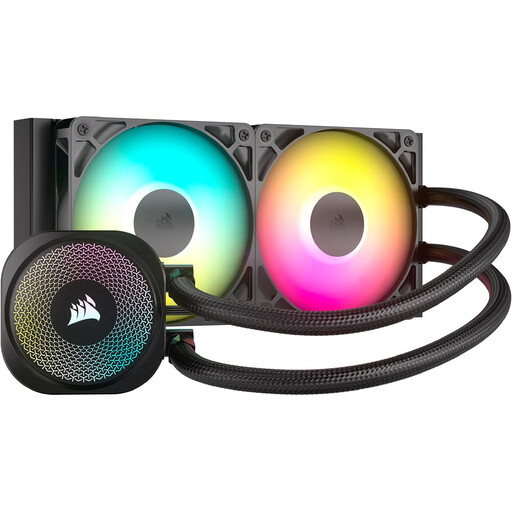
Why this product suits the profile: The 240 mm design uses two 120 mm fans and fits many standard cases. It connects directly to the motherboard without needing a separate lighting controller.
The socket listings for LGA1851, LGA1700, AM5 and AM4, along with the required 4-pin PWM and 5-volt ARGB headers, are clearly stated.
240 mm aluminium radiator, two PWM fans and ARGB lighting with direct motherboard connection.
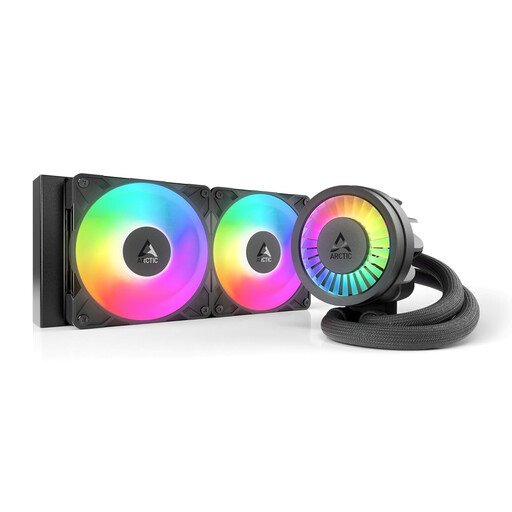
Why this product suits the profile: This cooler combines a 240 mm radiator with a PWM pump, two 120 mm fans and an integrated VRM fan for the motherboard's voltage regulators.
The specifications list the supported Intel sockets, the contact frame for LGA1851/LGA1700 and a native offset mounting option.
Copper base with micro-skived fins, integrated cable management and ARGB lighting.

Why this product suits the profile: For users who want to display system data or custom images alongside cooling, this model offers an LCD display and CHIONE-CAST software.
The display functions and software requirements are clearly described, so the added benefit is not confused with plain ARGB lighting.
LCD display, customisable lighting and control over brightness, fan speed and display orientation.
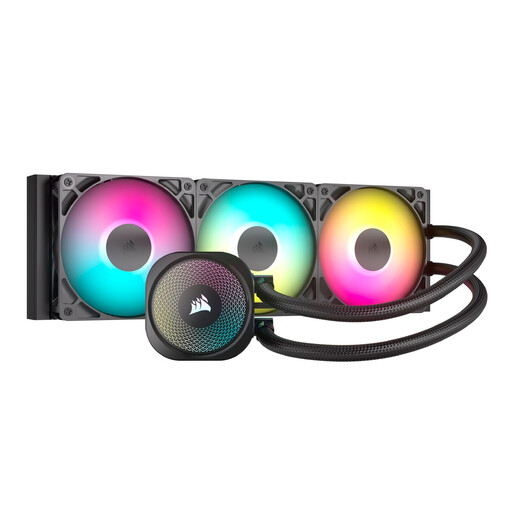
Why this product suits the profile: The 360 mm radiator with three RS120 ARGB fans is designed for larger cases and extended load periods during gaming or content creation.
The case requirement is made clear by the explicitly stated radiator size. PWM control and direct motherboard connection are also specified.
Three 120 mm fans, PWM control, ARGB header and support for LGA1851, LGA1700, AM5 and AM4.
We have put together a complete, regularly updated list of products that fully meet these strict selection criteria and the safety regulations in force across the EU.
That depends on your processor, power limits, case ventilation and fan profile. A 240 mm CPU water cooler can be suitable for many gaming systems. For sustained high workloads, a 360 mm or 420 mm radiator can provide more surface area, provided your case is compatible.
The lifespan depends on factors including the pump, seals, dust exposure and operating conditions. The loop must not be opened. Check the fans, radiator and hoses regularly. If you notice a leak, unusual pump noise or rising temperatures, stop using the cooler and contact the retailer or manufacturer support.
The power consumption comes from the pump, fans and, if applicable, lighting or a display. PWM control can reduce speeds when idle. An ARGB system or a pump head with a screen requires additional headers and can keep more components active than a simple model without lighting.