
Lieferung heute & morgen

Qualitätsgarantie

Willkommens-Angebote freischalten: KOSTENLOSE Lieferung | Bis zu 80 % RABATT | Kostenlose 30-Tage-JoyPlus-Testphase
App herunterladen
Modern processors deliver impressive performance, but they also generate significant heat. Cooling can become a challenge, especially during demanding tasks like gaming or video editing. High CPU temperatures not only compromise the stability and lifespan of the component but also often lead to loud fan noise. An AIO (All-in-One) liquid cooler is an effective solution that combines high cooling performance with a clean aesthetic and, often, quiet operation.
This article serves as your guide. We'll explain the most important criteria for choosing a suitable CPU liquid cooler and present a selection of models that are ideal for different user scenarios due to their specific features.
The decision to buy a processor liquid cooler depends on several technical factors. To make an informed choice, you should consider the following three points.
The radiator's size is a crucial factor for cooling performance. Larger radiators have a greater surface area and can therefore dissipate more heat into the ambient air. Common sizes include:
Before buying, always check your PC case's specifications to ensure the desired radiator can be installed.
The cooling unit must be mechanically compatible with your motherboard's socket. Current processor generations use specific sockets that require a suitable mounting system. Look for explicit support for:
Most manufacturers include mounting hardware for all common Intel and AMD sockets with their AIO coolers, but checking the product description is still essential.
Beyond raw cooling performance, operating noise and aesthetics also play a significant role. A quiet liquid cooler is characterized by a high-quality pump and low-vibration fans with a wide RPM range.
For many users, design is also a key criterion. An RGB liquid cooler allows you to synchronize its lighting with other components in your system. All-white PC builds are particularly trendy, and a white AIO cooler is a cohesive addition to such a setup.
Based on the criteria mentioned, we have compiled a selection of AIO liquid coolers that cover different requirements for performance, size, and design.
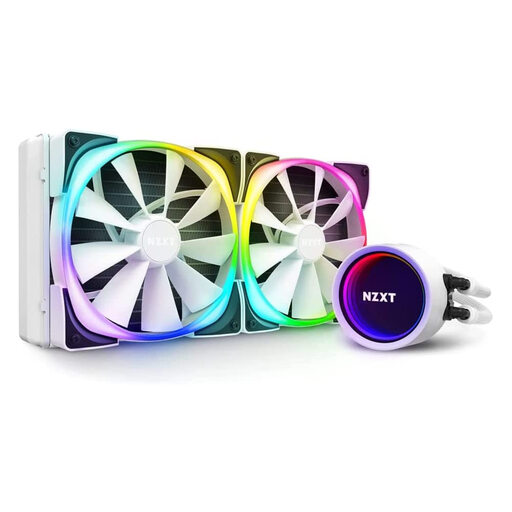
Why It Stands Out The NZXT Kraken X63 RGB combines solid cooling performance with a striking design. Its centerpiece is the pump head, featuring an infinity mirror effect and an enlarged RGB LED ring. The logo's orientation can be adjusted via the rotatable cap, allowing for flexible installation. The pump, fans, and lighting are all controlled centrally through NZXT's CAM software.
Who It's For This model is aimed at users who highly value a customizable aesthetic and a clean look, especially for white PC builds. It provides reliable cooling performance for most high-end gaming CPUs.
View Details for the NZXT Kraken X63 RGB
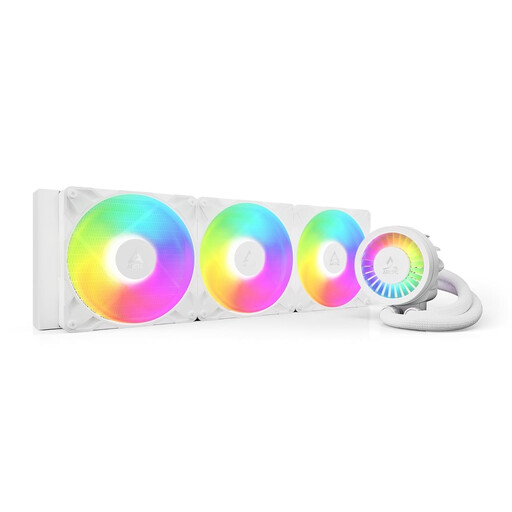
Why It Stands Out The Arctic Liquid Freezer III in its 420mm version is engineered for maximum cooling performance. It boasts special technical features like a dedicated contact frame for Intel sockets (LGA1700/1851) that optimises mounting pressure. An additional small fan on the pump block helps cool the motherboard's voltage regulators (VRMs). The offset mounting system for AMD CPUs positions the cold plate directly over the processor's hotspots.
Who It's For This 420mm AIO is the choice for enthusiasts and overclockers with large cases who want to push the thermal limits of their high-end CPUs. Its thoughtful technical details are aimed at achieving maximum system stability under sustained load.
View Details for the ARCTIC Liquid Freezer III 420
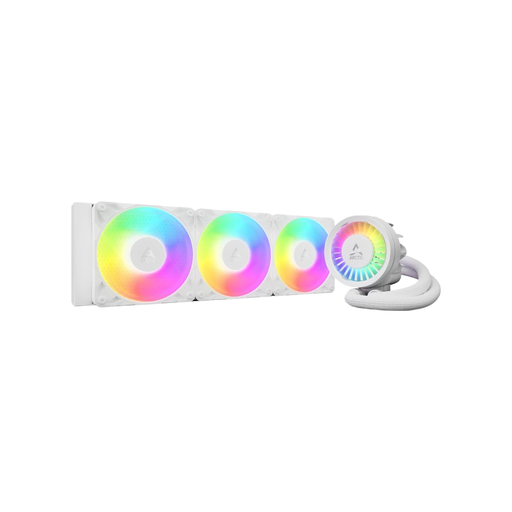
Why It Stands Out This model offers many of the advanced features of the 420mm version in a more common 360mm AIO format. It also includes the VRM fan, offset mounting, and clean cable management. The three 120mm fans ensure high airflow and powerful cooling performance that is more than sufficient for almost all current processors.
Who It's For The Liquid Freezer III 360 is an excellent all-around solution for gamers and power users. It fits into a wide variety of cases and delivers top-tier cooling performance with enough headroom for overclocking.
View Details for the ARCTIC Liquid Freezer III 360
The aesthetics of a PC build are highly personal. If you're specifically looking for components for an all-white system, coordinating every part is crucial. In our White PC Fans category, you'll find a wider selection of fans and matching accessories to complete your dream setup.
No, AIO systems are closed loops that are filled and sealed by the manufacturer. They are designed for maintenance-free operation over several years. Unlike custom water-cooling loops, you don't need to refill liquid or change tubes. Only regular cleaning of the fans and radiator to remove dust is recommended to maintain cooling performance.
It depends on the specific model and the workload. High-end AIOs can be quieter under load than comparably powerful air coolers because heat is dissipated over a large radiator surface with slow-spinning fans. At idle, however, an AIO's pump can produce a faint, constant noise, whereas good air coolers are often passive or run at very low, inaudible RPMs. The choice depends on personal preference and your usage scenario.
Most manufacturers state an expected lifespan of 5 to 7 years. The critical components are the pump and the tubing, through which a minimal amount of liquid can escape over the years (permeation). A good indicator of expected durability is the manufacturer's warranty. For example, models like the Arctic Liquid Freezer III offer a 6-year warranty, which suggests a durable design.