
Lieferung heute & morgen

Qualitätsgarantie

Willkommens-Angebote freischalten: KOSTENLOSE Lieferung | Bis zu 80 % RABATT | Kostenlose 30-Tage-JoyPlus-Testphase
App herunterladen
An All-in-One (AIO) liquid cooler promises to cool modern high-performance CPUs quietly and efficiently. However, the market is flooded with models whose marketing promises often suggest more than the technology can deliver. Before making a decision, it's crucial to understand the most common pitfalls that can lead to buyer's remorse—whether from unexpected noise, compatibility issues, or superfluous features that inflate the price without adding real value.
This guide will help you separate the wheat from the chaff. We focus on the objective criteria that define a good AIO liquid cooler and show you how to make an informed choice for your system.
Many users invest in PC liquid cooling only to be disappointed later. This is often due to three recurring problems that can be avoided with careful consideration beforehand.
To avoid these pitfalls, you should focus on the technical specifications that directly impact performance and longevity.
The radiator's size is the most important factor for cooling performance. Its surface area determines how much heat can be dissipated into the ambient air.
Ensure that the radiator is made of aluminum, while the cold plate of the cooler, which makes direct contact with the CPU, should be made of copper to guarantee optimal heat transfer.
A high-quality CPU water cooler should offer PWM (Pulse Width Modulation) control for both the pump and the fans. This allows the motherboard to dynamically adjust their speed based on the CPU temperature. At idle, the system runs quietly, and speed is only increased under load. Fans with Fluid Dynamic Bearings (FDB) are often more durable and quieter than simpler bearing types.
Make sure the cooler is explicitly compatible with your CPU socket. For modern platforms, brackets for Intel LGA 1700 / 1851 and AMD AM5 are essential. Some manufacturers, like ARCTIC, offer special Contact Frames for Intel sockets that distribute contact pressure more evenly and can improve cooling performance. A well-designed mounting system not only simplifies installation but also ensures optimal contact between the cold plate and the CPU.
Based on these objective criteria, we have identified several models that represent a suitable solution for different user profiles.
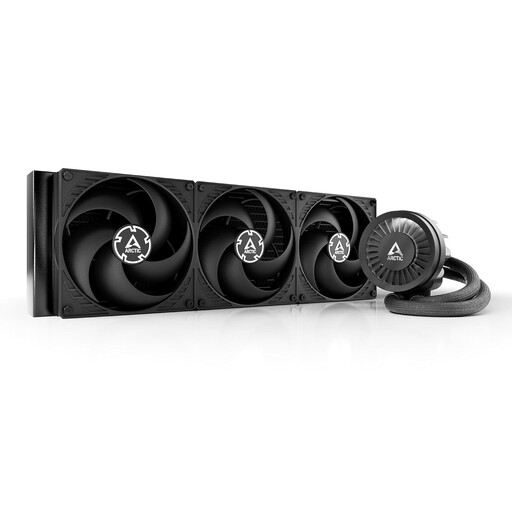
Why This Fits Their Persona: Ideal for users who need maximum cooling performance for overclocking and demanding workloads. The focus is clearly on performance, not visual gimmicks.
It avoids the "overloaded features" trap. Instead of a display, it offers a VRM fan to cool the voltage regulators, which directly improves system stability under load.
420mm Radiator: Maximum surface area for extreme heat dissipation. Integrated VRM Fan: Additional cooling for motherboard components.
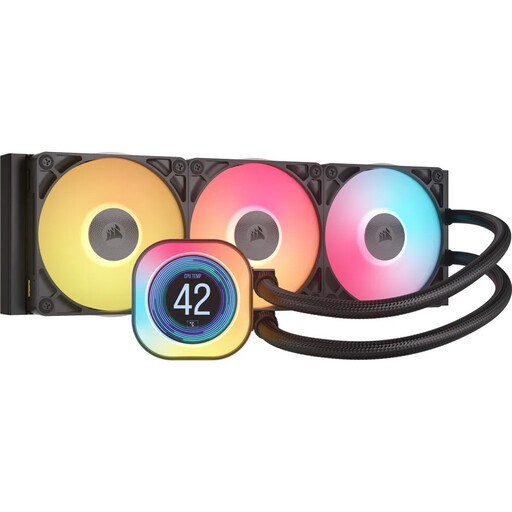
Why This Fits Their Persona: Perfect for users who want to combine a premium look with strong cooling performance. The customizable LCD display and clean cable management are key features.
The iCUE LINK system reduces cable clutter, a common pitfall in complex RGB setups. Instead of many individual cables, a single connection is used for data and power.
2.1" IPS LCD Display: For displaying system data or GIFs. iCUE LINK Ecosystem: Simplifies the wiring and control of fans and lighting.
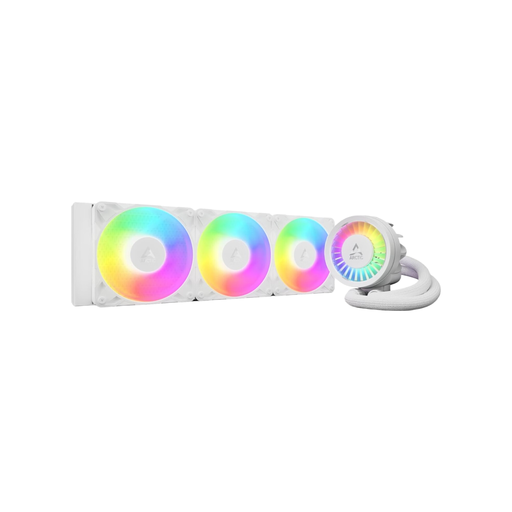
Why This Fits Their Persona: A balanced package of strong cooling performance, thoughtful features, and a fair price. Ideal for gamers and content creators looking for a reliable and quiet system.
It bypasses the noise trap with its PWM-controlled pump and fans. The integrated cable management and clear mounting instructions for AM5/LGA1700 prevent compatibility issues.
360mm Radiator: High cooling headroom for gaming and demanding applications. Integrated Cable Management: Just a single cable to the motherboard ensures a clean build.
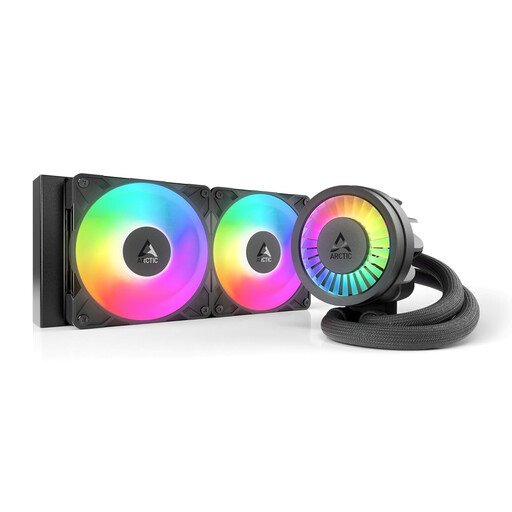
Why This Fits Their Persona: Offers the core benefits of the Liquid Freezer series in a compact 240mm format. Perfect for high-performance builds in smaller cases where space is at a premium.
It solves the compatibility trap for compact cases by offering high cooling performance in a smaller form factor, without compromising on key features like the VRM fan.
240mm Form Factor: High compatibility with most PC cases. Native Offset Mount: Optimizes heat transfer on AMD CPUs by better aligning with the chip's hotspots.
We have compiled a complete, real-time updated list of products that fully meet these strict selection criteria and safety regulations.
Modern AIOs are designed as closed-loop, maintenance-free systems. Their lifespan is primarily determined by the pump and the slow diffusion of coolant through the tubing (permeation). Most manufacturers rate their pumps for 50,000 hours or more. Under normal conditions, you can expect reliable operation for 5 to 7 years.
Yes, for the vast majority of gaming applications, a high-quality 240mm AIO is perfectly sufficient. It can easily keep modern CPUs like an Intel Core i7 or AMD Ryzen 7 cool, even during demanding games. A 360mm model is only worth considering if you plan on extreme overclocking or pushing a top-tier CPU (e.g., Core i9 or Ryzen 9) to its limits.
No, unlike custom loop water cooling, AIOs are sealed circuits that do not need to be opened or refilled by the user. The only "maintenance" recommended is to periodically clean dust from the radiator and fans to ensure optimal airflow and cooling performance. This should be done every few months, depending on the level of dust in your environment.