
Lieferung heute & morgen

Qualitätsgarantie

Willkommens-Angebote freischalten: KOSTENLOSE Lieferung | Bis zu 80 % RABATT | Kostenlose 30-Tage-JoyPlus-Testphase
App herunterladen
An AIO liquid CPU cooler can be a sensible choice for powerful gaming PCs, workstations and content creator systems. However, it takes up more space than a traditional air CPU cooler and places higher demands on your case, installation and cable management. If you let yourself be guided solely by radiator size, RGB lighting or display features, you could quickly end up buying a model that doesn't fit your PC.
These three buying mistakes are particularly common:
The sizes 240 mm AIO, 360 mm AIO and 420 mm AIO primarily describe the radiator length and the fan formats used:
Length and width aren't the only things that matter. You should also check the radiator thickness including fans, the clearance to your RAM and motherboard, and the possible mounting position. A radiator at the front of the case can affect airflow to your graphics card, while mounting it in the roof can conflict with tall memory modules.
For current systems, support for the right platform is crucial. An Intel LGA1851 liquid cooler needs the correct mounting bracket. For AMD systems, buyers should look for an AMD AM5 liquid cooler or support for AM5. Some models also support LGA1700, AM4 or older Intel sockets.
Also pay attention to:
With ARGB components, the connection is especially important: 5 V 3-pin ARGB must not be confused with a 12 V RGB connector. A wrong connection can damage the lighting and any connected hardware.
A quiet CPU cooler is the result of several components working together. PWM fans allow temperature-based speed control via the motherboard. A lower speed usually reduces noise, but can increase CPU temperature under heavy load.
So check whether the model provides information on fan speed, airflow, pump control and noise level. According to manufacturer specifications, the GAMDIAS Chione M3-240W operates at 30 decibels; the NZXT Kraken X63 RGB is rated at 33 dB. These values should be taken as a guide, not as a guarantee of noise levels inside your own case.
An AIO generally requires less maintenance than a custom PC water-cooling loop. Nevertheless, you should regularly check the radiator fins, fans and hoses for dust, unusual noises or visible damage. If you notice any liquid leakage: switch off the PC immediately, disconnect it from the mains and do not continue using it.
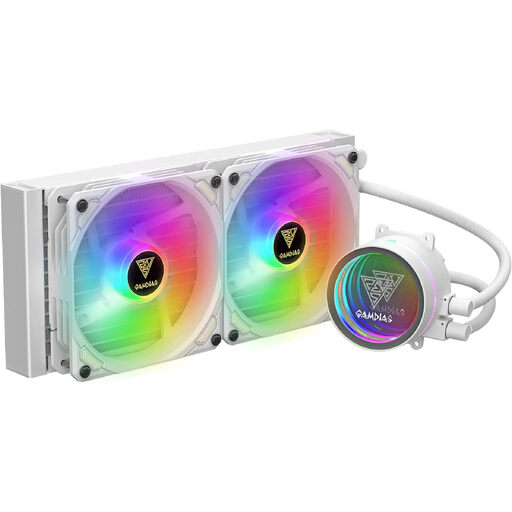
Why this product fits the profile: The 240 mm design is more practical for many desktop cases than larger radiators. According to the manufacturer, this model features liquid cooling, RGB lighting and a noise level of 30 decibels.
The clearly stated radiator size makes case planning easier. The specified noise value makes the buying decision more transparent than a simple label like "quiet".
240 mm radiator, 30 decibels according to the manufacturer and integrated RGB lighting.
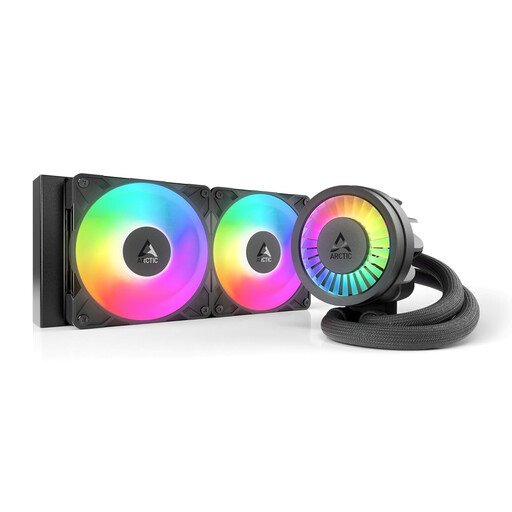
Why this product fits the profile: The features include two 120 mm fans, a PWM-controlled pump, an integrated VRM fan and a contact frame for Intel LGA1851/1700.
The platform support and included contact frame are clearly specified. This reduces the risk of an incompatible installation on Intel systems.
240 mm radiator, ARGB, integrated VRM fan and native offset mounting according to the product description.
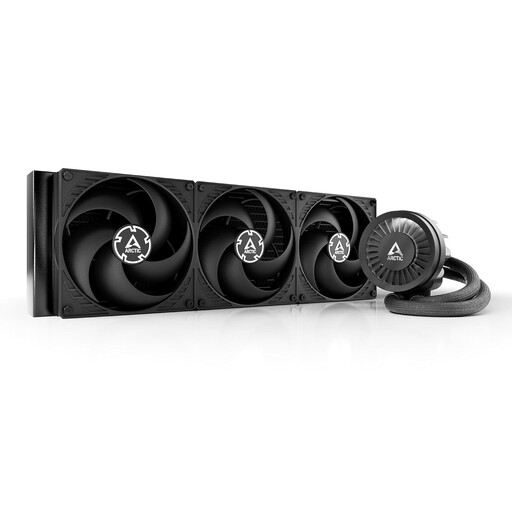
Why this product fits the profile: For sustained high CPU loads, the large radiator surface area can be appealing, provided your case supports the 420 mm dimensions and three 140 mm fans.
The necessary case check is front and centre: this model should not be bought before checking the radiator position, installation depth and hose routing.
420 mm radiator, three 140 mm fans, PWM pump and integrated VRM fan according to the manufacturer.
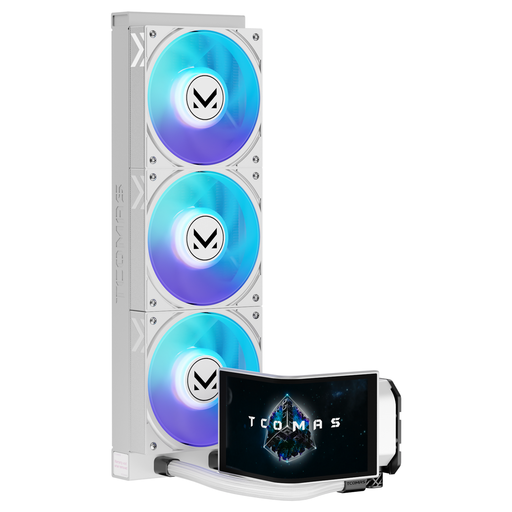
Why this product fits the profile: The white 360 mm model combines a large radiator size with a curved 6.67-inch AMOLED display and customisable visual effects.
The display and ARGB are classified here as design features, not as proof of a specific cooling performance. Compatibility with LGA1851/1700 and AM5/AM4 is explicitly stated.
360 mm radiator, AMOLED display with customisable content and support for current Intel and AMD sockets according to the product specification.
We have put together a complete, regularly updated list of products that fully meet these strict selection criteria and the safety regulations in force in the EU.
A 240 mm AIO fits in many cases and is adequately sized for numerous gaming and everyday PCs. A 360 mm AIO offers more radiator surface area but requires more space. A 420 mm AIO is aimed at large cases and systems with sustained high loads. What matters is your CPU power consumption, case compatibility and the desired fan speed.
The lifespan depends on the pump, fans, operating time, dust exposure and installation. Check the fans, radiator and hoses regularly. Unusual rattling, rising temperatures or traces of liquid are reasons to switch off the PC and stop using the cooler.
The pump and fans require additional electrical power. The exact consumption depends on the speed and model. PWM control can reduce the speed under low CPU load. For running costs, what matters alongside the AIO is your processor load, fan curve and overall PC usage.