
Lieferung heute & morgen

Qualitätsgarantie

Willkommens-Angebote freischalten: KOSTENLOSE Lieferung | Bis zu 80 % RABATT | Kostenlose 30-Tage-JoyPlus-Testphase
App herunterladen
An AIO CPU cooler can be a space-saving alternative to large air coolers in a gaming PC, creator workstation or high-performance desktop. However, the term “high performance” does not automatically mean it is the right solution. Radiator size, case compatibility, socket support and the actual connection options are what really matter.
A 360 mm AIO or 420 mm AIO requires considerably more space inside the case than a 240 mm version. Before buying, you should therefore check the intended mounting positions and the maximum radiator length. RAM height, the graphics card and motherboard heatsinks can also affect top mounting.
A larger radiator can provide more fan surface area, but it only makes sense if the case supports its dimensions and the processor regularly operates under high load.
An RGB AIO liquid cooler does not always use the same connection. ARGB lighting typically uses a 5 V 3-pin connector, while conventional RGB is often connected via 12 V and 4 pins. These standards are not interchangeable. Using the wrong connection can damage the lighting.
Models without lighting, such as the CORSAIR NAUTILUS 240, reduce cable clutter and do not require an additional lighting controller.
Decibel ratings depend on the measuring distance, fan speed and test environment. Values should therefore not be considered in isolation. A PWM connector, a sensible speed range and the option to set a customised fan curve in the BIOS are also important.
In practice, a quiet CPU cooler is usually the result of the radiator surface area, fan profile, pump settings and case airflow working together.
The radiator’s actual dimensions are crucial. For example, the radiator in the CORSAIR NAUTILUS 240 measures 277 × 120 × 27 mm. The ARCTIC Liquid Freezer III Pro 420 is specified as 458 × 138 × 38 mm, with the fans and radiator together requiring more installation depth.
For an Intel- and AMD-compatible liquid cooler, the mounting brackets must match the processor. Relevant sockets for the models considered here include:
Socket support should be checked against the motherboard, not just the processor name. Some ARCTIC models include a contact frame for Intel LGA1851 or LGA1700. This must be installed according to the instructions.
PWM control enables the fan speed to be adjusted automatically according to the CPU temperature. With the CORSAIR NAUTILUS 240, the specified speed range of the two RS120 fans is 300 to 2100 rpm. The pump and fans connect directly to the motherboard, so no separate controller is required.
ARGB models also require a 5 V 3-pin connector for the lighting. You should therefore check the motherboard’s available headers before installation.
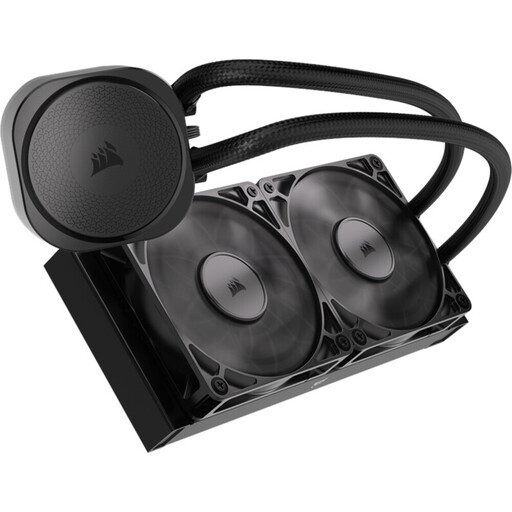
Why this product suits this profile: This 240 mm AIO is compact and does not include RGB lighting. That keeps the build tidy, with the focus on PWM control and a direct motherboard connection.
There is no separate RGB controller and no 12 V/5 V lighting risk. The specified fan range of 300–2100 rpm can be adjusted via PWM.
Copper contact plate, aluminium radiator, PWM fans and support for Intel LGA1851/LGA1700 and AMD AM5/AM4.
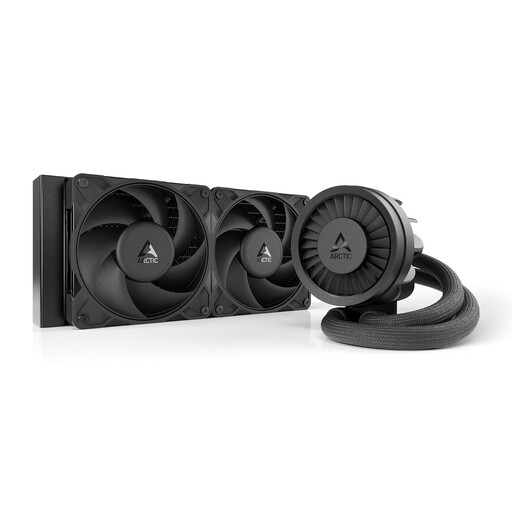
Why this product suits this profile: This model combines a 240 mm radiator with a PWM pump, an integrated VRM fan and native offset mounting for Intel and AMD platforms.
The specification goes beyond simply increasing the radiator size: offset mounting, a contact frame for certain Intel sockets and integrated cable management are clearly stated.
Two 120 mm fans, copper micro-fins and a maximum specified fan speed of up to 3000 rpm.
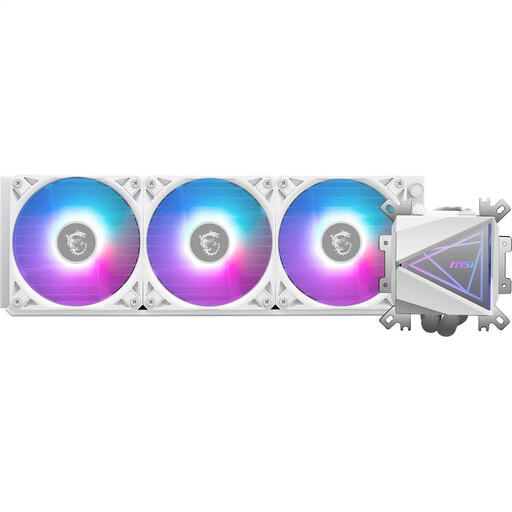
Why this product suits this profile: This 360 mm AIO is aimed at users with a compatible case, sustained high workloads and an interest in a white build with ARGB lighting.
The specification lists the radiator dimensions, three 120 mm fans, PWM control and a 5 V connector for ARGB. This makes it easier to check everything before installation.
Copper contact plate, split-flow radiator, three ARGB PWM fans and compatibility with Intel LGA1700/1200/115x and AMD AM5/AM4.
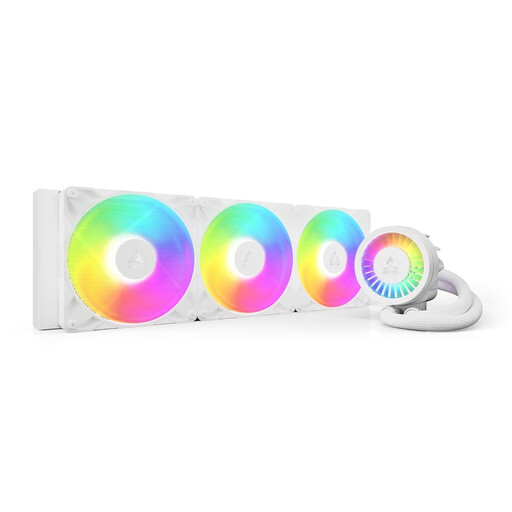
Why this product suits this profile: This 420 mm AIO is designed for large PC cases and users with longer rendering, streaming or computing workloads, provided there is sufficient mounting space.
The large design is clearly specified. Buyers can check in advance whether the 458 × 138 × 38 mm radiator and the additional fan height will fit inside the case.
Three 140 mm P14 Pro fans, PWM pump, integrated VRM fan, ARGB lighting and Intel and AMD support.
We have put together a complete, regularly updated list of products that fully meet these strict selection criteria and the safety regulations applicable in the EU.
Before installation, the PC should be completely switched off and disconnected from the mains. Depending on the motherboard, the pump is connected to AIO_PUMP or CPU_FAN; the fans connect to suitable 4-pin PWM headers. On ARGB models, the lighting connector must not be connected to a 12 V RGB header.
An AIO liquid cooler does not require regular coolant replacement because the circuit is sealed. However, dust should be removed from the radiator and fans. If you notice unusual noises, moisture or rising temperatures, switch off the PC immediately.
That depends on the processor, power limits and case airflow. A 240 mm AIO is a space-saving option for many gaming systems. With sustained high workloads, a 360 mm or 420 mm AIO can provide more radiator surface area, provided the case is compatible.
Its lifespan depends on the pump, fans, installation and operating conditions. A sealed AIO normally does not require a coolant change. Fans can be replaced separately when necessary. If there is a leak, unusual pump noise or a noticeable rise in temperature, the system should not be operated any further.
Power consumption comes from the pump, fans and, where applicable, RGB lighting. PWM control reduces the speed under light loads. If you want to keep energy consumption low, you can choose an AIO without lighting and with a customised fan curve.