What should you look for when choosing one?
First decide what matters most during your wait, then check that specific point on the model and game you have in mind.
| What matters |
What to check before buying |
Who should pay particular attention? |
| Offline play |
Check that your platform game is available for the tablet’s operating system. Install it before you travel and test that it launches and saves your progress without a network connection. |
If I don’t want to rely on airport Wi-Fi, I test the specific game offline beforehand. Around 29% of consumers put offline playability first. |
| Easy to hold and stow away |
Compare the dimensions and weight of the exact model, and allow for a case if you use one. |
I want a device that’s comfortable to hold while I wait and easy to stow in my hand luggage. Around 23% of consumers prioritise portability. |
| Controls |
Check that your chosen game supports a controller and that the controller is compatible with the tablet. For touchscreen controls, make sure the display area suits you. |
If I prefer playing with buttons, I want to check that the controller and game work together before I buy. Around 18% of consumers put controls first. |
| Battery life |
Compare play time only when the test conditions are similar; an mAh figure alone doesn’t guarantee a particular play time. Charge the tablet before you travel. |
If I’m facing a long wait without reliable access to a power socket, I want to know how long my own game will run with my chosen settings. Around 18% of consumers put battery life first. |
| Total cost |
As well as the tablet, factor in the game or subscription you want, plus a controller and adapter if needed. Check prices and what’s included before you buy. |
If I want to keep costs down, I include the game and any accessories I need. Around 12% of consumers prioritise the total cost. |
Joybuy tablets compared
You can compare the Joybuy tablets featured here by their compact design and display size. For each model, check that your specific platform game is available and launches without a connection.
 No image available
Xiaomi Pad 7 with keyboard, 8 GB RAM and 128 GB storage
Worth comparing if display specifications matter to you for touchscreen games; check that your specific game is compatible.
3.2K display with 144 Hz; Snapdragon 7+ Gen 3; 8 GB RAM and 128 GB storage; 8,850 mAh; keyboard listed in the product name.
View at Joybuy
 No image available
ALLDOCUBE iPlay 70 mini Ultra, 8.8 inches
A compact option to compare if size and a smaller display matter to you.
Android 14; 12 GB RAM and 256 GB storage; Snapdragon 7+ Gen 3; 2.5K IPS display with 144 Hz; 7,300 mAh. The product name indicates that no power adapter is included.
View at Joybuy
 No image available
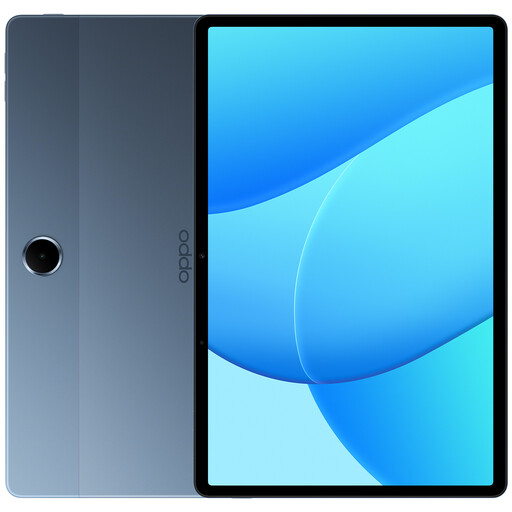
OPPO Pad SE, 4 GB RAM and 128 GB storage
An option to compare if you’re looking for a tablet for games and other uses; check that it supports the game you want to play.
Wi-Fi; model OPD2419 EUN; colour Twilight Blue. According to the product details, a USB-C charger is not included.
View at Joybuy
 No image available
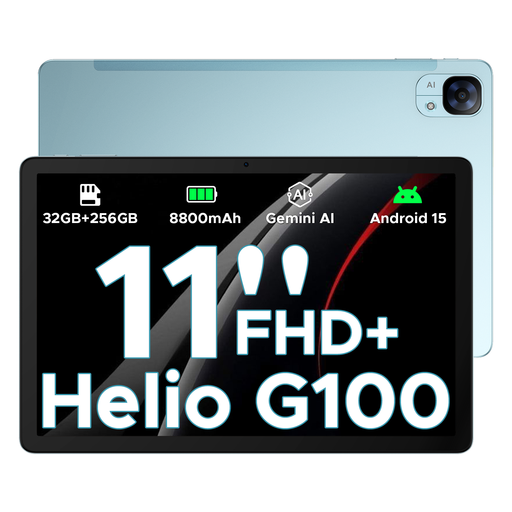
DOOGEE Tab E3, 11 inches
The larger display may appeal if you prefer more touchscreen space; remember to allow for the extra room it’ll take up when stowed away.
Android 15; FHD+ display with 90 Hz; Helio G100; 32 GB + 256 GB/2 TB; 8,800 mAh.
View at Joybuy
 No image available
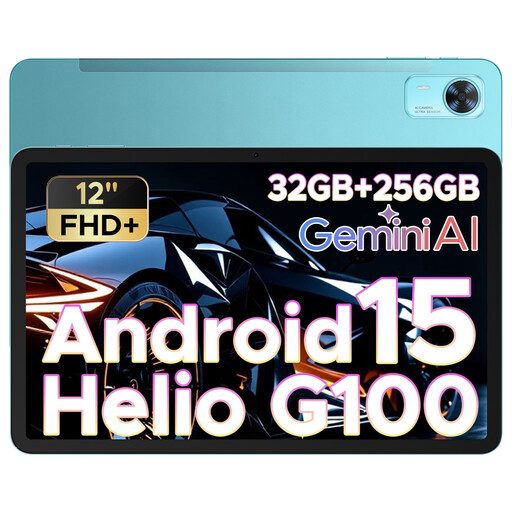
DOOGEE Tab E3+, 12 inches
A larger display may be useful when playing without a controller, but it’ll take up more room in your luggage.
Android; FHD+ display with 90 Hz; Helio G100; 32 GB + 256 GB/2 TB; 8,800 mAh.
View at Joybuy
Frequently asked questions
Can I play any platform game I’ve installed without airport Wi-Fi?
No. Installing a game doesn’t guarantee that it’ll work offline. Apple Germany explains the online and offline play options for Apple Arcade, while Google Play Help lists some games that can be played offline. Before you travel, test your specific game without a connection, including launching it and loading your saved progress.
Will my controller automatically work with every iPad game?
No. According to Apple Support Germany, a compatible controller can connect to an iPad via Bluetooth or cable; the game must also support controller input. Check both requirements for your specific setup. Depending on the model, you may need an adapter for a cable connection.
What should I bear in mind if I’m flying after my time at the airport?
If you’re flying afterwards, EASA recommends carrying tablets in your hand luggage. Spare batteries and power banks must also go in your hand luggage, not in checked baggage. EASA sets a limit of 100 Wh for device batteries; if you’re unsure or your battery has a higher capacity, check with your airline. Also check its rules on devices and flight mode. This onboard guidance doesn’t apply just to playing in the airport terminal.
Is a manufacturer’s warranty the same as your statutory rights?
No. According to EU consumer information, when you buy from a trader as a consumer, you’re entitled to a minimum two-year legal guarantee from the seller, starting when you receive the goods. A commercial guarantee is separate. For purchases made from 31 July 2026, the consumer advice centre also describes an extension to three years if a fault that arose within the first two years is resolved by repair rather than replacement.


