Travel diary with photos
If you want to publish text and photos before your flight, what matters is the actual upload speed at your gate and the data allowance available to you.


For an occasional upload from one device, a smartphone hotspot is often enough, provided you have good reception, sufficient data and enough battery at your gate. A separate LTE hotspot can take the strain off your phone’s battery, while a 5G model may be worth considering for frequent large uploads if your plan and local network support 5G at the airport. Manufacturers’ maximum speed claims don’t guarantee the same upload speeds inside an airport terminal.
If you want to publish text and photos before your flight, what matters is the actual upload speed at your gate and the data allowance available to you.
If you want your laptop and phone online at the same time, check how many devices the hotspot supports and whether it can run on battery power.
If you regularly upload photos or videos, consider LTE and 5G alongside your plan and the reception at each location where you’ll be using them.
A good fit if: You only occasionally upload text or a few photos, and have enough reception, data and phone battery at your gate.
The trade-off: You don’t need another device, but you’ll use your phone’s battery and data allowance.
A good fit if: You publish more regularly or want to connect your laptop and phone without relying solely on your phone’s battery.
The trade-off: You’ll need an extra device and a suitable SIM or data plan.
A good fit if: You often transfer large photo or video files and can access 5G at your location with a suitable plan.
The trade-off: Maximum 5G and Wi-Fi speeds alone don’t prove you’ll get a faster connection in the terminal.
A good fit if: You don’t want to use mobile data and the specific Wi-Fi network lets you upload your files within the time you have.
The trade-off: Check that the network is genuine. Germany’s Federal Office for Information Security warns about misleadingly named “airport Wi-Fi” networks.
| What matters | What to check before buying | Who should pay particular attention |
|---|---|---|
| Uploading at your gate | Check upload and download figures separately; test the connection at the specific spot where you’ll be using it. | If you want your travel diary online before boarding, the actual upload speed matters. Around 31% of consumers put upload speed first. |
| Data allowance and roaming | Check your data allowance, roaming settings and the terms for your destination. | If you upload photos or videos while travelling, you’ll want to know whether your plan covers this at your destination. Around 25% of consumers prioritise data allowance and travel costs. |
| Power | Make sure the battery life and charging options suit how long you plan to use the device. | If you can’t rely on a plug socket while you wait and want to save your phone’s battery, power is key. Around 19% of consumers focus primarily on battery life. |
| Multiple devices | Check the number of supported devices and the connections you need; don’t assume these mean faster uploads. | If you’re working on a laptop while connecting your phone too, you’ll need a suitable shared connection. Around 13% of consumers prioritise connecting multiple devices. |
| Connection security | Check the identity of public networks; if you have your own router, change its default login details and keep the firmware up to date. | If you want to protect your travel diary and login details, choosing your network carefully matters. Around 12% of consumers prioritise connection security. |
Germany’s Federal Network Agency notes that building materials and network congestion can affect mobile reception; its network map provides a forecast for outdoor coverage. Your plan, device and location can also affect your experience.
A high download speed figure doesn’t tell you how quickly your travel diary will upload inside the terminal. Building materials and network congestion can affect your connection.
Compare the upload figure separately and, if possible, test the connection at your gate rather than relying on the biggest number on the box.
Whether you can use a router to access mobile data while travelling also depends on the SIM, your plan and your destination. Roaming terms can vary depending on where you are.
Before you travel, check your data allowance, roaming settings and the terms for every country you’re visiting.
Germany’s Federal Office for Information Security warns about fake networks that may use names such as “airport Wi-Fi”.
Check that a public network is genuine. If you use your own router, change the default login details and keep its firmware up to date.
The M7650 and M8550 ranges offer battery-powered LTE and 5G hotspots respectively.
The Nighthawk M3 MH3150 is a battery-powered 5G option for multiple devices.
The E5785L is a documented LTE hotspot range to consider when comparing models.
The Joybuy picks below include LTE routers and other router models. Check the mobile network standard, power supply and data plan for your needs. Germany’s Federal Network Agency states that radio equipment must carry the required CE marking; check this on the specific version you’re buying.
 No image available
Worth considering if you’re looking for an LTE router with USB-C power and a Nano SIM. To use it without a plug socket, you’ll need a suitable power source.
The product name lists LTE Cat 6, Wi-Fi 6 and a Gigabit LAN port.
 No image available
This mobile hotspot is an option if you’re looking for LTE access with a Nano SIM and its own battery.
The product name lists a 2200-mAh battery and a speed of 150 Mbps; check the stated uplink specification for your upload needs.
 No image available
If you plan to use this modem router at your gate, check in advance that its power supply will work for you there.
The product name lists WiFi 6, dual-band and Gigabit Ethernet.
 No image available
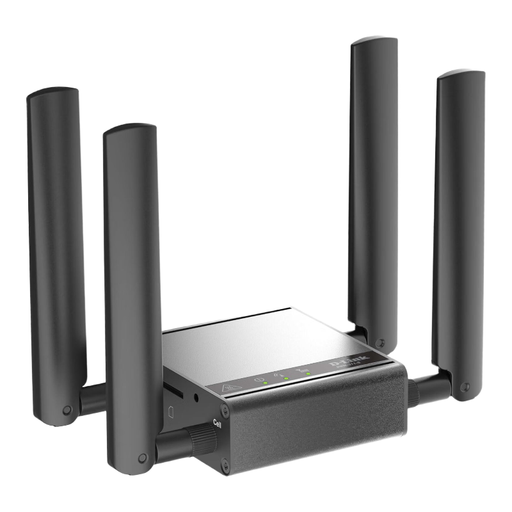
If you’re considering a router or gateway for mobile data access, check the mobile network standard and power supply for your intended location.
The product name describes this model as a mobile router/gateway/modem.
 No image available
This mobile hotspot may suit LTE uploads if you want a router with its own battery and a compatible SIM.
The product name lists upload speeds of up to 50 Mbps, a 2000-mAh battery and compatibility with European SIM cards.
Check the file size, how much time you have left and the actual upload speed at your gate. A network map mainly forecasts outdoor reception; building materials and network congestion can affect your connection. A model’s maximum speed isn’t a guarantee for that location.
Change the default password for the router’s administration settings, check the Wi-Fi password and install any available firmware updates. These are security recommendations from Germany’s Federal Office for Information Security; they don’t mean that a particular model is insecure out of the box.
No, not for every destination or without conditions. Germany’s Federal Network Agency describes roaming at domestic rates in the EU, as well as in Iceland, Liechtenstein and Norway; exceptions may apply. Different terms and charges may apply outside this area. Check whether your contract includes data roaming at your destination.
According to the European Union Aviation Safety Agency, spare batteries and power banks must go in your hand luggage and be individually protected against short circuits. Check the battery specifications and your airline’s rules before travelling; carrying spare batteries is separate from using a hotspot in the terminal.
Radio equipment sold in Germany must meet the relevant conformity requirements, including the required CE marking. Germany’s Federal Network Agency also lists product identification, manufacturer details, instructions in German and a declaration of conformity as points to check. Make sure you check the specific product version you intend to buy.