What should you look for when buying?
It comes down to what matters most for your project files: restoring older versions, having enough space, using files on the move or protecting confidential content.
Portable HDD
A good fit if: you want to back up your plans regularly and then store the drive separately.
The trade-off: An HDD is less focused on speed than an SSD when you need to copy large files quickly.
External SSD
A good fit if: you often take large project folders with you or copy them regularly, and shorter wait times matter.
The trade-off: Transfer speeds also depend on whether your connections are compatible. An SSD doesn’t replace versioning.
Desktop HDD
A good fit if: your large archive stays mostly in one place and you have access to a power socket there.
The trade-off: Its larger size and need for an external power supply make it less practical to carry between your garden and computer.
| What matters |
What to check before buying |
Who is this important to? |
| Older versions |
Check that your operating system and preferred backup method are compatible. Once set up, test restoring an earlier file. |
If I want to retrieve an earlier version of a plan, I need a versioned backup and a restore test. Around 36% of consumers put this need first. |
| Space for archives and backups |
Check the size of your project folders and allow extra space for the versions you plan to keep. |
If I want to keep plans and images for longer, I need to allow for the space they take up, including backups. Around 29% of consumers prioritise having enough archive capacity. |
| Sharing files on the move |
Check that the USB port and cable work with the computers you use. If you use different operating systems, check the file system and backup compatibility. |
If I use my plans on several workstations, the drive needs to connect to them and be easy to carry. Around 21% of consumers focus mainly on sharing files on the move. |
| Confidential files |
If your files need extra protection, check the encryption and unlocking options available for the computers you plan to use. |
If my project files contain confidential information, I want to make it harder for someone to access them if the drive is lost. Around 14% of consumers put confidentiality first. |
Matching products on Joybuy
This selection includes portable HDDs and external SSDs for storing and carrying project files. Check whether each drive has enough capacity for your original files and the backups you want to keep.
 Image unavailable
WD Elements Portable, 2 TB, USB-C
A portable HDD for project files and backups, provided it has enough storage for your files.
2 TB; USB-C; USB 3.2 Gen 1; 2.5 inches; exFAT.
You’ll also need to set up a suitable versioned backup to keep earlier versions of files.
View on Joybuy
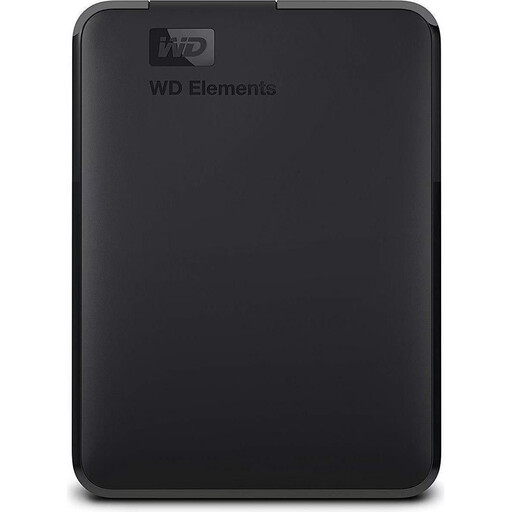 Image unavailable
WD Elements Portable, 2 TB, USB 3.0
A portable HDD for project files, if its stated formatting is compatible with the computers you plan to use.
2 TB; USB 3.0; described in the product name as formatted for PC and Mac.
You’ll also need to set up a suitable versioned backup to keep earlier versions of files.
View on Joybuy
 Image unavailable
Kexin M.2 SATA Portable External SSD, 256 GB
A portable SSD for project files, if 256 GB is enough for your files and the backup versions you plan to keep.
256 GB; USB 3.1; stated transfer speed of up to 500 MB/s.
The drive alone won’t keep a version history; you’ll need a suitable backup method for that.
View on Joybuy
 Image unavailable
KEXIN External SSD Hard Drive, 512 GB
A portable SSD for project files, if its capacity suits your files and how long you plan to keep them.
512 GB; USB 3.1; stated transfer speed of up to 500 MB/s.
The drive alone won’t keep a version history, so set up a suitable backup method.
View on Joybuy
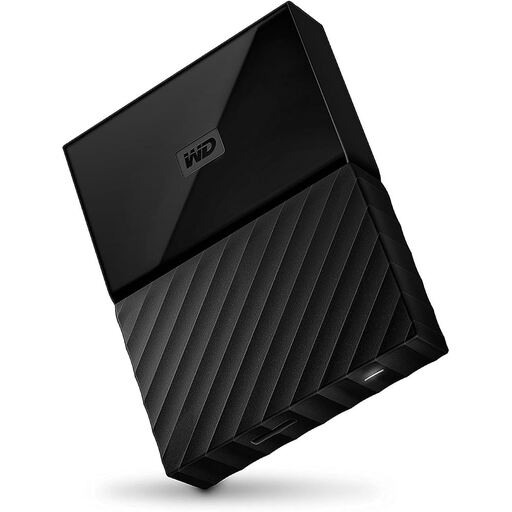 Image unavailable
Western Digital My Passport, 4 TB, Black
A portable external hard drive for a larger archive, if 4 TB is enough for your files and how long you plan to keep them.
4 TB.
The drive alone won’t keep a version history, so set up a suitable backup method.
View on Joybuy
Frequently asked questions
Can the hard drive alone retrieve earlier versions of my plans?
No. You’ll need to set up a suitable versioned backup: Windows File History can restore earlier versions of backed-up files, while Time Machine can retrieve earlier versions of items on a Mac.
What should I check when setting it up on Windows or Mac?
On Windows, check that File History includes your project folders. To use Time Machine, set up the external drive as a backup volume; Apple recommends using this volume only for Time Machine backups. According to Toshiba, a Canvio Basics drive formatted as NTFS for Windows needs to be reformatted for the macOS use described here.
How can I check that my backup is working?
Once it’s set up, restore an older file or one you’ve backed up as a test, then open it. The German Federal Office for Information Security points out that backed-up data must be restorable, too.
Is one external hard drive enough as my only backup?
For important projects, don’t treat your original and backup as your only copy if they’re stored together. The BSI recommends keeping a backup outside your home, too; if needed, plan to use another storage device and keep it somewhere separate.
Do I need special encryption for personal plans?
A personal allotment project alone doesn’t mean you automatically need encryption. If your files contain personal information and are processed, for example, as part of an association’s activities, data protection law may apply. The German Federal Commissioner for Data Protection and Freedom of Information explains when the GDPR applies to the processing of personal data; the requirements in each case depend on the files and how they’re used.


