Who plans allotment planting layouts on a laptop?

Garden planners who draw directly on screen

You want to sketch beds and planting symbols on screen with a stylus, then label your changes on the same device. Check stylus compatibility for the specific model; a touchscreen alone isn’t enough to confirm it.

Planners who work with lots of layers

You keep the layout, paths and planting on separate layers so you can edit each element independently. Check your drawing software’s requirements against the device’s memory.

Planners who work at a desk

You do most of your work at a desk and can use your laptop separately from your drawing surface. A traditional laptop with a graphics tablet that’s compatible with its operating system could be a good option.

What should you consider when choosing?

Convertible with stylus input

A good fit if: You want to sketch planting positions and paths directly on screen, and use the same device for typing too.

Things to weigh up: Stylus support and what’s included depend on the specific model. Check both against the full model number.

Detachable with keyboard

A good fit if: You mainly want to draw on a flat device and attach a keyboard when you need to add labels.

Things to weigh up: The device, keyboard and stylus need to work together for the configuration you choose; accessories may be sold separately.

Laptop with external graphics tablet

A good fit if: You mainly plan at a desk or already have a compatible graphics tablet.

Things to weigh up: The drawing surface and laptop remain separate; check the ports, operating system and drivers required by the specific tablet.

What you need What to look for Who is it important to?
Draw directly with a stylus Check the stylus technology, compatibility and what’s included for the full model number. If I want to add bed outlines directly to the drawing on screen, I need a compatible active stylus. Around 28% of shoppers cite direct stylus input as their main priority.
Work with lots of layers Choose your software and check its requirements against the device’s memory. Krita recommends 16 GB RAM; Adobe also recommends at least 16 GB for Photoshop 27.x. If I want to edit the planting and layout separately, I pay particular attention to the requirements of my planning software. Around 28% of shoppers put working with layers first.
See the plan and labels clearly Compare the screen size and resolution with your preferred view in the drawing software, rather than relying on screen labels alone. If I want to see the drawing, layers and labels together, usable screen space matters. Around 17% of shoppers cite an overview of the plan as their main priority.
A complete drawing setup Check whether the stylus, keyboard or external graphics tablet is included in your chosen setup and is compatible. If I’m looking for a drawing setup that’s ready to use, I count the accessories I need as part of the package. Around 16% of shoppers say a complete drawing setup matters most.
Take the device with you Check the weight and battery details for the exact configuration, and factor in accessories and how you’ll use it away from a power socket. If I want to take my planting plan between my desk and the garden, the setup needs to suit how I’ll carry it. Around 11% of shoppers cite portability as their main priority.

Common buying misconceptions

  • Assuming a touchscreen automatically works with a drawing stylus

    According to Lenovo, the Yoga Pen Gen 2 is available only with selected Lenovo Yoga 7a 2-in-1 Gen 11 models. A touchscreen alone therefore doesn’t confirm either stylus compatibility or what’s included.

    Check stylus support and what’s included against the full model number before choosing the device as a drawing solution.

    You may need to buy a compatible active stylus separately.

  • Considering only the detachable device

    Microsoft sells the Surface Pro Keyboard with Slim Pen as a separate accessory. The base device alone may not include everything you need to draw and add labels.

    Check the device, compatible keyboard and stylus as a complete setup, and make sure they work with the Surface Pro version you’ve chosen.

    The keyboard and stylus may be sold separately.

  • Assuming an exported file is the editable original

    Krita recommends using its native .kra format for files that need to retain the program’s features; saving in other formats can result in features being lost.

    Keep an editable project file and export an additional copy to share.

    If layers can no longer be edited as intended in an exported file, you may need to do extra work.

Key brands at a glance

Lenovo

Yoga 2-in-1 models are worth considering if you want to draw and type on the same device.

  • Lenovo describes the Yoga 7a 2-in-1 Gen 11 as having a touchscreen that folds back.
  • According to Lenovo, the Yoga Pen Gen 2 is available only with selected models; check what’s included with the specific version.

ASUS

The ProArt PX13 is a compact convertible option if you’re planning to do other creative work as well as drawing.

  • ASUS lists 32 GB RAM, a 13.3-inch OLED touchscreen and an included stylus for the German HN7306EA-LX070W model. It also supports the ASUS Pen SA205H.
  • These specifications apply to the version named above. They don’t prove an advantage for simple planting plans or that other PX13 models include the same items.

Samsung

The Galaxy Book5 Pro 360 is a convertible option with a larger drawing area and S Pen input.

  • Samsung describes the German NP960QHA-KG5DE version as a 16-inch 2-in-1 with 16 GB RAM and an S Pen for sketching.
  • The manufacturer’s specifications apply to this version; check the screen size and stylus included with other offers separately.

Microsoft

Surface Pro offers a flat drawing setup, with the option to add a keyboard.

  • Microsoft lists Surface Pro 11 Business models with 16 or 32 GB RAM and offers a compatible keyboard with Slim Pen.
  • The keyboard with stylus is sold separately. Specifications for the Business model don’t automatically confirm what’s included with other devices or bundles.

Apple

The MacBook Air is a laptop option for working with an external graphics tablet instead of using a stylus on the screen.

  • For the German MacBook Air with M5, Apple lists at least 16 GB of unified memory, depending on the configuration, and two Thunderbolt 4 ports.
  • The specifications listed don’t include built-in stylus input. Check the compatibility and connection of the specific external graphics tablet.

Joybuy products for planting plans

This selection includes traditional laptops for planning at a desk with an external graphics tablet, as well as Surface Pro devices for a flat drawing setup. For Surface models, check stylus compatibility and what’s included with the specific version.

Acer TravelMate TMP216-41-TCO laptop

Acer TravelMate TMP216-41-TCO

For planning at a desk with an external graphics tablet; check that it’s compatible with the operating system.

16-inch WUXGA display; 16 GB DDR5 RAM; 512 GB SSD; Windows 11 Pro Education.

Joybuy

Lenovo ThinkPad E16 Gen 3 21ST

Lenovo ThinkPad E16 Gen 3 21ST

For planning at a desk with a separate graphics tablet; check the tablet’s compatibility first.

16-inch display; 32 GB RAM; 1 TB SSD; Windows 11 Pro.

Joybuy
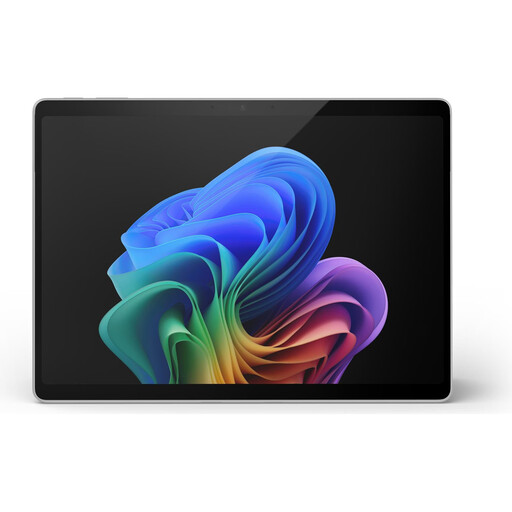
Microsoft Surface Pro 11 with Snapdragon X Plus, 16 GB RAM and 512 GB storage

Microsoft Surface Pro 11, Snapdragon X Plus, 16 GB, 512 GB

The design could suit a flat drawing setup; check that it supports the stylus you need and whether the keyboard and stylus are included with this specific version.

13 inches; Snapdragon X Plus; 16 GB RAM; 512 GB storage.

Joybuy
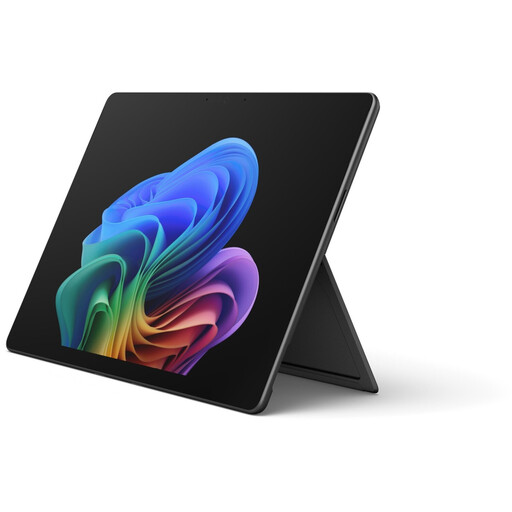
Microsoft Surface Pro 12 with Core Ultra 5, 16 GB RAM and 512 GB storage

Microsoft Surface Pro 12, Core Ultra 5, 16 GB, 512 GB, Black

If you’re considering this compact device for planting plans, check stylus compatibility and what’s included with this specific version before you start drawing.

Core Ultra 5; 16 GB RAM; 512 GB storage.

Joybuy

Microsoft Surface Pro 12 with Snapdragon Plus, 24 GB RAM and 1 TB storage

Microsoft Surface Pro 12, Snapdragon Plus, 24 GB, 1 TB, Platinum

This device could suit a flat drawing setup, provided the stylus support and accessories you need are available for this version.

Snapdragon Plus; 24 GB RAM; 1 TB storage.

Joybuy

Frequently asked questions

Does a laptop for drawings with layers need a separate graphics card?

Not simply because you’re using layers. Check the requirements of your specific software: Krita lists supported graphics standards and recommends 16 GB RAM, while Adobe also lists GPU requirements for Photoshop 27.x. File size and the features you use matter too.

How can I keep the layers in a planting plan when saving it?

If you use Krita, save the editable version in its native .kra format and export an additional file to share. According to Krita, saving in other formats can result in features being lost; automatic backups aren’t a substitute for saving your work yourself.

Can I draw on a laptop without a touchscreen?

Yes, with a graphics tablet that’s compatible with the operating system and your specific computer. Wacom explains how to set up the Intuos and notes that software compatibility depends on the operating system, so check that you have the right driver for your tablet.

What rights do I have when buying a new laptop from a retailer?

For new goods bought from a retailer, EU consumer law provides a legal guarantee period of at least two years. For a standard online distance sale, you generally have 14 days from delivery to cancel; possible exceptions and conditions on return costs should be checked. These statutory rights are separate from a voluntary manufacturer’s warranty.

Can I put an old laptop in household rubbish?

No. The German Environment Agency explains that electrical waste must be collected separately and lists local recycling centres and suitable collection points. Removable batteries should be handed in separately where possible.