What should you look for when buying?
First measure the viewing distance and available space. Then compare the view from every seat, and check that your specific videos will play.
| What matters when buying |
What to check |
Who is this important to? |
| Screen size and viewing from a distance |
Consider the distance to the furthest seat, the space available for the TV and stand, and the resolution of your own videos. |
If I want to make out details from the back row, I consider viewing distance, screen size and video resolution together. Around 36% of consumers put visibility from the back row first. |
| Viewing from the side and room lighting |
Compare the picture from seats at the side and in typical room lighting; check for reflections in the intended location. |
If everyone needs a good view, even from the side, I’d include seats away from the centre in my comparison. For around 29% of consumers, viewing from different seats and in changing room light is the priority. |
| Playing your own videos |
Check your planned connection method and whether the supported file extension and codec work with your own files. |
If I want to show my own project videos, I test a typical file on the TV or playback device I plan to use. Around 21% of consumers put playing their own video files first. |
| Cost and installation |
Compare the specific model’s energy consumption, the dimensions of the TV and stand, and delivery and installation terms. |
If you want to keep costs and installation effort manageable, remember to factor in running costs, transport and installation. Around 14% of consumers give top priority to overall and running costs, as well as finding a suitable place for the TV. |
Joybuy product offers
This selection features TCL 75Q7C TVs for watching together from further away; the offers differ in the speaker sets included.
 No image available
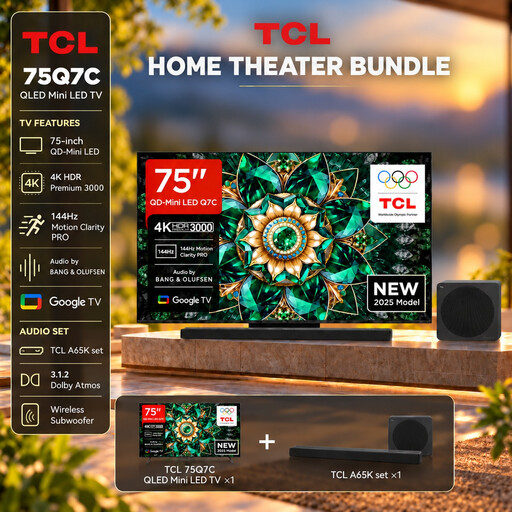
TCL 75Q7C with A65K Soundbar Set
The listed 75-inch screen size may suit project videos watched from further away; compare it with your measured viewing distance and the space available.
Features listed in the product title: QLED Mini LED, 4K HDR, Dolby Vision IQ, 144Hz VRR and A65K Soundbar Set.
Check that your video files will play by comparing their formats and codecs with those supported by the specific TV.
View at Joybuy
 No image available
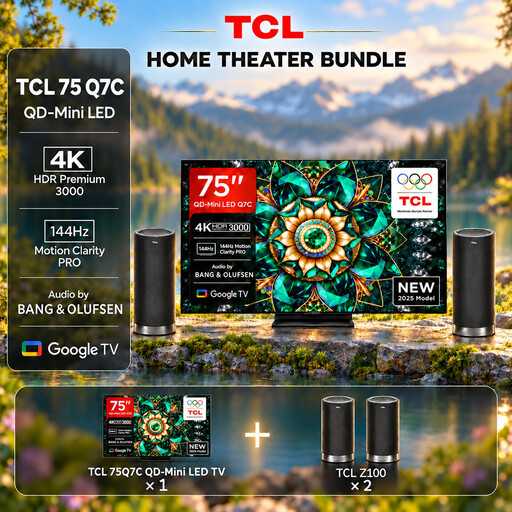
TCL 75Q7C with Z100 Speaker Set
The listed 75-inch screen size may suit project videos watched from further away; measure the distance and check the space available before choosing.
Features listed in the product title: QLED Mini LED, 4K HDR, Dolby Vision IQ, 144Hz VRR and Z100 Speaker Set.
Check your video files’ formats and codecs against the specifications for the specific TV.
View at Joybuy
 No image available
TCL 75Q7C QLED Mini LED TV
The listed 75-inch screen size can provide a large viewing area for watching together; judge it by the furthest seat and the videos you’ll be showing.
Features listed in the product title: QLED Mini LED, 4K HDR, Dolby Vision IQ and 144Hz VRR.
For a safe set-up, mount the TV securely or place it on a stable piece of furniture to prevent it from tipping over.
View at Joybuy
Frequently asked questions
How do I choose a screen size if I don’t yet know the exact viewing distance?
First measure the distance to the furthest seat you use regularly. Samsung Deutschland suggests a 75-inch screen as a guide for a 4K TV viewed from 3 metres; it isn’t a required size. If your project videos have a different resolution or your seating arrangement is different, reassess your choice.
Why might a video file not play even though the TV has a USB port?
An unsupported codec can prevent playback. LG Deutschland recommends checking the file extension and codec against the device requirements. Test one of your own typical files and check the documentation for the specific TV; a USB port alone doesn’t guarantee compatibility.
How do I compare energy consumption and my rights if the TV develops a fault?
Compare the energy consumption figures for the specific model on the EU energy label, not just its efficiency class. In Germany, statutory consumer rights against the retailer are separate from a voluntary manufacturer’s guarantee; any additional cover is subject to its terms and conditions. The Verbraucherzentrale explains the difference.
Can I simply put the TV outside or run an electricity supply to it?
The fact that you’re showing allotment projects doesn’t mean the TV needs to be outdoors. If you’re planning an outdoor showing, check that the TV and its connections are specifically suitable for this use. For work on an electrical installation covered by its scope, § 13 NAV specifies the network operator or an installation company listed in its register of installers. This isn’t a blanket ban on using a TV in an allotment hut; whether a particular location and its power supply permit an installation needs to be checked separately.
Does the Federal Allotment Garden Act ban TVs in allotment huts?
Section 3 BKleingG doesn’t establish a general ban on TVs. It limits the size of an allotment hut and requires that it isn’t suitable for permanent residence. Your contract, garden rules and installation conditions may also be relevant to your particular allotment.


