Which option suits you?

Showing videos stored locally

You want to show your own videos without allotment Wi-Fi. The key question is whether the projector can read your specific files directly or whether you’ll need a suitable playback device. The BenQ GV50 lists its USB ports as readers, but that doesn’t mean it can play every file format.

Showing videos without a mains socket

You set up in different places and need to check that the battery life of the specific model will cover the planned video length. Manufacturer claims apply to the model named and the usage conditions described.

Groups watching in ambient light

You want to show a video before it gets completely dark or across a larger area. First decide on the screen size and viewing time, then check whether a suitable power supply is available at the site.

What to look for when buying

USB media reader

Suitable if: You want to play videos directly from a storage device. BenQ lists USB-A and USB-C as readers on the GV50 and says that the VLC app comes pre-installed.

Bear in mind: A reader and VLC don’t guarantee support for every video and audio file, so check your file formats.

Battery-powered projector with HDMI playback device

Suitable if: There’s no mains socket where you’re showing the video and you have a suitable playback device. XGIMI quotes up to 2.5 hours of battery life for the Halo+.

Bear in mind: Remember to plan for suitable cables and a power supply for the playback device. For the battery-powered XGIMI Vibe One, the manufacturer quotes up to 1.2 hours of video playback in Eco mode. This figure doesn’t apply to every Vibe One version.

Mains-powered projector with HDMI

Suitable if: Mains power is available and you want to show videos in ambient light or across a larger area. Epson quotes 4,100 lumens for both white and colour brightness on the EB-FH18, along with two HDMI inputs.

Bear in mind: For local files, you’ll need an external playback device unless direct playback is specifically confirmed. Epson’s lumen figures can’t be compared directly with ANSI or ISO values for other models unless they’re based on the same measurement method.

Priority What to check before buying Who it matters most to
Playing local videos Check for a documented USB reading function and supported file formats, or plan to use a suitable HDMI playback device. If I want to show my videos without allotment Wi-Fi, I need to know whether the projector can read the files itself or whether I’ll need a playback device; around 33% of consumers prioritise offline playback.
Power supply and battery life Compare the video playback time for the correct model version with the planned viewing time, and factor in the playback device’s power needs. At places without a mains socket, I need enough battery life for the film and have to power the playback device too; around 27% of consumers put mains-free viewing first.
Visibility in ambient light Decide on the viewing time, shade and screen size; consider brightness figures alongside their units and measurement methods. If the group is watching in ambient light or across a larger area, a clear picture matters more to me than maximum portability; around 27% of consumers prioritise a picture that’s easy for the group to see.
Setting up on site Check the available projection distance and space, and factor cables and the playback device into your plans. When I’m setting up in different places, I want to be able to position the projector without a lot of adjustment; around 13% of consumers prioritise an easy set-up.

Common buying mistakes

  • Assuming a USB port guarantees file playback

    A USB port alone doesn’t tell you whether the projector can play videos directly or which codecs and audio formats will work.

    Check which formats the specific model supports and have a suitable HDMI playback device ready if needed.

  • Planning around music playback time instead of video playback time

    For the battery-powered Vibe One, XGIMI quotes up to 1.2 hours of video in Eco mode and up to 4 hours of music playback. The longer figure isn’t a video playback time.

    Compare your planned viewing time with the video playback time for the correct model version.

  • Choosing a compact battery-powered projector for daylight based on its lumen figure alone

    Ambient light and picture size affect how easy the projection is to see. Manufacturer figures using different labels and measurement methods aren’t a direct, real-world test at your allotment.

    Plan the viewing time, shade and screen size together, and don’t treat brightness figures as a guarantee of a clear picture in daylight.

A guide to the key brands

BenQ

The GV50 is worth considering for mobile viewing if you’re looking at documented USB reading functions and HDMI as playback options.

  • For the GV50, BenQ lists USB-A and USB-C as readers, VLC as a pre-installed app and one HDMI input.
  • The manufacturer’s information doesn’t confirm playback for every video or audio file, or visibility in all daylight conditions.

XGIMI

The battery-powered Halo+ and Vibe One are designed for different types of mobile use.

  • XGIMI quotes up to 2.5 hours of battery life for the Halo+ and up to 1.2 hours of video playback in Eco mode for the battery-powered Vibe One.
  • The battery life figures apply to the specific models and conditions stated. Vibe One versions with and without a battery aren’t interchangeable.

Epson

The mains-powered EB-FH18 is an option if you have a power supply and plan to use an HDMI playback device.

  • For this model, Epson quotes 4,100 lumens for both white and colour brightness, as well as two HDMI inputs.
  • These figures don’t confirm direct playback of your local video files; the EB-FH18 uses a lamp light source.

Nebula

The Mars 3 Air is a portable battery-powered projector. Its playback method and battery life need to suit your planned viewing.

  • Anker quotes 1080p, 400 ANSI lumens and up to 2.5 hours of battery life in Eco mode for the Mars 3 Air.
  • These are manufacturer figures, not an independent battery life test under allotment conditions.

Aurzen

The foldable ZIP is designed for mobile viewing where screen mirroring may be a suitable way to play videos.

  • Aurzen quotes up to 1.5 hours of battery life and screen mirroring without an external Wi-Fi connection.
  • This doesn’t confirm direct playback of local files from a USB storage device. Check compatibility with your specific playback device.

Joybuy product selection

This selection includes projectors for local videos, provided you can use compatible screen mirroring or an external playback device. A port or mirroring function alone doesn’t confirm that the projector can play files directly from a USB storage device.

V1 Outdoor Mini Projector with 720P and battery

V1 Outdoor Mini Projector, 720P, Auto Focus

A good fit for a viewing if you can mirror videos from a compatible smartphone; the product information doesn’t confirm direct playback of local USB files.

The title specifies 720P and autofocus. The description lists a built-in 10400-mAh battery and up to 2 hours of wireless playback.

View at Joybuy

Aurzen Tri-Fold DLP Mini Projector

Aurzen Tri-Fold DLP Mini Projector

Worth considering for a short viewing if you can mirror videos from a compatible device without external Wi-Fi; this doesn’t confirm that it has a direct USB media reader.

The product description lists a 5000-mAh battery and up to 1.5 hours of video playback. It says Google Cast isn’t supported; bear in mind the restrictions it also mentions for certain smartphones and Chromebooks.

View at Joybuy
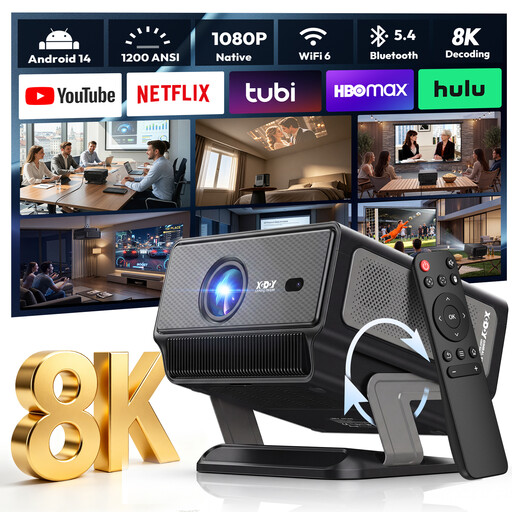
XGODY Gimbal A8 Projector with native 1080P and 1200 ANSI

XGODY Gimbal A8 Projector, Native 1080P, 1200ANSI

A good fit if you have an HDMI playback device and want to position the projector flexibly on site; the USB port doesn’t confirm direct playback of local files.

The product description lists native 1080p, 1200 ANSI, HDMI and USB, along with a stand that rotates from 0–90°. It advises against exposing the device to rain, moisture or liquids.

View at Joybuy
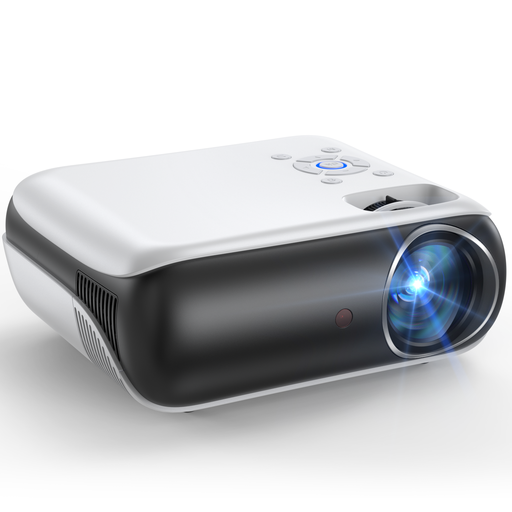
Happrun H1 Full HD projector

Happrun H1 Full HD Projector

An option if you can play the videos using a suitable HDMI or USB playback method; the listed ports don’t confirm that all local files can be played directly.

The product description lists native 1080p, built-in speakers, and HDMI and USB ports. It can be set up on a table, ceiling or tripod.

View at Joybuy
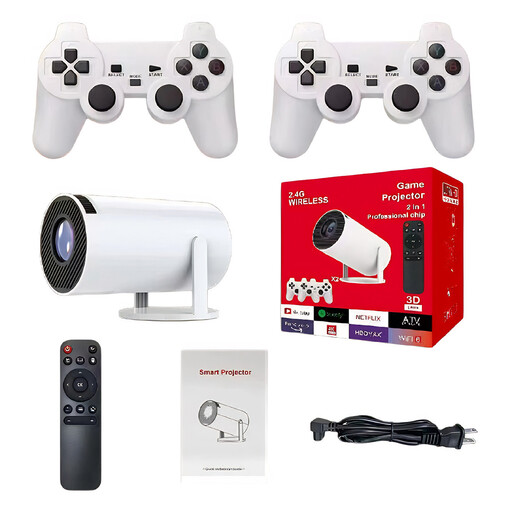
Portable Full HD Wi-Fi projector with screen mirroring

Portable Full HD Wi-Fi projector with screen mirroring

Worth considering if a compatible iOS or Android device can mirror the videos, or if you’re using an HDMI playback device; the title doesn’t confirm direct playback from a USB storage device.

The product title lists Full HD, Wi-Fi, HDMI compatibility and screen mirroring for iOS and Android.

View at Joybuy

Frequently asked questions

Is a USB port enough to play videos from a USB stick?

No. A USB port alone doesn’t confirm that the projector can play videos. Check whether the specific model explicitly lists a reading function and supports your video and audio formats. The BenQ GV50’s official specification sheet lists USB-A and USB-C as readers and includes VLC, but doesn’t promise support for every file.

How should I plan my first viewing at the allotment?

Beforehand, check the screen size, projection distance, shade or viewing time, and the complete playback set-up, including the playback device and power supply. Anker’s guide lists ambient light, moisture and projection distance as factors to consider when using a projector outdoors; this isn’t a measurement of conditions at your site.

What are my rights if playback doesn’t work as expected after buying online?

According to the Verbraucherzentrale, consumers generally have a 14-day right to cancel an online purchase, and they must notify the retailer that they wish to cancel. If a product is faulty, statutory consumer rights should be distinguished from a voluntary manufacturer’s warranty. Whether a particular file should have been supported depends on the product features agreed at the time of purchase.

Is there a fixed time across Germany for playing films at an allotment?

The German Environment Agency’s guidance doesn’t set a single time that applies at every location. Rules on neighbourhood noise may depend on the federal state, local authority and local regulations. Check the rules for your specific allotment and keep the volume considerate.