
Lieferung heute & morgen

Qualitätsgarantie

Willkommens-Angebote freischalten: KOSTENLOSE Lieferung | Bis zu 80 % RABATT | Kostenlose 30-Tage-JoyPlus-Testphase
App herunterladen
Choosing the right AM5 motherboard is the foundation for any high-performance, future-proof PC. However, with the introduction of AMD Ryzen 9000 processors and technologies like DDR5, PCIe 5.0, and WiFi 7, the market has become more complex. As your Joybuy Product Recommendation Officer, I'll help you navigate through the marketing noise and make an informed decision based on facts, not hype.
Many buyers fall into traps that lead to unnecessary spending or disappointing performance. Before we look at specific recommendations, let's highlight the three most common pitfalls when buying an AM5 motherboard.
To avoid these pitfalls, you should focus on the core technical features that are relevant to your individual needs.
The chipset largely determines your system's functionality. The AM5 platform mainly offers three options:
The Voltage Regulator Modules (VRMs) convert the voltage from the power supply into the voltage required by the processor. High-quality power delivery with sufficient phases (e.g., 12+2+1) and good cooling is crucial for running even high-performance processors stably and without performance loss. Look for terms like "Duet Rail Power System" or "Dr.MOS" and check if the VRM heatsinks are adequately sized.
The size of your motherboard must match your case and determines the number of expansion options.
Here are some AM5 motherboard recommendations tailored to specific user profiles that purposefully avoid the pitfalls mentioned.
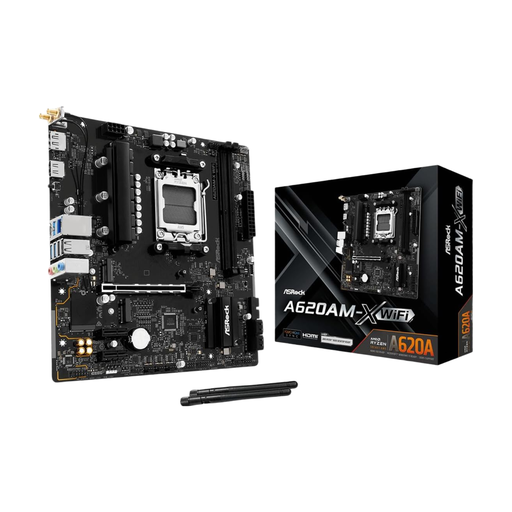
Why This Fits Their Persona: Ideal for users in Germany looking for a cost-effective entry into the AM5 platform for office applications or light gaming. It provides all the necessary fundamentals like DDR5 and PCIe 4.0 support.
This board avoids the "overkill" trap by focusing on essential features and forgoing expensive extras like PCIe 5.0 or extreme overclocking, which are irrelevant for this target audience.
Cost-effective entry into the AM5 platform. Supports DDR5 memory and provides a solid foundation for low to mid-range processors.
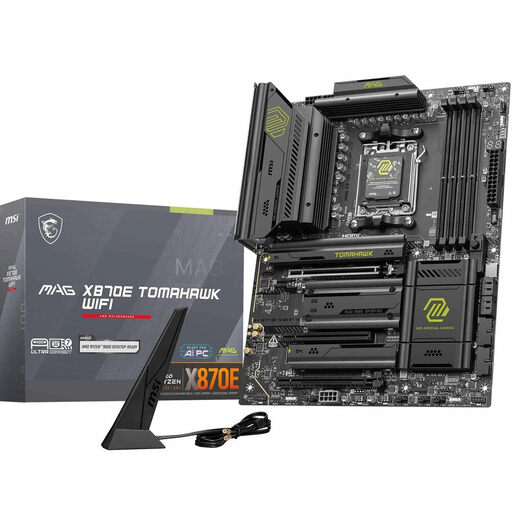
Why This Fits Their Persona: Perfect for German gamers and content creators who need a future-proof, high-performance platform. It offers fast connectivity and a strong foundation for demanding Ryzen processors.
This board addresses the weak power delivery trap with its robust 14+2+1 Duet Rail Power System. It ensures that even a high-end processor won't be throttled under load.
Comprehensive connectivity with PCIe 5.0, two M.2 Gen5 slots, WiFi 7, and 5G LAN. Offers an excellent balance of performance and future-proof features.
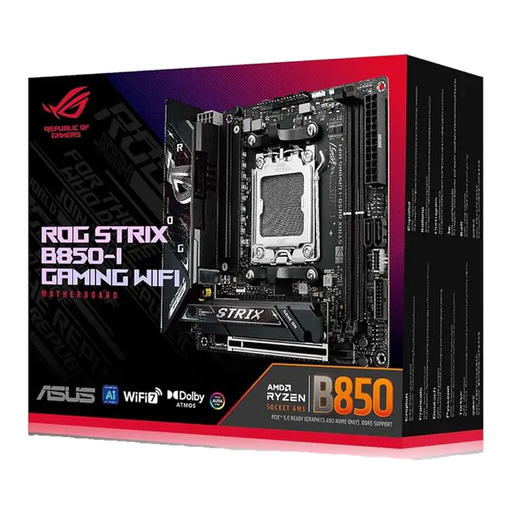
Why This Fits Their Persona: For PC builders who want to pack maximum performance into a small form factor (SFF) case. This board proves that size isn't everything, packing high-end features into the smallest of spaces.
It refutes the misconception that compact boards are underpowered. With a robust 10+2+1 power delivery and PCIe 5.0 M.2 support, it avoids compromising on performance.
A compact Mini-ITX motherboard with high-end features, including WiFi 7 and two PCIe 5.0 M.2 slots. Ideal for powerful, space-saving systems.
We have compiled a complete, real-time updated list of products that fully meet these strict selection criteria and German safety regulations.
For the top-tier models of the Ryzen 9000 series, a motherboard with an X870E or B850 chipset and strong power delivery (a VRM with 14 or more phases, for example) is recommended. This ensures the processor reaches its maximum performance under full load without throttling. For less demanding tasks or mid-range processors, a well-equipped B850 board is often a perfectly adequate and more cost-effective solution.
As of 2026, PCIe 5.0 is primarily an investment in the future. While PCIe 5.0 SSDs offer speed advantages in very specific tasks like professional video editing, the difference compared to PCIe 4.0 is still minimal for most games and everyday applications. However, a PCIe 5.0 motherboard makes sense if you plan to upgrade to next-generation graphics cards or SSDs in the coming years without having to change the motherboard.
The main difference lies in the physical size and the number of expansion slots. ATX is the standard form factor with the most slots. mATX (Micro-ATX) is shorter, offers fewer PCIe slots, but fits into more compact cases. Mini-ITX is the smallest form factor, typically with only one PCIe slot, and is ideal for very small PC builds. The choice depends on your desired case size and the number of expansion cards you need.