
Lieferung heute & morgen

Qualitätsgarantie

Willkommens-Angebote freischalten: KOSTENLOSE Lieferung | Bis zu 80 % RABATT | Kostenlose 30-Tage-JoyPlus-Testphase
App herunterladen
Choosing the right motherboard is a crucial step when building a new PC. With the introduction of AMD Ryzen 9000 processors, the AM5 platform has become the focus for PC enthusiasts, gamers, and professional users. However, the variety of chipsets and features can be overwhelming. This guide will help you understand the technical specifications and make an informed decision for your next AM5 motherboard that fits your needs and budget.
The choice of a motherboard lays the foundation for the performance and future-proofing of your entire system. Three criteria are of particular importance.
The chipset largely determines the feature set of your motherboard. For the AM5 platform, AMD offers various options aimed at different user groups:
A future-proof system is built on modern interfaces. The AM5 platform sets new standards here:
The form factor determines the physical size of the motherboard. The ATX AM5 motherboard is the most common standard and provides ample space for expansion cards and connectors. Before purchasing, check if the motherboard has enough USB ports, SATA connectors, and fan headers for your planned configuration. The quality of the network connection, such as a 2.5G or 5G LAN port, can also be crucial for online gaming or large file transfers.
Based on the criteria mentioned, we have compiled a selection of motherboards that cover various use cases and budgets.
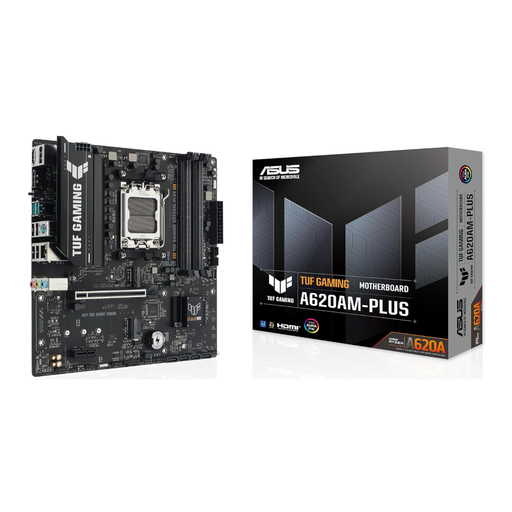
What makes it stand out: The ASUS Prime A620AM-A-CSM is a solid and cost-effective foundation for entering the AM5 world. It focuses on essential features like DDR5 support and PCIe 4.0, ensuring stable performance for office applications and everyday tasks. The Corporate Stable Model (CSM) compatibility ensures broad software support.
Advantages:
Who it's for: Users and small businesses looking to build a reliable and budget-friendly system for office tasks, web browsing, and light multimedia applications.
View Product: ASUS Prime A620AM-A-CSM
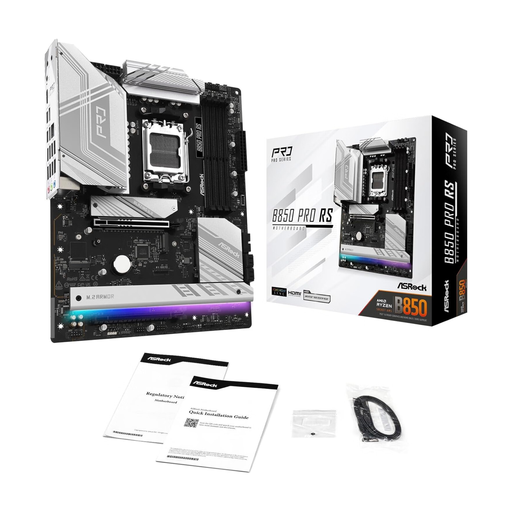
What makes it stand out: The ASRock B850 Pro RS positions itself as a powerful mainstream board. With the new B850 motherboard chipset, it is explicitly prepared for the AMD Ryzen 9000 series and offers a future-proof foundation for graphics cards with a PCIe 5.0 x16 slot. The impressive number of 21 USB ports and 2.5G LAN make it a connectivity champion in its class.
Advantages:
Who it's for: Gamers and PC builders who want a balanced ATX AM5 motherboard with modern features and excellent connectivity for a powerful and long-lasting system.
View Product: ASRock AMD AM5 B850 Pro RS
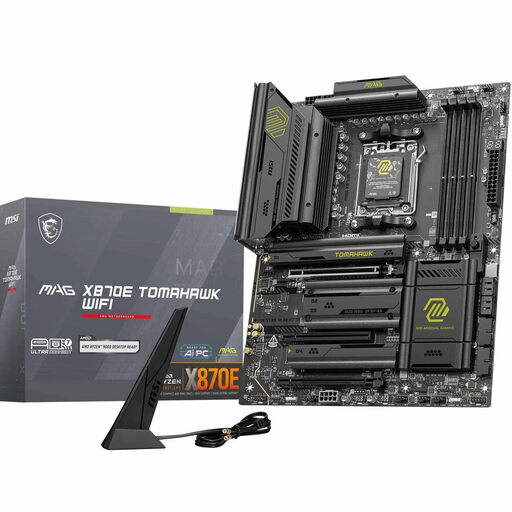
What makes it stand out: The MSI MAG X870E Tomahawk WIFI is designed for users who make no compromises. As an X870E motherboard, it offers full PCIe 5.0 support for the graphics card and two M.2 SSDs. Paired with a robust 14+2+1 power delivery system, support for extremely fast DDR5 memory (up to 8400+ MT/s OC), and state-of-the-art connectivity like Wi-Fi 7 and 5G LAN, it is a platform for absolute peak performance.
Advantages:
Who it's for: Enthusiasts, demanding gamers, and content creators who want to get the most out of their motherboard for Ryzen 9000 and need a future-proof platform with the fastest available interfaces for their AM5 gaming motherboard.
View Product: MSI MAG X870E Tomahawk WiFi
The models presented here cover a wide spectrum, but the selection is even larger. If you are looking for specific features or other form factors, you can find more models in our main category.
Discover our entire selection of Components & Replacement Parts DDR5
1. Which AM5 motherboard is suitable for Ryzen 9000? Motherboards with the new X870E and B850 chipsets are optimized for AMD Ryzen 9000 processors out of the box. An X870E motherboard offers the full feature set, while a B850 motherboard provides a balanced configuration for most users. Older 600-series motherboards (X670, B650, A620) are also compatible but will typically require a BIOS update to recognize the new processors.
2. Is PCIe 5.0 necessary for an AM5 motherboard? A PCIe 5.0 motherboard is an investment in the future. It ensures you can harness the full performance of next-generation graphics cards and NVMe SSDs. For current applications and games, PCIe 4.0 is often still sufficient, but for maximum platform longevity and to avoid performance bottlenecks in the coming years, PCIe 5.0 is a wise choice.
3. What is the difference between B850 and X870E motherboards? The primary difference lies in the extent of PCIe 5.0 connectivity and the overall feature set. X870E motherboards typically offer PCIe 5.0 lanes for the primary graphics card slot and at least one M.2 SSD slot. They also often feature more robust power delivery for overclocking and more high-speed ports like USB4 or 10G LAN. B850 motherboards are designed as a mainstream solution and usually offer PCIe 5.0 for the graphics card, while M.2 SSD connectivity can vary. They represent a good balance between modern features and cost.