
Lieferung heute & morgen

Qualitätsgarantie

Willkommens-Angebote freischalten: KOSTENLOSE Lieferung | Bis zu 80 % RABATT | Kostenlose 30-Tage-JoyPlus-Testphase
App herunterladen
An AM5 motherboard forms the technical foundation for modern AMD systems with a Ryzen processor. Whether you're planning a gaming PC, a workstation or a compact everyday computer, you shouldn't just focus on the chipset or flashy product claims. What really counts is the actual CPU compatibility, the DDR5 and M.2 slot configuration, and the right size for your PC case.
An AMD motherboard with an AM4 socket is not compatible with Ryzen 7000, Ryzen 8000 or Ryzen 9000 processors. DDR4 memory also won't fit into a DDR5 motherboard. So before you buy, always check these three details:
A cheap AM4 model might make sense for an older PC, but it's not a foundation for a new AM5 system.
Figures like DDR5-8000 or DDR5-7600 usually refer to overclocking profiles. The actual speed you can achieve depends on the processor, the specific memory module and the BIOS. For stable systems, you should look at a published memory compatibility list and use modules as a matched kit where possible.
On a PCIe 5.0 motherboard, the new interface might apply to the graphics card slot, an M.2 slot, or both. If you want to use a PCIe 5.0 SSD, you need to check the exact lane allocation. On some boards, M.2 and PCIe slots share certain lanes, which can disable connections or reduce their speed.
The chipset determines features, expandability and, to some extent, overclocking options:
With Ryzen 9000, Ryzen 8000 and Ryzen 7000 processors, you should also check whether a BIOS update is required. Some motherboards only support newer CPUs after a firmware update.
The most common sizes are:
Before you buy, check the maximum motherboard size your case supports. You should also consider the positions of the M.2 slots, the height of the heatsinks and the clearance to the graphics card.
A motherboard with Wi-Fi can make a separate network card unnecessary for a desktop PC. Pay attention to the standard: Wi-Fi 5, Wi-Fi 6E and Wi-Fi 7 differ in frequency bands and theoretical transfer speeds. For wired networks, 2.5 Gigabit LAN or 5 Gigabit LAN are relevant, provided your router and network infrastructure also support those speeds.
For large data projects, video editing or game libraries, multiple M.2 slots are handy. Also check whether an M.2 connector uses PCIe Gen4 or PCIe Gen5, and whether using it disables any SATA or PCIe slots.

Why this product fits the profile: The Micro-ATX format and A620 chipset are ideal for a compact Ryzen PC with basic features.
The specifications clearly state AM5, DDR5 and support for Ryzen 7000, 8000 and 9000 series. This makes it easier to rule out confusion with an AM4 motherboard.
2 DDR5 DIMM slots, PCIe 4.0 x16 and one M.2 slot with PCIe 4.0 x4.
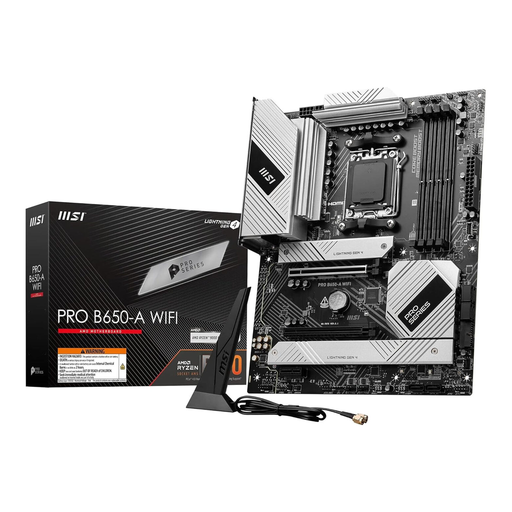
Why this product fits the profile: The ATX platform combines four DDR5 slots with multiple M.2 connectors and integrated networking options for versatile systems.
The specification lists three M.2 Gen4 x4 slots as well as Wi-Fi 6E and 2.5 Gigabit LAN. Buyers can check the actual connectivity before purchasing.
AM5 support for Ryzen 7000, 8000 and 9000, four DDR5 DIMM slots and Bluetooth 5.3.
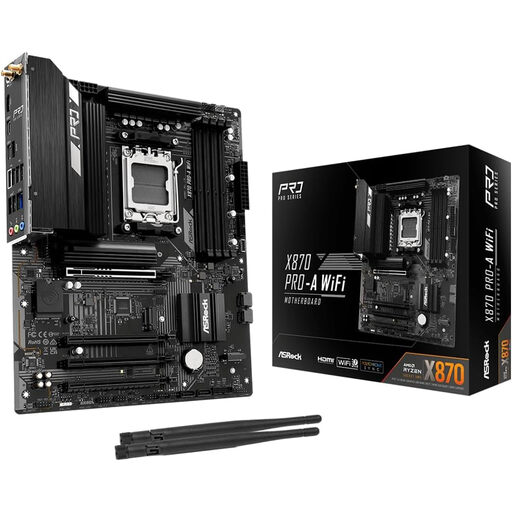
Why this product fits the profile: Multiple fast interfaces and USB4 are aimed at content creators, streamers and users with lots of peripherals.
The PCIe and USB features are listed in detail. This makes it easy to check whether external storage, capture hardware and expansion cards can actually be connected.
PCIe 5.0 x16, support for up to 256 GB DDR5, two USB4 Type-C ports and multiple M.2 options.
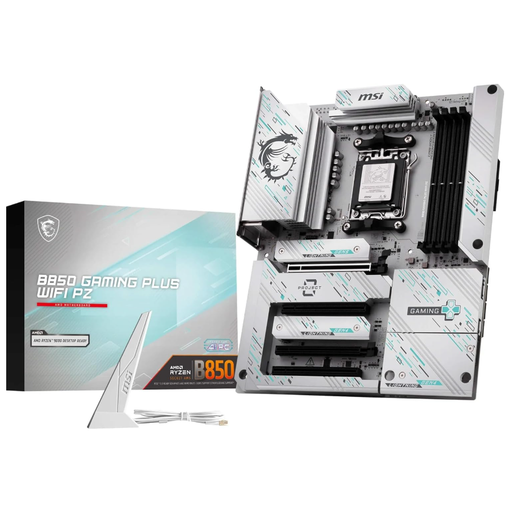
Why this product fits the profile: The ATX gaming motherboard combines AM5, DDR5, PCIe 5.0 and modern networking connections for performance-oriented builds.
The product data clearly separates the PCIe 5.0 graphics card slot, M.2 Gen5 and M.2 Gen4 connectors, as well as Wi-Fi 7 and 5 Gigabit LAN.
Four DDR5 slots, PCIe 5.0 x16, Wi-Fi 7, Bluetooth 5.4 and 5 Gigabit LAN.
We've put together a complete, regularly updated list of products that fully meet these strict selection criteria and the safety regulations in force in the EU.
In principle, A620, B650, B850, X870 and X870E models are suitable, as long as the manufacturer's list includes the processor. Older BIOS versions may require an update. A feature like BIOS Flashback makes updating easier without a CPU already installed, provided the specific model supports it.
The lifespan depends on the power delivery, cooling, firmware support and the features you need. A model with four DDR5 slots, multiple M.2 connectors and current networking hardware generally offers more upgrade options than a compact board with two RAM slots. However, you can't derive a fixed lifespan from this.
An integrated Wi-Fi module draws power when it's actively transferring data or searching for networks. The extra consumption is usually small compared to the total PC power draw. On a desktop PC, the processor, graphics card and power supply have a much bigger impact on ongoing energy use.