
Lieferung heute & morgen

Qualitätsgarantie

Willkommens-Angebote freischalten: KOSTENLOSE Lieferung | Bis zu 80 % RABATT | Kostenlose 30-Tage-JoyPlus-Testphase
App herunterladen
An AM5 motherboard forms the foundation of a PC with an AMD Ryzen processor. However, the socket alone does not determine whether it is suitable. The chipset, memory support, slots, networking standard and form factor must all match your planned system. If you focus only on high DDR5 clock speeds or terms such as PCIe 5.0, you could end up buying a board whose features are barely used in your own PC.
Many manufacturers quote very high DDR5 values with the suffix “OC”. These figures refer to overclocking profiles and depend on the processor, BIOS version and specific RAM modules. A DDR5 motherboard that supports 8,000 MT/s or more therefore does not automatically guarantee operation at that speed.
Check the following before buying:
For gaming, 32 GB is often enough, while content creators and professional users should plan for 64 or 128 GB, depending on their software. The maximum capacity must match both the motherboard and the modules being used.
A PCIe 5.0 motherboard can be appealing for new graphics cards or fast NVMe SSDs. However, the interface alone will not speed up a PCIe 4.0 component. With some M.2 slots, it is also important to know whether they connect directly to the CPU or through the chipset.
Look closely at the exact number and layout of the M.2 slots. For a single system drive, a board with two M.2 connectors is often sufficient. If you manage large project files, several game libraries or local video data, you are more likely to benefit from three or four slots.
An ATX motherboard requires a suitably large case. A Micro-ATX motherboard is more compact, but depending on the model it may offer fewer expansion slots and sometimes only two DIMM slots. Before buying, check that the case, graphics card, CPU cooler and power supply connectors are all compatible.
WLAN also deserves careful attention: Wi-Fi 6E and Wi-Fi 7 are not the same. According to the relevant product specifications, Wi-Fi 7 may require Windows 11 version 24H2 or newer. In Germany, regional requirements may also apply to the 6 GHz band.
A motherboard for Ryzen 7000 is designed for the AM5 platform. Many current boards also list support for Ryzen 8000 and Ryzen 9000. The manufacturer’s official CPU support list remains decisive, as may the need for a BIOS update.
With a motherboard for Ryzen 9000, check before installation whether the supplied BIOS version supports your chosen processor. A BIOS flash function that works without an installed CPU can make setup easier, but it is not available on every model.
The chipset influences connections, expansion options and overclocking functions:
An AMD B850 motherboard is not automatically the right choice for every system. What matters is whether the specific version offers the connections, M.2 slots and networking standards you need.
With Ryzen 9 processors, sustained workloads and overclocking, the VRM design, heatsinks and airflow are important. Specifications such as “14+2+1” or “80A Smart Power Stages” describe technical aspects of the power supply system, but they are not proof of quality on their own.
Also check:
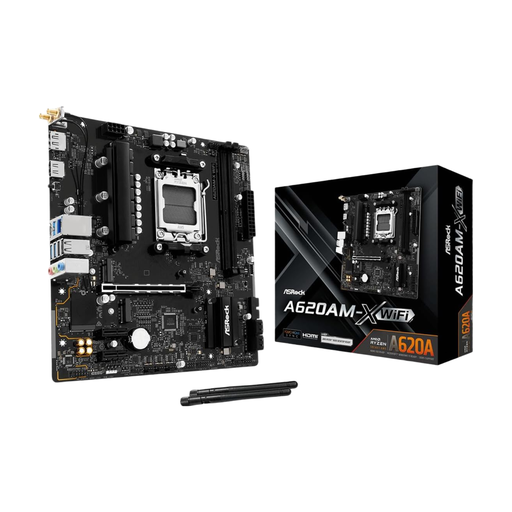
Why this product suits this profile: This Micro-ATX board focuses on essential AM5 features and supports up to 128 GB of DDR5 memory. It is suitable for compact PCs with a Ryzen 7000 processor and modest plans for future expansion.
The specification avoids unnecessary premium connections. This makes it easier to base your purchase on your actual requirements. PCIe 4.0, SATA connections and M.2 storage are sufficient for many everyday and gaming systems.
AM5 socket, DDR5 support, Micro-ATX form factor, HDMI and VGA outputs, plus Gigabit Ethernet.
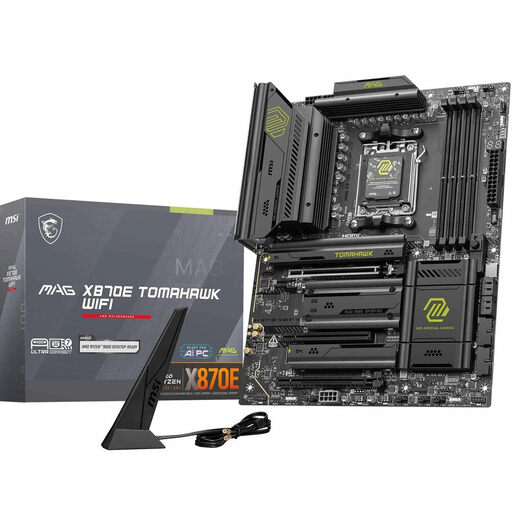
Why this product suits this profile: This ATX board is aimed at users who want to combine Ryzen 9000, 8000 or 7000 with several fast drives and modern networking technology.
The product data clearly specifies the number and generations of the M.2 slots: two Gen5 and two Gen4 connections. This makes it easier to match your storage requirements before buying.
X870 chipset, four DDR5 DIMM slots supporting up to 256 GB, PCIe 5.0 x16, two M.2 Gen5 slots, Wi-Fi 7, 5G LAN and USB4 Type-C.
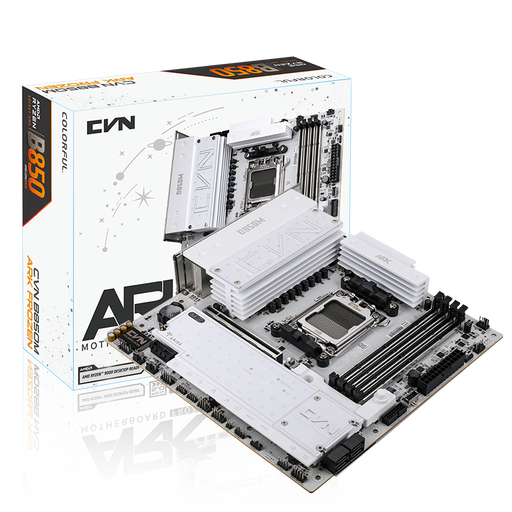
Why this product suits this profile: This Micro-ATX model combines four DDR5 slots with three M.2 connections and Wi-Fi 7. It is designed for compact systems with several drives and intensive use.
The specifications do not promote the chipset alone, but provide specific slot and networking details. Before ordering, check the case size and BIOS compatibility.
Four DDR5 slots supporting up to 192 GB, three M.2 interfaces, PCIe 5.0 x16, 2.5 Gbit LAN, Wi-Fi 7 and Bluetooth 5.4.
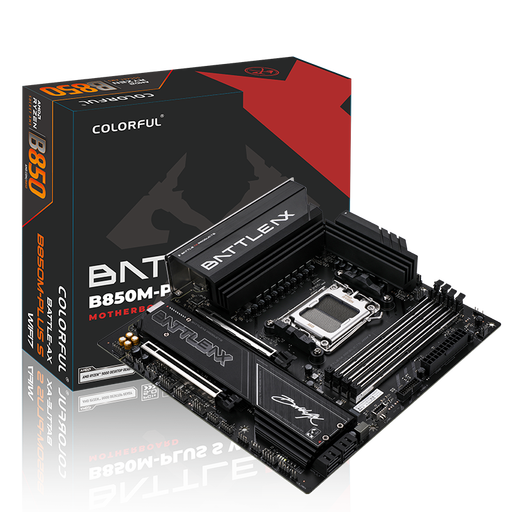
Why this product suits this profile: The Micro-ATX form factor is suitable for smaller cases, while Wi-Fi 7 and 5G LAN provide flexible networking options for gaming and large downloads.
The two M.2 slots are clearly listed according to their PCIe 5.0 and PCIe 4.0 connections. This helps you avoid paying for expansion capacity you will not use.
B850 chipset, four DDR5 slots supporting up to 192 GB, PCIe 5.0 x16, 5G LAN, Wi-Fi 7 and BIOS update button.
We have put together a complete, regularly updated list of products that fully meet these strict selection criteria and the safety regulations applicable in the EU.
Before placing your order, work through these points:
A motherboard for Ryzen 9000 requires an AM5 socket and CPU support confirmed by the manufacturer. Depending on the BIOS version, B850, X870 and X870E models are designed for this purpose. Before installation, check the current support list from the relevant manufacturer.
Not necessarily. A current graphics card or SSD can also be used effectively with PCIe 4.0. PCIe 5.0 is mainly relevant if you plan to use new components with this interface or several fast NVMe drives.
Its service life depends on workload, cooling, power supply, BIOS support and your upgrade plans. A board with four DDR5 slots, several M.2 connections and suitable CPU support will generally offer more expansion options than a compact entry-level model.