
Lieferung heute & morgen

Qualitätsgarantie

Willkommens-Angebote freischalten: KOSTENLOSE Lieferung | Bis zu 80 % RABATT | Kostenlose 30-Tage-JoyPlus-Testphase
App herunterladen
An AMD motherboard forms the technical foundation for your processor, RAM, graphics card, SSD and network. If you're planning to upgrade or build a new Ryzen system, don't be swayed solely by high RAM clock speeds, flashy heatsinks or the label "gaming motherboard". What really matters is whether the socket, chipset, form factor and ports are right for your intended PC.
An AM4 motherboard uses DDR4 RAM and is designed for compatible Ryzen processors on the AM4 platform. An AM5 motherboard, on the other hand, requires DDR5 memory. The sockets are not interchangeable. Even an existing CPU cooler may need an adapter depending on its mounting system.
Before you buy, you should check:
Figures like DDR5-8000 or DDR5-8200 often refer to overclocking profiles. Actual stability depends on the processor, memory modules, BIOS version and motherboard. A higher number alone is not a reason to buy.
With a DDR5 motherboard, you should look beyond the maximum clock speed and also consider the number of DIMM slots, maximum capacity and the compatibility list. For many systems, two matching modules in dual-channel mode are more practical than a single high-capacity module.
A PCIe 5.0 motherboard can be appealing for future graphics cards or fast NVMe SSDs. However, it doesn't automatically give you a noticeable advantage with an existing PCIe 4.0 graphics card. Check which expansion cards and SSDs you actually plan to use.
For AM5 Ryzen systems, A620, B650, B840, B850 and X870 motherboards are among the options. Their features differ in terms of PCIe versions, USB ports, overclocking capabilities and expansion possibilities.
The name alone isn't enough. Always check the specific CPU support document and BIOS version.
An ATX motherboard typically measures around 305 × 244 mm and usually offers more slots and ports. A Micro-ATX motherboard is more compact and can be suitable for smaller cases. Before ordering, you must check that your case has the correct mounting points and enough room for the graphics card, cooler and cables.
For a modern system SSD, at least one suitable M.2 slot is advisable. Pay attention to:
A motherboard with Wi-Fi can make additional adapters unnecessary. For stable data transfers on your home network, a wired connection still remains a practical option.
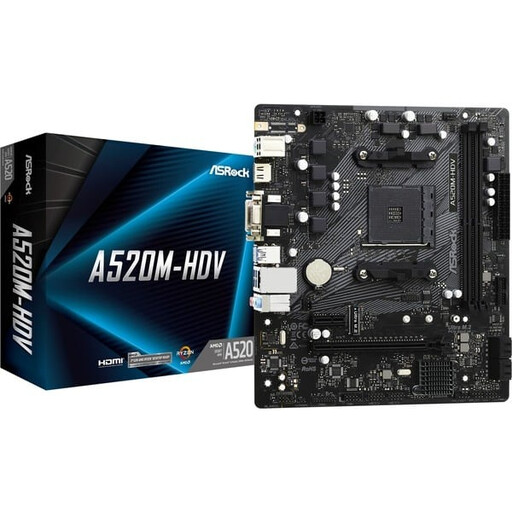
Why this product fits the profile: This compact AM4 motherboard is aimed at users who want to build or upgrade an existing Ryzen PC with DDR4 memory.
The specifications clearly state socket AM4, DDR4 support and two DIMM slots. This makes it easy to verify platform compatibility before purchase.
Micro-ATX form factor, one M.2 slot, four SATA ports and up to 64 GB DDR4 according to product specifications.
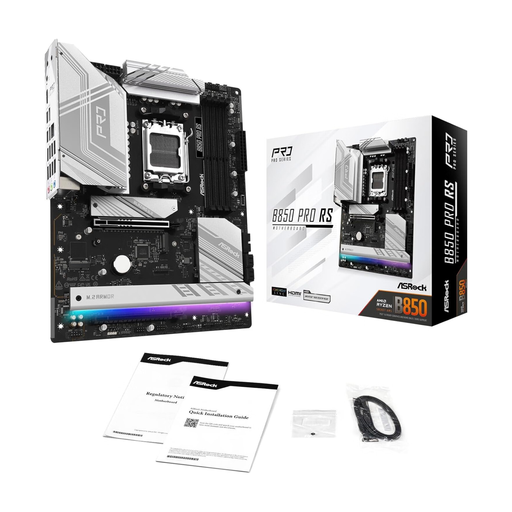
Why this product fits the profile: This ATX board combines AM5, DDR5, multiple M.2 slots and extensive USB connectivity for versatile systems.
The features can be verified against concrete values: four DDR5 slots, up to 256 GB RAM, three M.2 slots and PCIe 5.0.
ATX form factor, 2.5 GbE LAN, HDMI 2.1, 21 USB ports according to the product description and support for Ryzen 9000, 8000 and 7000 series.
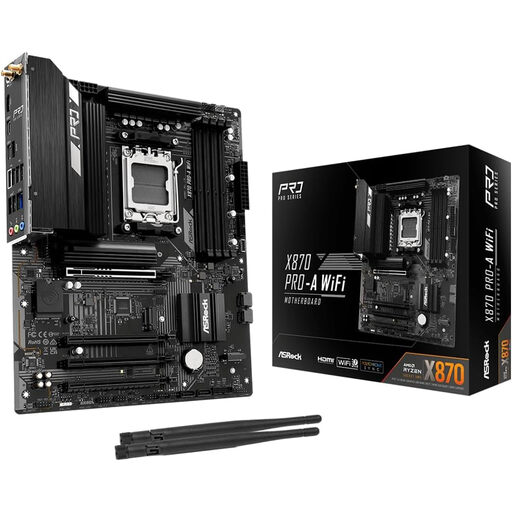
Why this product fits the profile: Content creators, gamers and users with multiple expansion cards benefit from the ATX design and diverse interfaces.
Rather than just boasting about clock speeds, the product description lists specific slots, USB4 ports, four DIMM slots and M.2 support.
AM5, DDR5 up to 256 GB, one PCIe 5.0 x16 slot and USB4 Type-C ports according to manufacturer specifications.
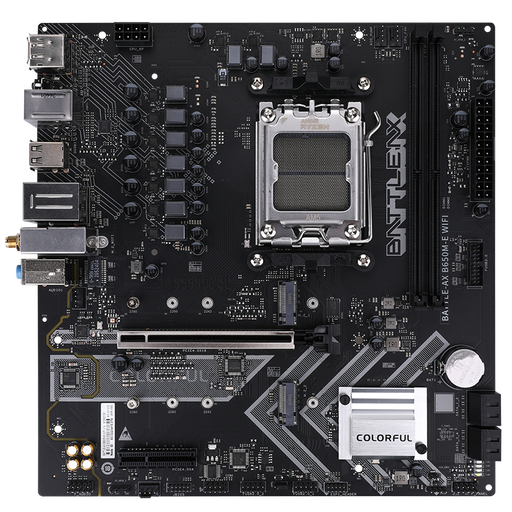
Why this product fits the profile: This Micro-ATX motherboard is ideal for space-saving AM5 systems with integrated Wi-Fi 6 and Bluetooth 5.2.
The specifications separately list the two PCIe 4.0 M.2 slots, four SATA ports and the Gigabit LAN and Wi-Fi standards.
B650 chipset, AM5 socket, two DDR5 slots, Wi-Fi 6, Bluetooth 5.2 and Micro-ATX dimensions of 244 × 235 mm.
We've put together a complete, regularly updated list of products that fully meet these strict selection criteria and the safety regulations in force in the EU.
That depends first on the socket. Ryzen processors for AM4 need an AM4 motherboard with DDR4 support. Ryzen models for AM5 require an AM5 motherboard and DDR5 memory. You should also check the CPU support list and the required BIOS version.
It's not possible to give a reliable fixed lifespan. It depends on operating conditions, dust, temperature, power supply, installation and planned upgrades. A motherboard with enough M.2 slots, RAM capacity and suitable PCIe interfaces can make future expansions easier.
No. For a wired network connection, the LAN port is sufficient. A motherboard with Wi-Fi makes sense if the PC cannot be connected via a network cable or if Bluetooth is needed for peripherals. Check the exact Wi-Fi standard and whether the antennas are included in the box.