
Lieferung heute & morgen

Qualitätsgarantie

Willkommens-Angebote freischalten: KOSTENLOSE Lieferung | Bis zu 80 % RABATT | Kostenlose 30-Tage-JoyPlus-Testphase
App herunterladen
Published on August 28, 2026 by Joybuy Product Recommendation Officer
Android Auto has transformed how we access navigation, media, and communication in the car. However, the need to connect your smartphone with a cable for every trip significantly undermines the convenience. An Android Auto wireless adapter promises a solution by establishing a cable-free connection. But the market is flooded with products whose performance varies wildly. This guide will help you avoid common pitfalls and find a reliable solution to add wireless Android Auto to your car.
Many drivers invest in a wireless car adapter only to be disappointed shortly after. Watch out for these three typical flaws to avoid a bad investment:
To avoid the problems mentioned above, you should check three core parameters before buying. These are the primary determinants of the adapter's performance and reliability.
The quality of the wireless connection is critical. Look for adapters that explicitly support 5 GHz Wi-Fi. Compared to the crowded 2.4 GHz band, the 5 GHz frequency band offers a higher data transfer rate and is less susceptible to interference. This is the prerequisite for a smooth transmission of audio and map data without stuttering or dropouts. The initial setup is usually done via Bluetooth, but the actual data transfer for Android Auto then runs over a direct Wi-Fi connection between the adapter and your smartphone.
The time it takes for the adapter to establish a wireless connection after starting the vehicle is a key convenience feature. High-quality models with efficient processors often connect in under 30 seconds. Slower adapters, on the other hand, can take a minute or more, which is particularly annoying on short trips. Information on the average boot time can often be found in detailed product descriptions or user reviews.
Before you buy a USB adapter for Android Auto, be sure to check the manufacturer's compatibility list. Reputable providers list which vehicle makes, models, and model years are supported. Compatibility with your Android version is just as important. Another plus is the ability to update the adapter's firmware. Regular updates ensure that the adapter remains compatible with future Android versions and vehicle software, and they also fix potential bugs.
Based on the criteria above, we have selected a few products from our range that suit different needs and user profiles.
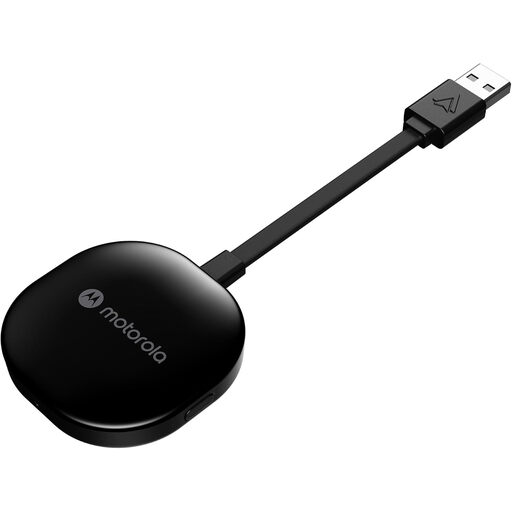
Why This Fits Their Persona: This user wants the core function—wireless Android Auto—to work reliably and without compromise. The focus is on a fast, stable connection that works on every trip without manual intervention.
Using 5 GHz Wi-Fi ensures fast, stable data transfer, minimising the risk of latency and connection drops. As a product from an established brand, it offers more reliable compatibility and a simple setup process.
Direct plug-and-play installation via the USB-A port. Fast pairing and automatic connection after the initial setup.
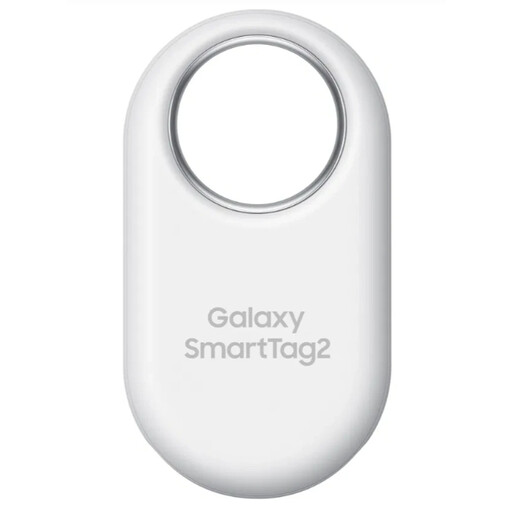
Why This Fits Their Persona: For drivers who want not just a wireless experience, but a completely worry-free one in their car. Anyone who often misplaces their car keys will benefit from a Bluetooth tracker that integrates seamlessly into their digital ecosystem.
It avoids the trap of losing time searching. Instead of looking for your keys before a drive, you can locate them with your smartphone. This perfectly complements the convenience upgrade provided by a wireless adapter.
Long battery life of up to 500 days (according to the manufacturer) and IP67 water resistance. Integration into the SmartThings Find network for location tracking beyond Bluetooth range.
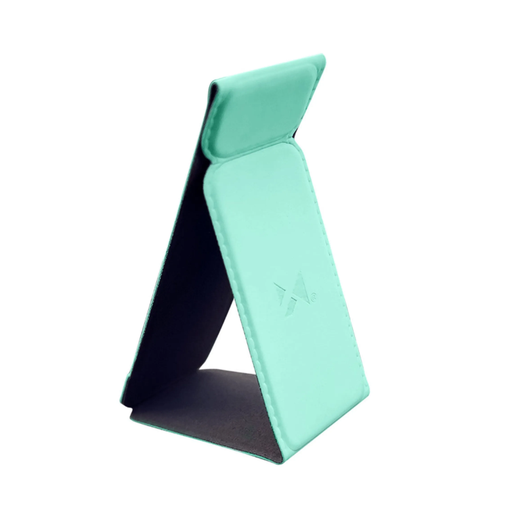
Why This Fits Their Persona: With the cable problem solved, this driver is looking for a clean solution to position the smartphone itself. A minimalist mount ensures a tidy cockpit and keeps the device securely in place.
This mount avoids the trap of a cluttered dashboard where the smartphone can slide around and become a distraction. It creates a fixed, secure position for the device.
Flexible silicone construction and an adhesive base that sticks to smooth surfaces. The compact design blends discreetly into the vehicle's interior.
We've compiled a complete, up-to-date list of products that fully meet these strict selection criteria and rigorous safety standards.
1. Does an Android Auto wireless adapter use more battery? Yes, using Android Auto over a wireless connection drains your smartphone's battery faster than a wired connection. This is because both Wi-Fi and Bluetooth are actively used while the device is not being charged simultaneously. For longer trips, it is advisable to have a separate charging option on hand, such as a 12V USB charging adapter.
2. What is the lifespan of an adapter like this? The lifespan of a wireless adapter depends on the build quality, heat generation during operation, and software support from the manufacturer. A well-constructed model from an established brand should function reliably for several years. The key factor is whether the manufacturer provides firmware updates to ensure compatibility with new Android versions and vehicle systems.
3. Will any USB adapter work for Android Auto? No. It must be an adapter specifically designed to convert a wired Android Auto interface into a wireless one. A simple USB-C to USB-A adapter, a USB hub, or a basic Bluetooth audio dongle cannot process and transmit the complex data required by Android Auto. Make sure the product is explicitly labelled as a "Wireless Android Auto Adapter" or "Android Auto Dongle."