
Lieferung heute & morgen

Qualitätsgarantie

Willkommens-Angebote freischalten: KOSTENLOSE Lieferung | Bis zu 80 % RABATT | Kostenlose 30-Tage-JoyPlus-Testphase
App herunterladen
The market for Android tablets is overwhelming. Countless models advertise impressive numbers and technical specs, but not every offer delivers on its promises. As a Joybuy Product Recommendation Officer, I see daily which pitfalls lead to disappointment and unnecessary expenses. Before you make a decision, you should know the most common marketing traps to find a device that truly fits your needs.
A common problem is the discrepancy between advertised specifications and actual real-world performance. Many buyers invest in a supposed bargain, only to find after a few months that the device becomes slow, no longer receives important updates, or the display is unsuitable for evening streaming.
This guide focuses on the crucial, objective criteria and helps you interpret technical specifications correctly.
To find a future-proof and high-performing Android tablet, focus on these three verifiable features:
RAM is crucial for smooth multitasking. Pay attention to the specified physical RAM. For everyday tasks like browsing, email, and video streaming, 4 GB to 6 GB of physical RAM is often sufficient. For more demanding applications or for use as a gaming tablet, you should consider models with 8 GB of physical RAM or more. The processor (CPU), often described as Octa-Core, determines the system's base speed. Models with processors from reputable manufacturers like Qualcomm or MediaTek (e.g., Helio G-series) generally offer solid performance.
A current operating system is essential. Specifically look for devices that ship with Android 15 or, ideally, Android 16. This not only ensures you get the latest features and an optimized user interface but also guarantees access to important security patches for years to come. Widevine L1 is another key certification that enables content from streaming services like Netflix or Disney+ to be played in HD quality.
Consider where you will primarily use your tablet. For home use, a device with modern 5G Wi-Fi (also known as Wi-Fi 6) is ideal for ensuring fast and stable connections. If you also want to be online on the go without relying on a hotspot, a tablet with a SIM card (4G LTE or 5G) is the right choice. The battery capacity, measured in milliamp-hours (mAh), gives an indication of the runtime. For a full day of use, you should aim for a value of 7,000 mAh or more, although the actual battery life heavily depends on usage and software efficiency.
Here are some models that represent a considered choice for specific user groups based on their objective specifications.

Why This Fits Their Persona: This tablet is designed as an entry-level device for families. With Google Kids Space, it offers a protected environment for children where parents can control content and screen time. It is a very affordable tablet that meets the basic requirements for educational apps, simple games, and videos.
It ships directly with Android 16, thus bypassing the outdated software trap. The specifications are transparently designed for its entry-level price point, without advertising exaggerated figures.
Integrated Google Kids Space for safe use by children; Widevine L1 for HD streaming; stylus included.
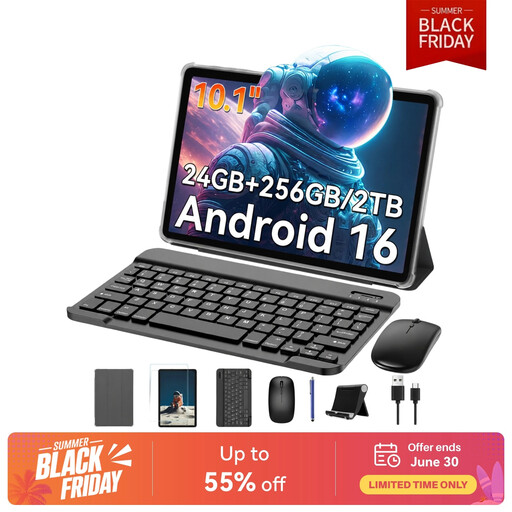
Why This Fits Their Persona: This set is ideal for students and users looking for a device for light productivity tasks. It comes as a complete tablet with a keyboard, mouse, and stylus, so there are no additional costs for accessories. The large 256 GB internal storage offers ample space for documents, presentations, and apps.
This model focuses on a clear value proposition: a complete work set at an attractive price. Instead of just advertising RAM figures, the focus is on the practical benefit of the included accessories and the large storage.
Complete 2-in-1 package for instant productivity; 256 GB internal storage, expandable to 2 TB; Octa-Core processor for smooth multitasking.
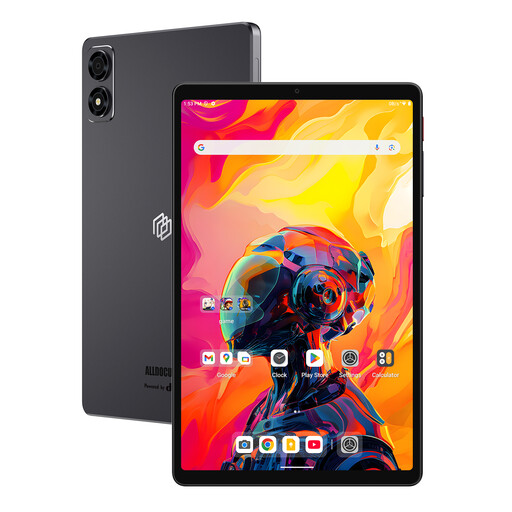
Why This Fits Their Persona: This compact gaming tablet is aimed at users who need high performance for games and demanding media playback. The Qualcomm Snapdragon 7+ Gen3 processor and the 144 Hz display offer a level of performance that is rare in this price range. Its 8.8-inch format also makes it very portable.
Instead of relying on virtual memory, this device focuses on verifiable performance features: a powerful brand-name processor (Qualcomm Snapdragon 7+ Gen3) and a high refresh rate (144 Hz).
Very high processing power for gaming; 2.5K display with 144 Hz for extremely smooth visuals; large 7300 mAh battery for long gaming sessions.
We have compiled a complete, up-to-date list of products that fully meet these strict selection criteria.
Physical RAM is the fast, built-in memory chip that the processor accesses directly to run active apps and processes. Virtual RAM is a portion of the slower internal storage (ROM) that serves as a temporary extension. It is significantly slower than physical RAM and is only of limited help when the real RAM is full. For good performance, the amount of physical RAM is crucial.
Update support varies greatly by manufacturer. While premium brands often guarantee several years of Android version updates and security patches, support for more affordable devices is often shorter. A good indicator of longer support is buying a device that already comes to market with the latest Android version (e.g., Android 16).
That depends on your usage habits. If you primarily use your tablet at home, in the office, or in places with available Wi-Fi, a model with 5G Wi-Fi (Wi-Fi 6) is perfectly sufficient and more cost-effective. A tablet with a SIM card (LTE/4G or 5G) makes sense if you regularly need an independent internet connection on the go, for example, for navigation in the car, working on the train, or in the park.