
Lieferung heute & morgen

Qualitätsgarantie

Willkommens-Angebote freischalten: KOSTENLOSE Lieferung | Bis zu 80 % RABATT | Kostenlose 30-Tage-JoyPlus-Testphase
App herunterladen
The search for a new Android tablet can quickly become overwhelming. The market is flooded with offers that advertise impressive technical specs, but not all of them deliver on their promises. As a Joybuy Product Recommendation Officer, I see daily which pitfalls lead to disappointment. Often, it's not the major, obvious flaws, but subtle details that make the difference between a useful daily companion and a slow, frustrating device.
Before you make a decision, it's crucial to understand the most common marketing traps. Many buyers invest in devices that look powerful on paper but fail to meet basic expectations in practice.
To avoid a bad purchase, you should focus on a few, but decisive, technical features. These parameters determine the actual performance and longevity of your tablet.
The heart of any tablet is the combination of its processor (CPU) and RAM. An "Octa-Core" processor is standard today, but performance varies greatly depending on the model (e.g., MediaTek Helio G-series vs. Snapdragon). Pay attention to the actual physical RAM. For smooth browsing and video streaming, at least 4 GB is a solid foundation. If you use many apps in parallel or play light games, you should consider 6 GB or more. Virtual RAM is a supplement, but physical capacity is what dictates everyday performance.
Display quality is critical for user comfort. For devices 10 inches and larger, look for a resolution of at least Full HD (1920 x 1080 pixels) or, even better, FHD+ (e.g., 2000 x 1200 pixels). Another often-overlooked detail is Widevine L1 certification. Only with this standard can you enjoy streaming services like Netflix, Prime Video, or Disney+ in high definition (HD/4K). Devices with only Widevine L3 are limited to standard definition (480p).
Consider where and how you want to use your tablet. A tablet with a SIM card (4G LTE or 5G) gives you the freedom to be online on the go without relying on your smartphone's hotspot. For students or professionals, a tablet with a stylus and keyboard can be a cost-effective alternative to a laptop. Some models are offered directly as a bundle, which avoids compatibility issues and is often cheaper than buying accessories separately.
Based on these objective criteria, we have identified a few models that represent a smart choice for specific user groups.
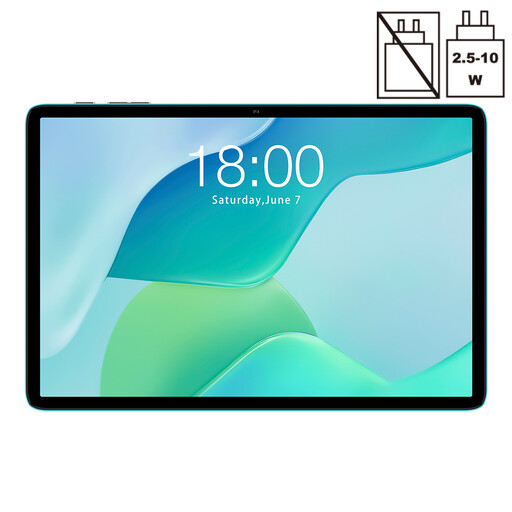
Why This Fits Their Persona: Ideal for users seeking a simple and affordable tablet for everyday tasks like browsing, email, and watching YouTube videos. It offers a solid basic feature set without costly extras.
The Teclast Tablet P33 transparently communicates its RAM allocation of 3 GB physical and 6 GB virtual. This way, buyers know exactly what performance to expect for basic applications.
Very accessible price point; Sufficient performance for standard tasks; 6000mAh battery for solid runtime.
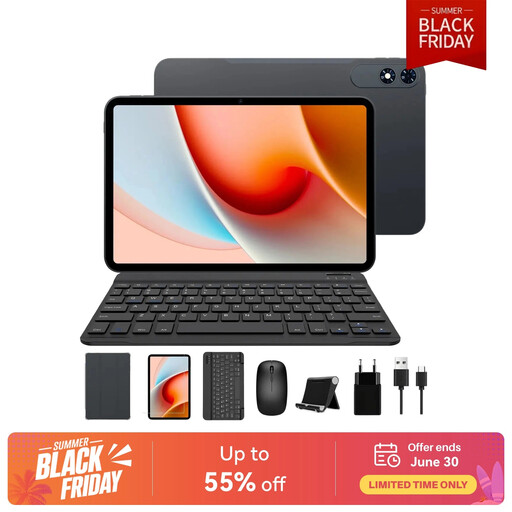
Why This Fits Their Persona: Perfect for users who need a versatile device for productivity and entertainment. The large display and included accessories make it a flexible tool for lectures, meetings, and working on the go.
This bundle solves the problem of finding accessories. Instead of vague promises, it delivers a complete, ready-to-use package. The large 13.4-inch display with 2K resolution bypasses the blurry "HD" screen trap.
Complete 2-in-1 package with keyboard, mouse, and case; Large 13.4-inch 120Hz display for smooth visuals; 10,000mAh battery for long workdays.
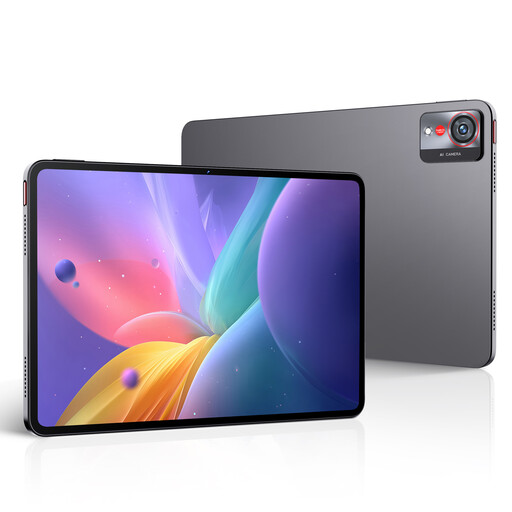
Why This Fits Their Persona: Designed for users who demand maximum performance for demanding applications and games. This gaming tablet offers premium specs for a no-compromise experience, from creative work to intensive gaming.
This tablet relies on transparent, verifiable performance: a Snapdragon 8 Gen 3 processor, 16 GB of physical LPDDR5X RAM, and a 2.8K display with a 144Hz refresh rate. There are no vague marketing terms here, only clear high-end specifications.
Flagship performance with Snapdragon 8 Gen 3; Extremely smooth 144Hz display with 2.8K resolution; 66W fast charging for the 10,100mAh battery.
We've compiled a complete, up-to-date list of products that meet these strict selection criteria.
1. How much RAM is really necessary for an Android tablet? For basic tasks like browsing, social media, and video streaming, 3-4 GB of physical RAM is sufficient. However, if you frequently switch between multiple apps, edit documents, or play lighter games, 6-8 GB of physical RAM is recommended to ensure a consistently smooth experience. Virtual RAM can provide support but does not replace the speed of physical RAM.
2. Is a tablet with a SIM card worth it? This depends entirely on your usage habits. If you primarily use your tablet at home or in the office with a stable Wi-Fi connection, a Wi-Fi-only model is more cost-effective and sufficient. However, if you need reliable internet access on the go, while traveling, or during your commute, a tablet with a SIM card (4G LTE or 5G) offers significantly more flexibility and independence from public networks.
3. What is Widevine L1 and why is it important? Widevine is a Digital Rights Management (DRM) system developed by Google to protect video content. The Widevine L1 certification level is a technical requirement for a device to play content from streaming providers like Netflix, Amazon Prime Video, and Disney+ in high definition (HD, Full HD, or 4K). Devices that only have Widevine L3 are limited to standard definition (usually 480p), which results in a visibly blurry image on a tablet display. For movie and TV show fans, Widevine L1 is therefore an essential feature.