
Lieferung heute & morgen

Qualitätsgarantie

Willkommens-Angebote freischalten: KOSTENLOSE Lieferung | Bis zu 80 % RABATT | Kostenlose 30-Tage-JoyPlus-Testphase
App herunterladen
Finding the right Android tablet can quickly become overwhelming. The market is flooded with offers promising impressive specs, but they often hide costly compromises. As your Joybuy Product Recommendation Officer, I'm here to help you identify the crucial features and avoid marketing traps, so you can make an informed decision.
Many buyers focus on price, but in doing so, they overlook three common pitfalls that can severely limit a device's usability:
To avoid a bad purchase, you should focus on a few crucial technical parameters. These determine whether a tablet truly delivers in everyday use.
While display size, like on a 13-inch tablet, is important for comfort, quality is far more critical. A 120Hz tablet offers visibly smoother visuals when scrolling, in animations, and during gaming compared to the 60Hz standard. Also, look for a resolution of at least Full HD+ (approx. 1920x1200 pixels) to ensure sharp text and images. For users who stream a lot, the aforementioned Widevine L1 support is a must.
A modern octa-core processor is standard today and sufficient for most applications. More important is the combination of RAM and internal storage.
The use cases for tablets are diverse. Consider which features are essential for you:
Here are three recommendations tailored to different user profiles that specifically avoid the pitfalls mentioned.
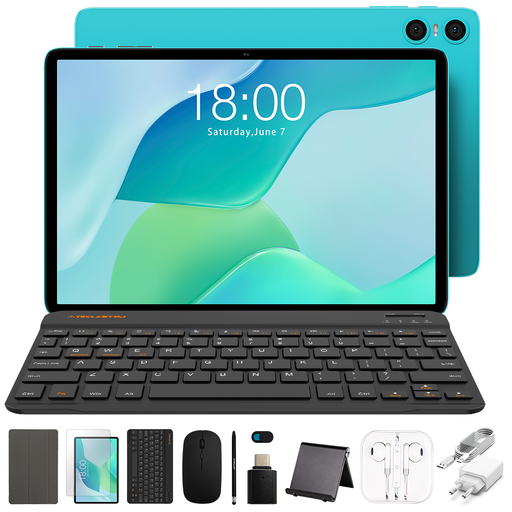
Why this model is a great fit: Ideal for pupils, students, and families who need a functional device for everyday tasks like browsing, emails, and light office work. The complete bundle makes it ready to use out of the box, with no further investment needed.
This set avoids the hidden costs trap, as a Bluetooth keyboard, mouse, stylus, and case are already included in the package.
Comprehensive accessory bundle for out-of-the-box productivity at a very accessible price point. The 6000 mAh battery ensures solid runtime.
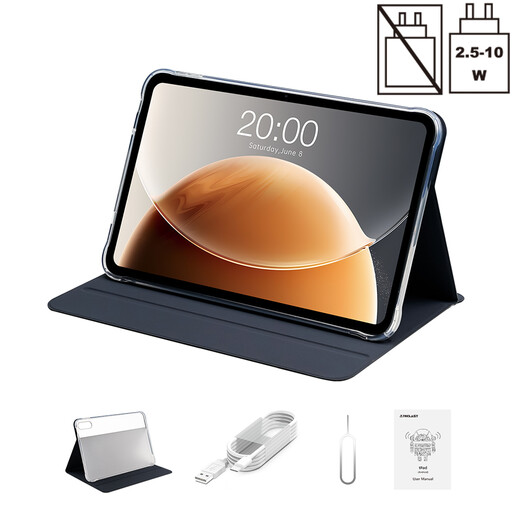
Why this model is a great fit: Perfect for users seeking an immersive viewing experience for films, series, and games. The large, fluid display and HD streaming capability make it a mobile entertainment hub.
This tablet directly addresses the pitfall of poor display quality. It combines a high 120Hz refresh rate with Widevine L1 certification for true HD streaming.
Large 13.4-inch display for a cinema-like experience. The dual SIM function (tablet with SIM card) also ensures constant connectivity.
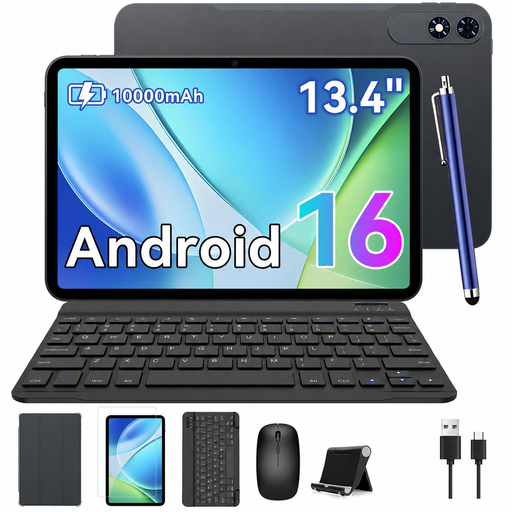
Why this model is a great fit: Designed for power users who need a high-performance tablet as a laptop replacement. The high RAM and storage configuration handles intensive multitasking, while the massive battery lasts the whole day.
This model sidesteps the RAM trap with a high base of 8 GB of physical RAM, supplemented by virtual memory. With 256 GB of ROM, storage capacity won't become a bottleneck.
Massive performance thanks to 24 GB of total RAM and a 10000 mAh battery. The included accessories (case, mouse, keyboard) make it a complete productivity package.
A compatible case protects your investment and expands its functionality. We've curated a selection of cases that are compatible with these models and many more.
For a tablet for university, three aspects are particularly important: a long battery life for lecture days, a good, and ideally included, keyboard (tablet with keyboard) for taking notes, and sufficient storage of at least 128 GB for scripts, apps, and documents. A screen size over 10 inches makes reading PDF files easier.
For many everyday and university tasks like research, writing texts, emails, and presentations, a tablet as a laptop replacement can work very well, especially when paired with an external keyboard and mouse. However, for highly specialised software, such as complex CAD programs or professional video editing, a traditional laptop often remains the better choice.
A tablet with a SIM card offers maximum flexibility, as you are not dependent on Wi-Fi networks. This is ideal for commuters, students who study in various locations, or for working on the go. If you primarily use your tablet at home or in the office with a stable Wi-Fi connection, a Wi-Fi-only model is usually sufficient and more cost-effective.