
Lieferung heute & morgen

Qualitätsgarantie

Willkommens-Angebote freischalten: KOSTENLOSE Lieferung | Bis zu 80 % RABATT | Kostenlose 30-Tage-JoyPlus-Testphase
App herunterladen
An Android tablet with a SIM card is ideal for commuters, students, families and professionals who want to stay online even without Wi-Fi. However, terms such as “5G”, “20 GB RAM” and “long battery life” are not always clear when you’re shopping. What matters is which technology is actually built in and whether it’s compatible with your mobile plan.
On many product listings, “5G Wi-Fi” simply refers to Wi-Fi 5, a Wi-Fi standard. To access the internet on the move, a tablet needs an integrated 4G LTE or 5G modem as well as a SIM card slot or eSIM.
Before you buy, check:
On some Android tablets, figures such as 20 GB or 32 GB of RAM combine physical memory with virtually allocated storage. A model with 8 GB RAM plus 12 GB virtual RAM is therefore not equivalent to a device with 20 GB of physical RAM.
For streaming, office apps and web browsing, a moderate amount of RAM is usually enough, depending on the software. If you use lots of apps at once, play demanding games or use creative applications, the processor, storage technology and software optimisation also matter.
An 8,000 or 10,000 mAh battery can provide a solid foundation for mobile use. However, actual battery life also depends on display size, brightness, refresh rate, mobile signal, processor and app usage. So when choosing a tablet with long battery life, don’t base your decision on the mAh figure alone.
For a 4G LTE tablet, you need an LTE modem and a compatible SIM slot. If you regularly download large files or work in areas with 5G coverage, you could consider a tablet with 5G mobile connectivity. Still, check network coverage and your data plan. If 5G isn’t available, a 5G-enabled device will generally use other available networks, although the networks it supports depend on the model and provider.
An Android tablet with a 12-inch display or a tablet with a large screen gives you more room for documents, study materials, spreadsheets and streaming. Larger devices are less portable, though, and take up more space in a bag or rucksack.
Streaming certification is another factor to consider for films and TV series. A Widevine L1 tablet may meet the requirements for higher-resolution playback on compatible streaming services. Whether HD or another quality level is actually available depends on the service, subscription, operating system and content.
If you store lots of videos, games, photos or PDF files, look for at least 128 GB of internal storage – ideally 256 GB. A tablet with plenty of storage may also have a microSD slot. Check the maximum capacity officially supported.
For drawing and handwritten notes, it’s not just a question of whether a tablet with a stylus is available. Pressure levels, compatibility, what’s included in the box and support from the apps you use are all relevant. A figure such as 4,096 pressure levels describes a technical feature of the stylus, but doesn’t guarantee a particular drawing result.
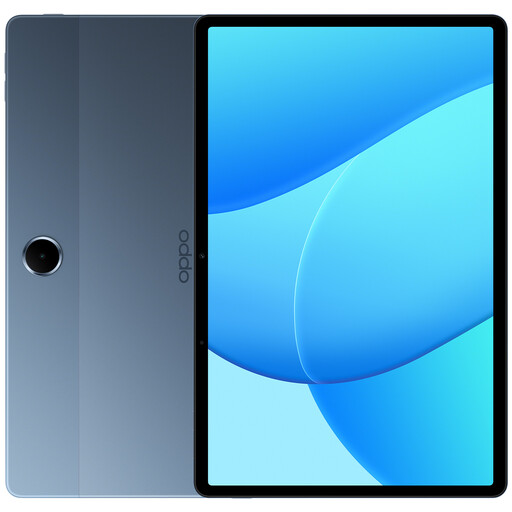
Why this product suits this profile: This 11-inch tablet combines 4G LTE with Wi-Fi 5, making it a good choice for anyone who wants to stream, browse the web and use everyday apps on the go.
The product details explicitly list 4G LTE, making its mobile data capability clearer than a listing that mentions only Wi-Fi or “5G Wi-Fi”.
11-inch display, 6 GB RAM, 128 GB storage, 8,000 mAh battery and 4G LTE support.
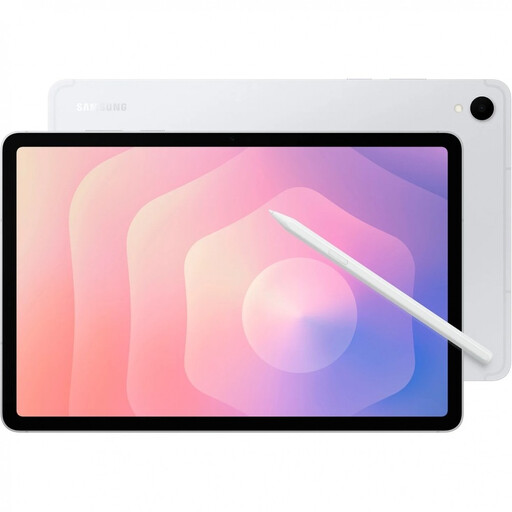
Why this product suits this profile: For anyone looking for a 5G tablet with a high-resolution display, stylus support and expandable storage.
The specifications distinguish 5G connectivity from Wi-Fi 6 and list Nano-SIM and eSIM. This makes it easier to check the details before you buy.
11-inch Dynamic AMOLED display with 120 Hz, 12 GB RAM, S Pen, 128 GB storage and microSD expansion up to 2 TB, according to the product details.
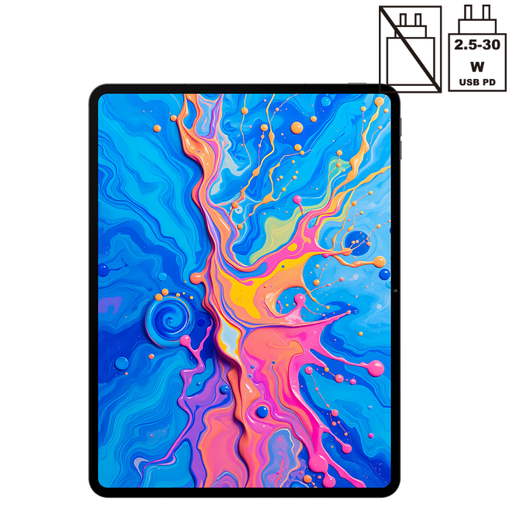
Why this product suits this profile: This model combines a large display, dual-SIM 4G LTE, stylus support and plenty of internal storage for drawing, studying and working on the go.
The specifications list 4,096 pressure levels, a T-Pen, 256 GB storage and Widevine L1. This makes it easy to check key details for creative and streaming uses.
12.7-inch 2K display, Helio G99 processor, 256 GB storage, 10,000 mAh battery and dual-SIM 4G LTE.
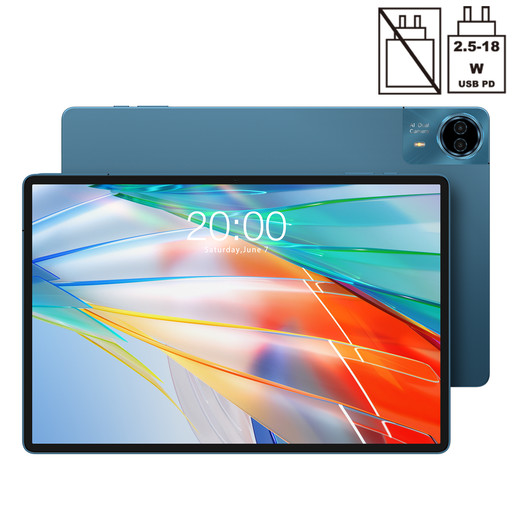
Why this product suits this profile: At 14 inches, this tablet is ideal for anyone who needs as much screen space as possible for documents, films or split-screen viewing.
The product details list 4G, dual-SIM, 5G Wi-Fi and a specific display resolution separately, helping you distinguish mobile connectivity from Wi-Fi.
14-inch display with 2,240 × 1,400 pixels, 10,000 mAh battery, 128 GB storage and 18 W PD support, according to the product details.
We’ve put together a complete, regularly updated list of products that meet these strict selection criteria and the safety regulations in force in the EU.
Switch off the tablet, insert the correct Nano-SIM as shown in the instructions, then switch the device back on. You can enable mobile data under Settings > Network & internet or a similarly named menu. Some providers configure the APN settings automatically. If not, you can get the correct details from your mobile network provider.
You can’t work out a tablet’s battery life from its capacity alone. Streaming over LTE, high screen brightness, GPS and games all use more power. To make the battery last longer, you can lower the refresh rate, adjust the brightness and switch off mobile data when you have a stable Wi-Fi connection.
The tablet itself doesn’t come with ongoing mobile charges. You’ll pay for the data plan you choose. There may be extra charges for additional multi-SIM cards, monthly fees, data limits or going over your allowance. Before you buy, check whether your plan supports an additional SIM and which network standards are available where you spend most of your time.