Families making a project poster
If you want your animal pictures to be easy to see on a larger project, decide on the print size before choosing a device. Canon Germany lists photo printing up to A4 for the PIXMA G650.


Start by deciding how large you want the animal pictures to be in the finished project. A postcard printer may suit a few small prints, while larger pictures call for an A4-capable device. Canon Germany lists a 100 × 148 mm format for the SELPHY CP1500 and borderless photo printing up to A4 for the PIXMA G650. If you plan to print photo sets regularly, factor in paper and ink too. And if you also need to print schoolwork, scanning and copying features may be useful.
If you want your animal pictures to be easy to see on a larger project, decide on the print size before choosing a device. Canon Germany lists photo printing up to A4 for the PIXMA G650.
If you print sets of pictures often, compare the required photo paper and ink as well as the print size. Canon Germany describes the PIXMA G650 as having refillable tanks, while the SELPHY CP1500 uses ink and paper supplied as a set.
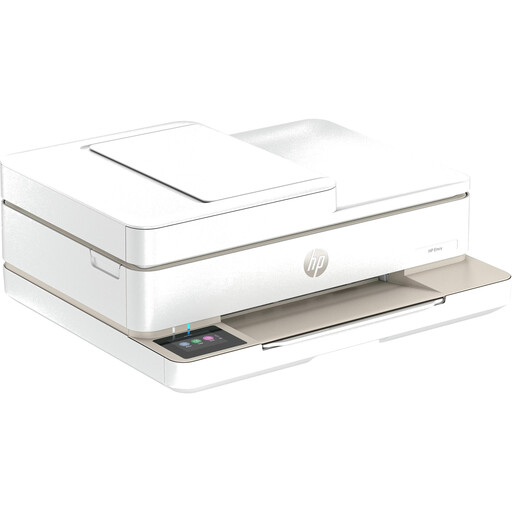
If you need to print, scan or copy documents as well as animal photos, an all-in-one printer can handle all these tasks. Canon Germany lists these features for the PIXMA G650, and HP lists them for the Envy Photo 7930.
First, decide on the picture size you need. Then compare the materials required for the photo sets you plan to print, and check whether you also need the printer to handle schoolwork.
| What to consider | What to look for | Who is this most relevant to? |
|---|---|---|
| Picture size | Check that the project layout and picture size you want are supported by the specific printer. | If I want to show animal pictures directly on a larger project sheet, I need enough space rather than a small print. Around 36% of consumers say finding the right picture size is their main concern. |
| Materials for photo sets | Make a note of how many pictures you plan to print, then compare compatible photo paper and ink for the model. | When printing several pictures, I want to know which paper and ink are compatible with my printer. Around 29% of consumers focus on ongoing material costs when printing animal photos regularly. |
| Other school tasks | Check whether you really need scanning and copying, and whether you have enough space for the device. | If I want to work on worksheets as well as pictures, I’d like one device to handle both photo and document tasks. Around 21% of consumers prioritise this combination. |
| Small individual prints | Check whether postcard size is suitable for your project and which compatible paper-and-ink set you’ll need. | For a few small animal pictures, I want a compact format without paying extra for A4 features I don’t need. Around 14% of consumers prioritise compact individual prints. |
The Canon SELPHY CP1500 supports postcard formats, among others. For A4 photo printing, Canon Germany lists the PIXMA G650, for example. If the format doesn’t suit your project, you may need to use another way to print.
Decide on the finished picture size first, then check the formats supported by the specific model.
Manufacturers’ stated yields are based on their own test conditions and can’t be directly converted into the cost of printing your pictures and formats.
Compare the number of pictures you plan to print, their format and the supplies you’ll need on a like-for-like basis.
Section 60a of the German Copyright Act (UrhG) sets out conditions for certain uses in teaching. Making content publicly available is a separate matter.
Before sharing or publishing animal photos taken by someone else, check the specific circumstances of use and the image licence.
The models mentioned range from small postcard prints to A4 photo printing and document-handling features.
The EcoTank ET-8500 is described as an A4 photo printer with refillable ink tanks.
The Envy Photo 7930 combines photo printing with everyday printing, scanning and copying tasks.
The selection includes all-in-one printers, mobile printers and models for A4 or smaller photo formats. In particular, check that the printing technology and format are right for how you want to display your animal pictures.
 No image available
A good option if you want to work on animal pictures and other school documents with a colour inkjet all-in-one printer.
Colour inkjet printing; printing, scanning and copying; Wi-Fi; automatic double-sided printing; stated colour optimisation up to 4800 × 1200 dpi.
 No image available
May suit you if you want to print small pictures or notes on the go from a mobile phone.
Thermal printing; Bluetooth connection to a mobile phone; product details specify black-and-white output. Animal pictures won’t print in colour.
 No image available
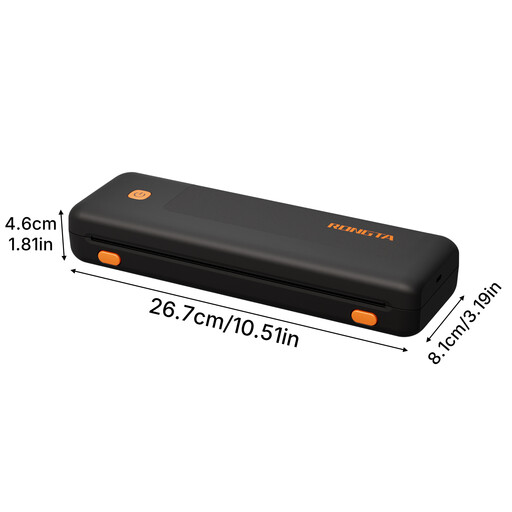
An option if you want to print A4 pictures on the go; check first that the image quality meets your needs.
Thermal printing; Bluetooth; 203 DPI; up to 185 pages per battery charge, according to the product name. Supported formats listed are A4, US Letter, A5 and B5.
 No image available
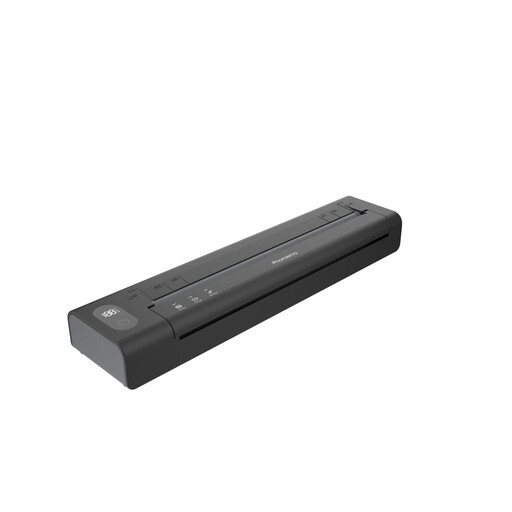
A good choice if you want to print pictures and documents on the go using an app.
Thermal printing without ink or toner; Bluetooth printing via an app for iOS or Android; rechargeable battery.
 No image available
Suitable for small, sticky-backed animal pictures, for example in a folder or collage, but not for an A4 picture.
Zink photo printing on sticky-backed paper in a 50 × 76 mm format; Bluetooth connection via the Xiaomi Home app for iOS or Android; stated weight: 180 g.
Yes, with a photo printer specifically designed for A4. Canon Germany lists borderless photo printing up to A4 for the PIXMA G650, while Epson Germany lists A4 photos for the ET-8500. The SELPHY CP1500 supports formats including 100 × 148 mm. So decide on the picture size you need for your project first.
Remember to factor in compatible photo paper and the ink used by your printer. The Canon SELPHY CP1500 uses ink and paper supplied as a set, while Canon Germany lists refillable ink and a replaceable maintenance cartridge for the PIXMA G650. Compare the supplies you’ll need for your planned formats and print volumes.
For affected Epson EcoTank or Expression devices, Epson Germany recommends running a nozzle check and, if needed, cleaning the print head using the driver’s maintenance function. For other models, follow the instructions for your device.
If a product is faulty, the seller is generally the right person to contact. Statutory consumer rights are separate from a voluntary manufacturer’s warranty. The Verbraucherzentrale explains that new goods are covered by a two-year statutory warranty for faults that were present at the time of delivery.
You can’t necessarily use every picture you find online without permission. Subject to certain conditions, Section 60a of the German Copyright Act (UrhG) allows some non-commercial uses in teaching and includes specific rules for illustrations. Public sharing needs to be considered separately. Check the image licence, who will receive it and how you plan to use it.