Who this guide is for

3D animators with local rendering projects

If you render scenes on your own computer, check the supported GPU backend and the memory available in the exact configuration. The Blender Foundation describes GPU rendering as a way to use the graphics card, rather than the CPU, for rendering.

Creatives working by a bright window

If you work for long periods in a fixed spot where reflections are visible, choose your monitor surface and setup as well as your desktop. The screen’s finish and the direction of the light affect your work regardless of processing power.

2D and motion design creatives

If you mainly work on 2D animation, choose a configuration to suit the requirements of the specific application you use, rather than assuming it has 3D rendering capabilities based on the product name alone.

What to look for when buying

Windows tower for GPU-accelerated 3D

A good fit if: your project requires a supported GPU backend or you may want to upgrade components later.

Bear in mind: towers need floor or desk space, and a professional product range doesn’t guarantee a particular graphics card in the configuration you choose.

Mac Studio with an external monitor

A good fit if: your animation software and the extensions you need support macOS or Apple Silicon, and you want to use an external screen.

Bear in mind: unified memory isn’t directly comparable to dedicated graphics memory. You’ll need to choose the display and its surface separately.

Compact Windows desktop

A good fit if: you have limited space at your workstation and your software can run on the specific CPU, RAM and graphics configuration.

Bear in mind: a small case doesn’t remove the need to check the specification or choose a monitor with low reflectivity separately.

Buying priority What to check Who it matters to
GPU rendering and memory For Blender Cycles, check the backend and driver for the specific hardware, along with graphics memory and RAM. The Blender Foundation recommends 32 GB RAM and 8 GB VRAM for Windows; this is software guidance, not a general buying requirement. If you render complex 3D scenes locally, having the right GPU specification is particularly important. Around 36 % of consumers put GPU rendering first.
Screen by a window Check the external monitor’s surface, the desktop’s ports, the setup and whether you can adjust the light levels together. If the window is reflected in your display, visibility at your workstation is key. Around 29 % of consumers prioritise a screen by a window.
Configuration for 2D Check the operating system and application compatibility, as well as the RAM, SSD and monitor ports of the specific configuration. If your focus is 2D animation, the specification should suit your applications and project files, rather than automatically matching a 3D rendering setup. Around 21 % of consumers put this workflow check first.
Upgrades and space Check the GPU, RAM and SSD options available, as well as the size of the case in the configuration you’re ordering. Don’t assume advertised maximum specifications apply to the base configuration. If you may want to upgrade your computer later, available upgrade options and a suitable space at your workstation are important. Around 14 % of consumers prioritise future upgrades.

Common buying mistakes

  • Assuming the product range tells you which graphics card you’ll get

    A workstation range can include various specifications, including models with integrated graphics.

    Check the GPU, graphics memory and RAM on the page for the exact configuration.

  • Expecting a faster desktop to reduce reflections

    Reflections from windows are caused by the screen and your workstation setup, not by a lack of processing power. BenQ explains that glossy surfaces can reflect ambient light and windows.

    Check the monitor surface, its position and whether you can adjust the light levels before choosing a screen.

  • Comparing unified Mac memory directly with dedicated graphics memory

    Apple describes unified memory, while the Blender Foundation’s Windows recommendations list RAM and VRAM separately. These figures aren’t a like-for-like comparison across platforms.

    Compare your application’s requirements, the render backend and your projects rather than looking at memory figures in isolation.

Relevant brands at a glance

HP

HP describes the Z2 Tower G1i range as a configurable Windows workstation for 3D modelling and rendering.

  • HP lists GPU and upgrade options.
  • Components vary by configuration, so check the GPU and graphics memory in the model you choose.

Lenovo

The ThinkStation P3 Tower Gen 2 is a configurable tower workstation. Buyers can check how it matches their Windows software and the specific options available.

  • Lenovo lists options with NVIDIA RTX PRO.
  • The German product page also lists models with integrated graphics. Check the GPU and RAM for the specific configuration.

Apple

The Mac Studio is a compact macOS desktop for animation applications that support Apple Silicon, used with an external monitor.

  • Apple documents M5 Max configurations, unified memory and ports for external displays.
  • Unified memory isn’t automatically equivalent to dedicated VRAM; check the monitor and its surface separately.

Dell

The Precision 5860 Tower is a configurable workstation for buyers considering a larger desktop platform.

  • Dell lists a range of options for scaling up.
  • Your chosen options may change the specifications. Advertised maximum specifications don’t confirm what’s included in the configuration you order.

Joybuy products for animation and desktop work

This selection includes Windows towers for GPU-accelerated 3D projects and compact Mac Studio systems used with an external monitor.

Dell Alienware Aurora ACT1250 1J3N5 Core Ultra 9-285K, RTX 5080, 32 GB and 2 TB SSD

Dell Alienware Aurora ACT1250 1J3N5 Core Ultra 9-285K, RTX 5080, 32 GB/2 TB SSD

For GPU-accelerated 3D projects: described as a Windows 11 desktop with RTX 5080.

The product description lists 16 GB of dedicated graphics memory and a 2 TB SSD; video ports include DisplayPort and HDMI.

According to the product instructions, keep the air vents clear and leave 10–15 cm between the back of the computer and the wall.

View at Joybuy
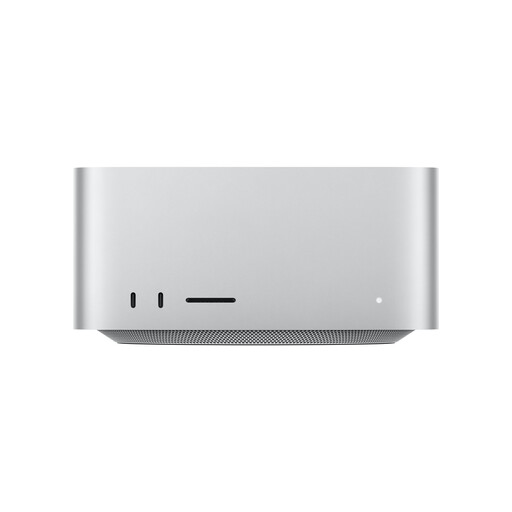
Apple Mac Studio with M5 Max, 18-core CPU, 32-core GPU, 36 GB unified memory and 512 GB SSD

Apple Mac Studio, M5 Max, 18-core CPU, 32-core GPU, 36 GB unified memory, 512 GB SSD

For a compact workstation, if your animation software supports macOS and Apple Silicon and you want to connect an external monitor.

The listed configuration includes 36 GB of unified memory and a 512 GB SSD, with HDMI and four Thunderbolt 5 ports.

View at Joybuy
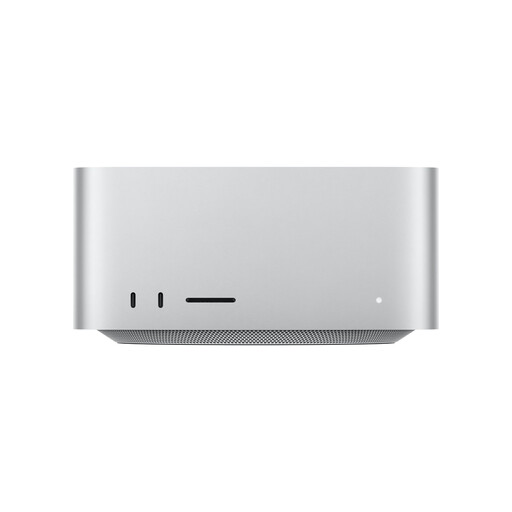
Apple Mac Studio MHL64ZD/A with M5 Max, 18-core CPU, 40-core GPU, 48 GB unified memory and 1 TB SSD

Apple Mac Studio MHL64ZD/A, M5 Max, 18-core CPU, 40-core GPU, 48 GB unified memory, 1 TB SSD

For a compact animation workstation with an external display, provided your software supports macOS and Apple Silicon.

The listed configuration includes 48 GB of unified memory and a 1 TB SSD, with HDMI 2.1 and four Thunderbolt 5 ports.

Unified memory isn’t directly comparable to dedicated graphics memory.

View at Joybuy

Captiva Highend Gaming R89-085 with Ryzen 7 9800X3D, RTX 5080 and 2 TB SSD

Captiva Highend Gaming R89-085, Ryzen 7 9800X3D, RTX 5080, 2 TB SSD

For GPU-accelerated 3D projects: described as a Windows 11 tower with dedicated RTX 5080.

The product description lists 16 GB of dedicated graphics memory and a 2 TB SSD, with DisplayPort and HDMI video ports.

According to the product instructions, keep the air vents clear and leave 10–15 cm between the back of the computer and the wall.

View at Joybuy

Captiva Highend Gaming PC R89-503 with AMD Ryzen 7 7800X3D, RTX 5070 Ti 16 GB, 32 GB DDR5 and 2 TB SSD

Captiva Highend Gaming PC R89-503, AMD Ryzen 7 7800X3D, RTX 5070 Ti 16 GB, 32 GB DDR5, 2 TB SSD

For GPU-accelerated 3D projects: described as a Windows 11 desktop with RTX 5070 Ti.

The product description lists 16 GB of dedicated graphics memory, 32 GB DDR5 RAM and a 2 TB SSD, with DisplayPort and HDMI.

According to the product instructions, keep the air vents clear and leave 10–15 cm between the back of the computer and the wall.

View at Joybuy

Frequently asked questions

Do I need a dedicated graphics card for Blender animation?

No, not for every type of work in Blender. If you want to render with Cycles using the GPU, check that your hardware supports the relevant backend and that its graphics memory is suitable for your scenes. The Blender Foundation recommends 8 GB VRAM and 32 GB RAM for Windows; this isn’t a blanket minimum requirement for every animation PC.

How should I position my monitor by a bright window?

Check whether the window or light sources are reflected in your display, and adjust the monitor’s position or the lighting if needed. A matt surface can reduce reflections, but it’s no substitute for a suitable setup. For screen-based workstations covered by Germany’s Workplace Ordinance, disruptive glare and reflections should be avoided through workstation and lighting design; this doesn’t mean you have to buy a particular monitor model.

What should I consider when setting up my computer and upgrading it later?

Check that the video ports match your external monitor. For Blender, make sure the drivers and render backend are compatible with your GPU. If you have a configurable tower, consult the documentation for the exact model you bought before making any changes.

Are the monitor, software and upgrades included?

You can’t tell from the word “desktop” or a product range name alone. Before ordering, check what’s included, which configuration you’ve selected and whether you need to buy a monitor or software separately. What’s included may vary by model.

What consumer rights apply when buying online in Germany?

For a covered purchase from a trader, a statutory guarantee of at least two years generally applies. The European Union’s Your Europe portal also explains the general 14-day right of withdrawal from the date of delivery for covered online distance sales. Exceptions, such as clearly personalised goods, and rules on return costs should be considered separately; statutory rights relating to faulty goods are not an additional manufacturer’s warranty.