
Lieferung heute & morgen

Qualitätsgarantie

Willkommens-Angebote freischalten: KOSTENLOSE Lieferung | Bis zu 80 % RABATT | Kostenlose 30-Tage-JoyPlus-Testphase
App herunterladen
An ANYCUBIC 3D printer can be used for models, prototypes, spare parts or small production runs, depending on the design. However, your choice shouldn't be based solely on print speed or resolution. The material system, build volume, maintenance requirements and actual features are all decisive factors.
Figures like 600 mm/s usually describe a maximum value under specific conditions. The actual print duration also depends on model size, layer height, acceleration, material, cooling and travel path. A fast 3D printer also needs stable mechanics and suitable profiles. For consistent results, the recommended speed can be significantly lower than the maximum value.
An Anycubic Multicolor 3D printer can process several colours, but it produces purge material during colour changes. This so-called purge material increases filament consumption and extends print time. What's more, not all filaments are suitable for every automatic feeding system. For example, TPU 95A must be fed directly into the printer on certain Kobra S1 systems and is not compatible with the ACE-2-Pro module for multicolour printing.
An Anycubic Resin 3D printer is ideal for fine miniatures, jewellery prototypes and highly detailed models. However, liquid resin requires gloves, good ventilation, cleaning and post-curing. UV light must not be directed into your eyes. If you want to work as simply as possible with 3D printer filament PLA, an FDM machine is usually more practical.
FDM printers melt filament and build the object layer by layer. PLA is suitable for many decorative objects, learning projects and prototypes. PETG offers different material properties and is often used for functional parts. A PETG filament 1.75 mm should be compatible with your printer's extruder and material path.
Resin printers cure liquid resin using UV light. The XY resolution is given in micrometres. According to the product data, the Photon Mono M7 achieves 16.8 × 24.8 μm, while the Photon Mono 4 Ultra achieves 17 × 17 μm. These figures help you assess detail reproduction, but they don't replace consideration of resin type, exposure profile and post-processing.
The build volume determines how large a part can be without splitting. For compact figures, a volume of around 153.4 × 87 × 165 mm is sufficient. Larger models or multiple parts in a single print run benefit from 260 × 260 × 260 mm. The Kobra S1 Max Combo offers 350 × 350 × 350 mm according to the product data.
Before buying, you should also check your available space. An enclosed CoreXY system needs more room than the bare chassis dimensions suggest, once you account for cables, filament feed and maintenance access.
A 3D printer with automatic levelling reduces the manual setup effort. Models with LeviQ 3.0 scan the print platform and can adjust the Z-offset automatically. Even so, checking the first layer remains important.
For FDM machines, other factors include:
PLA Basic with a stated diameter of 1.75 mm and a tolerance of ±0.02 mm can be a good starting point for everyday use. The material should be stored in a dry, dust-free environment.
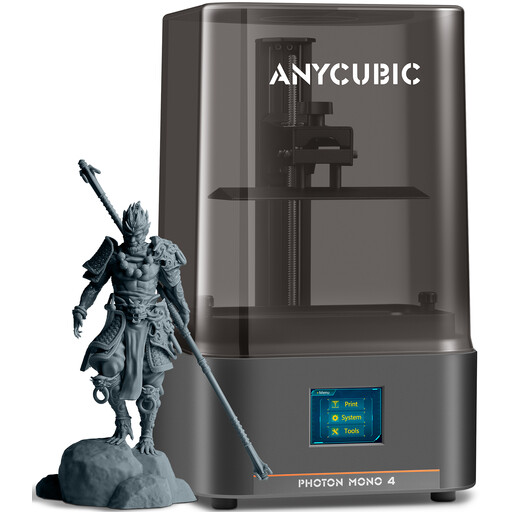
Why this product suits the profile: This compact resin model offers a build volume of 153.4 × 87 × 165 mm and a 10K display. It's ideal for small, detailed models in a limited workspace.
The resolution is considered alongside the limited build volume. This means it doesn't just advertise a high pixel count without mentioning the usable size.
10K monochrome LCD, 17 × 17 μm XY resolution and USB file transfer.
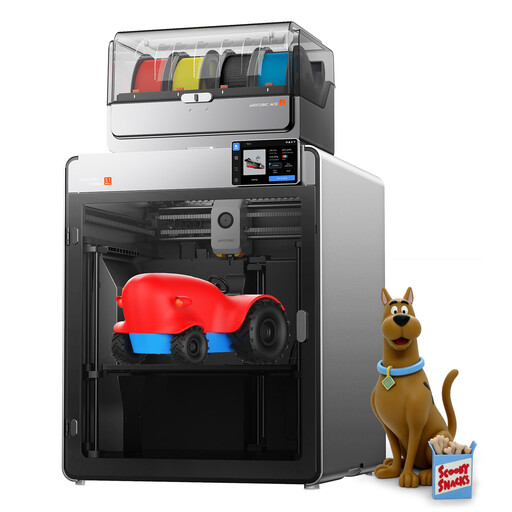
Why this product suits the profile: The enclosed CoreXY system combines a build volume of 350 × 350 × 350 mm with ACE 2 Pro for four colours and the option to expand to up to 16 colours.
The colour expansion is clearly tied to additional ACE-2-Pro units. Filament compatibility and space requirements should also be checked before purchase.
Up to 600 mm/s maximum speed, 65 °C heated chamber and 350 °C hotend.
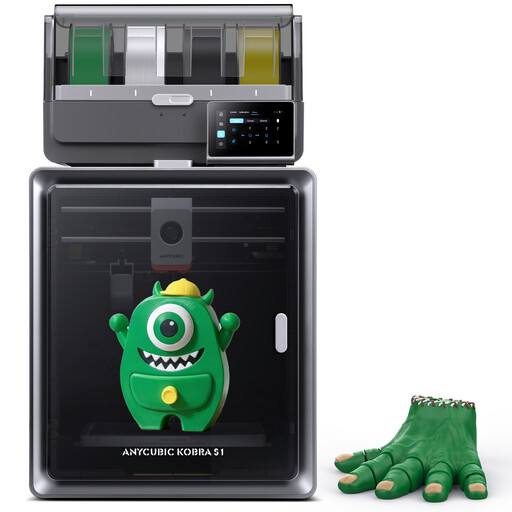
Why this product suits the profile: This system is aimed at makers, model builders and small prototyping teams who want to combine 250 × 250 × 250 mm of build space, multicolour printing and automated calibration.
The recommended speed of 300 mm/s is separated from the maximum figure of 600 mm/s. This makes it easier to plan production runs realistically.
LeviQ 3.0, 4- or 8-colour printing, ACE Pro system and 320 °C maximum nozzle temperature.
For ongoing operation, you should factor in filament, replacement nozzles, print plates and cleaning accessories. PLA Basic is straightforward for many starter projects. PETG can be interesting for more durable parts, but usually requires adjusted temperature and cooling settings. Moisture affects the processing of both materials, so sealed, dry storage is advisable.
We've put together a complete, regularly updated list of products that fully meet these strict selection criteria and the safety regulations in force in the EU.
For simple models and functional everyday objects, an FDM model with automatic levelling and PLA support is usually straightforward to set up. A resin printer is better suited to users who want to produce small, highly detailed models and are prepared for the extra cleaning and post-curing work.
The service life depends on print volume, maintenance, temperature stress and the availability of spare parts. Regular cleaning, correctly tensioned belts, a clean print bed and timely replacement of wear parts such as nozzles or films can help keep it running. It's not possible to give a reliable fixed lifespan for every machine.
In addition to the printer price, you'll have costs for filament or resin, electricity, cleaning supplies and wear parts. FDM printing with PLA is generally less demanding to handle. With resin, you also need to account for gloves, cleaning fluid, filters and possibly a UV curing station. Multicolour printing can use more filament than single-colour jobs due to purge material.