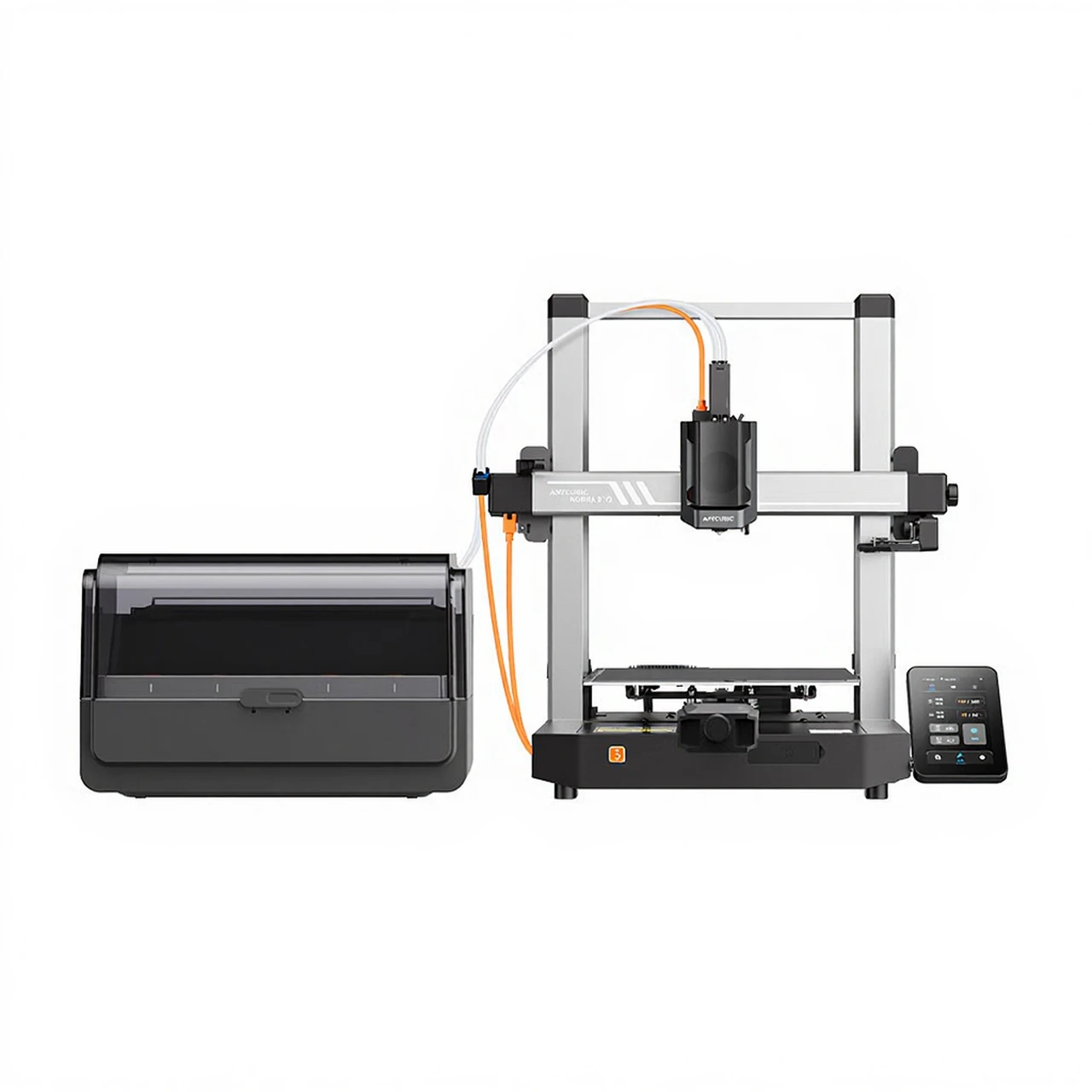
The Anycubic Kobra 3 V2 Combo is an FDM 3D printer for creating colourful, custom prints at home or in a workshop. Its 255 × 255 × 260 mm build volume and support for four- or eight-colour printing give you room to explore models and practical projects. Automatic bed levelling, ACE Pro filament drying and print-failure detection help simplify setup and monitoring, while app, software, printer and USB controls offer flexible ways to manage jobs. A useful choice for makers, hobbyists and users developing their 3D printing skills.
How to Choose the Right 3D Printer
Start with what you plan to print, how often you will use the machine and how much space you have. Comparing printer type, build volume and ease of use will help you choose a 3D printer that suits your projects and experience level.
Key Features to Consider
Check these practical criteria before comparing models and prices:
- Printer type and materials: For general-purpose parts and larger objects, consider an FDM printer, which builds with filament such as PLA; resin printers are more suited to highly detailed, smaller models and need different handling and post-processing. Check that the printer supports the materials you expect to use and follow the manufacturer’s ventilation and safety guidance.
- Build volume: Compare the stated print dimensions with the largest objects you intend to make, allowing for their orientation on the build plate. A larger 3D printer build volume offers more flexibility but can require more desk or workshop space.
- Ease of use and ongoing costs: Look for features such as automatic bed levelling, clear setup instructions and readily available replacement parts, especially if you are new to 3D printing. Factor in filament or resin, build-plate maintenance and ventilation needs when estimating the cost of 3D printing, rather than comparing purchase prices alone.
Bring Colour and Creativity to Every Print
Easy Set-Up with LeviQ 3.0 Auto Levelling
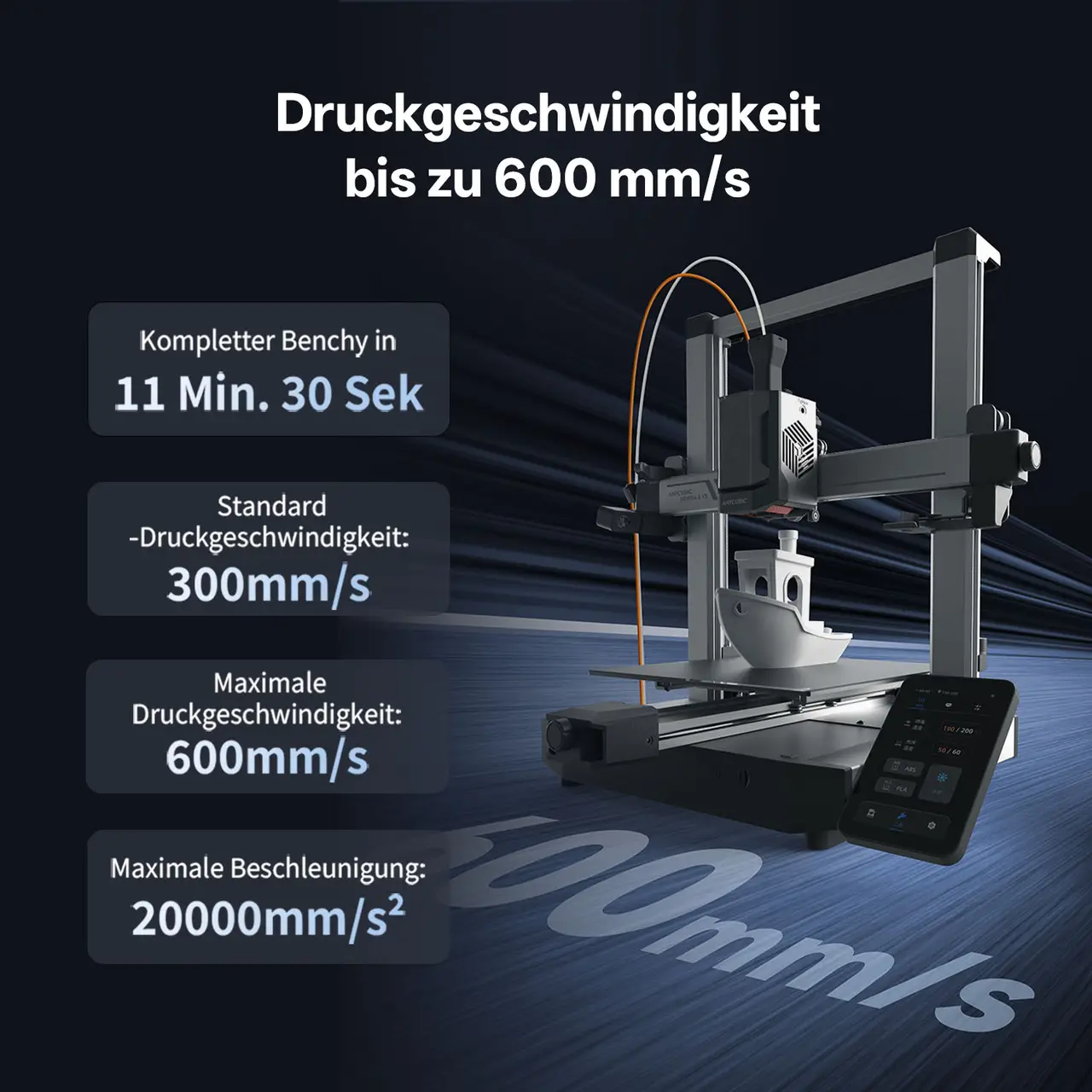
Get your creative projects underway with LeviQ 3.0 automatic bed levelling, which helps prepare the print surface and includes Z-offset adjustment for tailored setup. As an FDM 3D printer, the Kobra 3 V2 Combo turns digital designs into tangible prints, with a recommended speed of 300 mm/s for a lively pace across everyday projects. Its combination of automatic levelling and adjustable Z-offset gives you useful control as you get ready to print, whether you are exploring a new idea or returning to a familiar design.
Fast Printing with Multi-Colour Possibilities
Give models extra personality with support for 4- or 8-colour printing, making the Kobra 3 V2 Combo a compelling choice for designs that benefit from a varied palette. When you want to move quickly from an idea to a finished piece, it offers a recommended print speed of 300 mm/s and a maximum speed of 600 mm/s. This blend of colour options and speed gives you flexibility across creative projects, from expressive display pieces to practical prints, while keeping the workflow centred on what you want to make next.
Filament Care and Helpful Print Monitoring
The included ACE Pro filament drying feature adds filament care to the printing experience, while filament tangle detection and print failure detection help keep you informed as a job progresses. Power-loss recovery supports continuity, and a choice of control methods makes it easy to manage the printer in a way that suits your routine: use the printer itself, slicing software, the Anycubic app or USB. Together, these features bring monitoring, recovery and convenient control into one versatile setup for creative printing at home or in a workshop.
Anycubic Kobra 3 V2 Combo 3D Printer: Who It Suits
Multicolour project makers
When your projects call for more than one colour, you can use
4- or 8-colour printing support and ACE Pro filament drying to
prepare your materials and print multicolour designs, giving
your creations a more colourful finish.
Makers refining designs through test prints
When you are working through repeated design changes, the fast
print speeds and roomy build area let you produce and assess
parts sooner, so you can move through iterations with less
waiting.
You want an easier route into 3D printing
When you would rather focus on making than adjusting a
printer, automatic bed levelling with Z-offset adjustment
takes care of key bed setup, while control through the app,
slicing software, printer or USB lets you manage jobs in a way
that suits you, making it easier to get printing with less
setup fuss.
You run prints where interruptions matter
When a print takes long enough that a disruption would cost
you time, filament tangle and print-failure detection helps
you spot issues, while power-loss recovery helps you resume
after an outage, giving you a better chance of salvaging the
job.
Frequently Asked Questions
Can the Anycubic Kobra 3 V2 Combo print in 8 colours?
The Anycubic Kobra 3 V2 Combo supports 4-colour printing as standard and can also be used for 8-colour prints. Its ACE Pro unit dries filament, and you can manage jobs through the printer’s touchscreen, slicing software, Anycubic app or USB. That gives you options for colourful models and different workflows.
How big a model can the Anycubic Kobra 3 V2 Combo print?
The Kobra 3 V2 Combo has a build volume of 255 × 255 × 260 mm, so models within those dimensions can be printed in one piece. LeviQ 3.0 automatic bed levelling with Z-offset adjustment helps prepare the first layer, making it easier to get started with prints sized for the available space.
Is the Anycubic Kobra 3 V2 Combo safe to use around children?
The Kobra 3 V2 Combo is not intended for use in areas where children are present, and its nozzle and heated bed can reach 300°C and 110°C respectively. Set it up in an adult work area, keep the socket accessible and use heat-resistant gloves when handling it.
Don't just buy, Joybuy
Discover more of your favourite brands on Joybuy with great offers