
Lieferung heute & morgen

Qualitätsgarantie

Willkommens-Angebote freischalten: KOSTENLOSE Lieferung | Bis zu 80 % RABATT | Kostenlose 30-Tage-JoyPlus-Testphase
App herunterladen
A 27-inch 4K gaming monitor with a QD-OLED panel, 240 Hz and HDMI 2.1 sounds impressive on paper. In practice, however, poor purchases often happen not because of missing features, but because of misjudged requirements. If you're thinking of buying the AOC AGON PRO AG276UZD 4K Gaming Monitor for your PC, console or creative work, you should consider resolution, connectivity and OLED characteristics together.
240 Hz doesn't automatically mean every game will run at 240 frames per second. For 4K gaming, your graphics card needs enough power depending on the game, detail level and ray-tracing support. For console gaming, the maximum supported resolution and refresh rate of your particular console are also crucial.
The stated 0.03 ms response time describes pixel response measured using the GtG method. It is not the same as the system's total input lag. That also includes signal processing, the graphics card, the game engine and your peripherals. The figure is still relevant when you want fast motion displayed with the lowest possible pixel response time.
QD-OLED panels display dark areas differently from conventional LCD panels by design. For long, static elements such as taskbars, HUDs or tables, you should use the built-in panel care features as described in the user manual. According to the product specifications, the AOC AG276UZD features graphene cooling and OLED care functions. However, these features don't replace proper usage: you shouldn't leave static content on screen for many hours unnecessarily.
According to the product specifications, the AOC AG276UZD offers a resolution of 3840 × 2160 pixels, a 16:9 aspect ratio and a visible diagonal of 26.7 inches. On a 27-inch screen, 4K delivers a high pixel density. This matters for sharp text, detailed game worlds and image or video editing.
The QD-OLED panel supports 10-bit colour representation and 100% sRGB according to the manufacturer's data. The glossy, anti-reflective surface can provide a clear picture, but this depends on your room lighting. You should avoid direct reflections from windows or lamps when positioning the monitor.
The 240 Hz refresh rate is particularly suitable for fast PC games, provided your hardware can deliver correspondingly high frame rates. AMD FreeSync Premium Pro and G-SYNC compatibility help synchronise the graphics card's output with the monitor. This can reduce visible tearing and uneven motion, but requires correct activation in both the monitor menu and the graphics card driver.
For an HDMI 2.1 monitor, the two HDMI 2.1 ports on the AOC AG276UZD are especially relevant if you're connecting current consoles or powerful graphics cards. The monitor also features DisplayPort 2.1. Before buying, you should check which standards your own graphics card, laptop or console actually supports.
According to the product specifications, the USB-C port offers DisplayPort Alt Mode and 65 W Power Delivery. This lets you run a compatible laptop with video signal, data connection and power supply through a single cable. The actual charging power depends on the connected device.
A built-in KVM switch allows you to share a keyboard and mouse between several connected computers. If you switch between a gaming PC and a work laptop, this can reduce cable clutter.
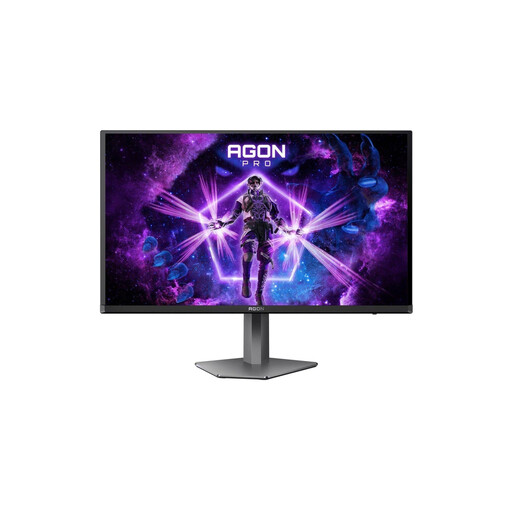
Why this product suits the profile: 4K resolution, QD-OLED, 240 Hz, HDMI 2.1, DisplayPort 2.1, USB-C with 65 W and a KVM switch combine high image quality with flexible desktop use.
The connectivity options mean you don't need a different monitor for your PC, console and laptop. However, you should still use the OLED care functions regularly as per the instructions.
3840 × 2160 pixels, 240 Hz, 0.03 ms GtG, DisplayHDR True Black 400 and USB-C with 65 W Power Delivery.
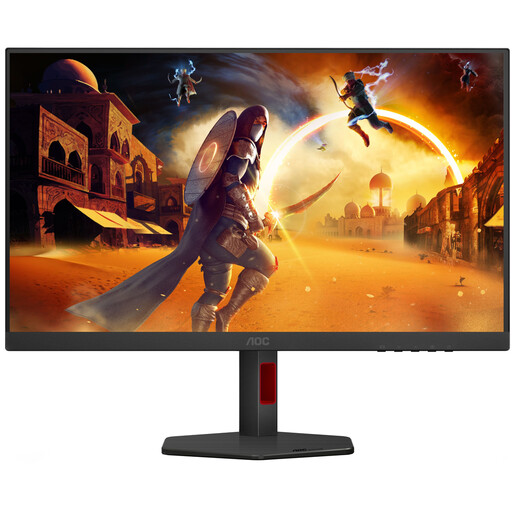
Why this product suits the profile: This Fast IPS monitor offers QHD resolution, 320 Hz and an ergonomic stand for PC gamers who prioritise a high frame rate and don't necessarily need 4K.
The lower QHD resolution places less demand on your graphics card than 4K. This makes the high frame rate more realistically achievable in suitable games.
2560 × 1440 pixels, 320 Hz, 1 ms GtG, Adaptive-Sync and height-adjustable stand.
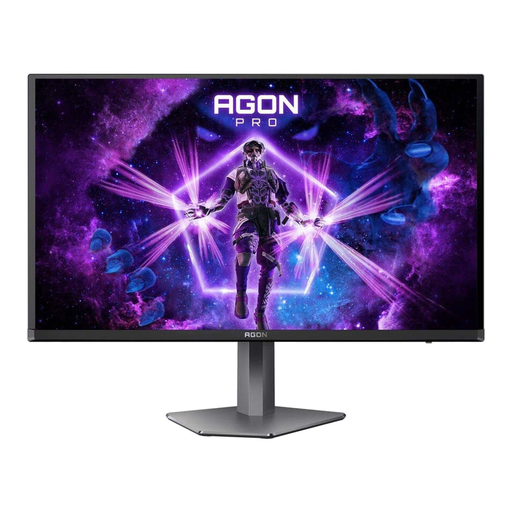
Why this product suits the profile: If you want to combine fast e-sports gaming with QD-OLED, you get a QHD panel with 500 Hz and modern connectivity.
The QHD resolution reduces the load on your graphics card compared to 4K. This creates a more suitable foundation when very high frame rates matter more than maximum pixel density.
QD-OLED, 2560 × 1440 pixels, 500 Hz, 0.03 ms GtG, HDMI 2.1 and DisplayPort 2.1.
We've put together a complete, regularly updated list of products that fully meet these strict selection criteria and the safety regulations in force in the EU.
The two HDMI 2.1 ports are relevant for current console models. However, whether you can actually use 4K and a specific refresh rate depends on the console, the game and the HDMI cable you're using. You should check the respective device specifications before buying.
A general recommendation isn't possible. The power required depends on the game, graphics details, upscaling, ray-tracing and the desired frame rate. E-sports titles with reduced settings have different requirements to graphically demanding single-player games. The monitor can display 240 Hz; your graphics card must deliver the corresponding frame rate.
You should avoid long static images. Automatic screen shut-off, changing content and the panel refresh functions provided by the manufacturer are all sensible measures. The monitor should be operated according to the instructions and should not be opened or modified yourself.