Teams testing iOS apps
If you need Xcode and Apple simulators on your office computer, first check that your Mac, macOS and Xcode versions are compatible. Apple Developer describes iOS simulators as part of Xcode on macOS.


For local iOS testing with Xcode and Apple simulators, you’ll need a Mac that’s compatible with the Xcode version you require. Android testing can also be carried out on Windows or Linux PCs; the key factors are how many emulators you’ll run at once, the installed RAM and hardware acceleration. In a shared office, connectivity, desk space and separate user accounts matter too.
If you need Xcode and Apple simulators on your office computer, first check that your Mac, macOS and Xcode versions are compatible. Apple Developer describes iOS simulators as part of Xcode on macOS.
If you use Android Studio, virtual devices or connected smartphones, choose a computer based on how many emulators you’ll run at once and the RAM and storage they’ll need. Google sets out different requirements for individual AVDs and multiple AVDs running simultaneously.
If several people use the same workstation, desk space, suitable connections and separate user accounts are all important. Microsoft says that on Windows, each person can have their own files, browser favourites and private desktop.
A good fit if: Xcode and Apple simulators are part of your local testing workflow.
Things to weigh up: Check which Xcode and macOS versions you need, along with the specific RAM and SSD configuration. A compact design alone doesn’t mean a computer is suitable for running several test environments in parallel.
A good fit if: Android emulators and, where relevant, real Android devices are your main focus, and you don’t need to run local Xcode tests.
Things to weigh up: Mini PCs and kits vary in their operating system, RAM and storage, so check the specification of the exact version you’re ordering.
A good fit if: Upgrade options for demanding projects or several virtual Android devices matter more than having the smallest possible case.
Things to weigh up: Allow for more desk space and check the available slots and upgrade options on the specific model.
| Requirement | What to check before buying | Who needs this? |
|---|---|---|
| Operating system for iOS | Check that the Xcode version you need is compatible with the macOS version on your chosen Mac. Apple Developer describes iOS simulators as part of Xcode on macOS. | If I need to test iOS apps locally, I need a suitable Xcode and simulator workflow. Around 33% of consumers prioritise the ability to test iOS apps locally. |
| Android emulators | Google recommends at least 16 GB of RAM for a good emulator experience and around 4 GB of RAM for each AVD running at the same time; actual requirements depend on the system. Also check available SSD space and hardware acceleration. | If I want to test several Android devices in parallel, I need to match RAM and storage to the demands of running them simultaneously. Around 27% of consumers put parallel Android testing first. |
| Shared workstation | Check the USB, video and network connections on the specific version against your monitors and test devices. Set up separate accounts for different users. | If I share a desk with others, I need enough space, suitable connections and separate workspaces. Around 20% of consumers prioritise these requirements. |
| Test data and specification | Clarify how personal data used for testing will be handled, and check whether RAM, SSD storage and the operating system are included with the specific version. | If I need to clarify test data and the full specification in advance, I want to take these points into account before choosing. Around 20% of consumers give this requirement priority. |
A good review of compact mini PCs doesn’t tell you whether a device meets the requirements for local Xcode testing.
First decide whether you need Xcode and Apple simulators locally. Then assess Windows devices only for workflows they’re suitable for.
Kits may not include an operating system or RAM, and other versions can also vary in what’s supplied.
Compare the exact version and check before buying which components are included and which you’ll need to purchase separately.
Running several Android devices at once uses more resources; Google specifies different requirements depending on the system.
Plan for the maximum number of AVDs you’ll run simultaneously, and check the RAM actually installed and the available SSD space.
A relevant choice if local iOS simulators and Xcode are part of your testing workflow.
The ThinkCentre Tiny range is a useful benchmark for compact office PCs used for Android testing.
The Pro Mini 400 G9 is a compact business PC range.
The NUC 14 Pro is available as a mini PC or a kit, making it an option for compact workstations focused on Android.
The A5 Pro with Ryzen 5 7530U is a specific example of a Windows mini PC for a compact Android testing setup.
These compact PCs are a good starting point for Android-focused testing. Check the operating system and what’s included with each version.
 No image available
For Android testing where you plan to run several emulators or projects at once, the listed memory specification is a useful point of comparison.
24 GB LPDDR5; 512 GB NVMe SSD; two M.2-2280 slots, expandable to up to 4 TB according to the product details. Windows 11 Pro.
This Windows configuration isn’t a substitute for a Mac for local Xcode and Apple simulator testing.
 No image available
For Android testing with one emulator, the listed RAM is a useful point of comparison. Google recommends at least 16 GB of RAM for a good emulator experience.
16 GB DDR5; 1 TB SSD; Windows 10/11 according to the product details; two 2.5-gigabit Ethernet connections and Wi-Fi 6.
This Windows configuration isn’t a substitute for a Mac for local Xcode and Apple simulator testing.
 No image available
For Android testing and a multi-monitor workstation, compare the listed memory and display support with your setup.
16 GB DDR4; 512 GB SSD; Windows 10/11 according to the product details; supports up to three displays and is compatible with Ubuntu.
The listed Windows and Ubuntu compatibility isn’t a substitute for a Mac for local Xcode and Apple simulator testing.
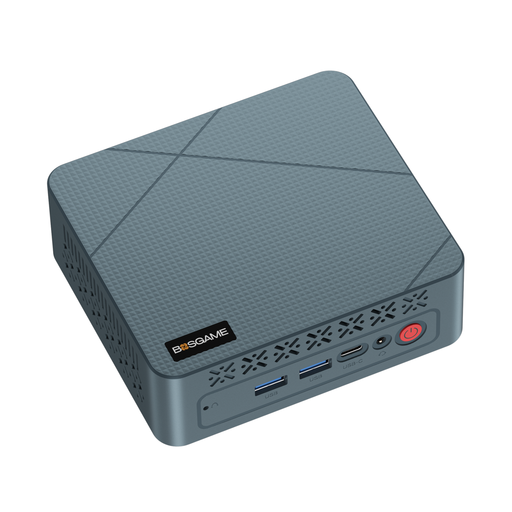 No image available
For a compact Android testing setup, compare the listed RAM and SSD capacity with the number of virtual devices you plan to use.
16 GB RAM; 256 GB SSD; processor listed at up to 3.7 GHz. Before buying, check which operating system and accessories are included with the version you’re considering.
A Mac is required for local Xcode and Apple simulator testing.
 No image available
For a space-saving Android testing workstation, compare the Micro form factor with the connections you need and the planned emulator workload.
16 GB DDR5; 512 GB NVMe SSD; Windows 11 Pro; the product description lists four USB 3.0 ports and Gigabit Ethernet. It also says the PC can be mounted behind a monitor or placed under a desk.
This Windows configuration isn’t a substitute for a Mac for local Xcode and Apple simulator testing.
No. You need macOS for a local Xcode workflow: Apple describes iOS simulators as part of Xcode on macOS. Also check the system requirements for the Xcode version you need.
First decide how many AVDs you want to run at once, then check RAM, available SSD space and hardware acceleration. Google recommends around 4 GB of RAM for each AVD running simultaneously and potentially up to 6 GB of extra storage for each additional AVD; actual requirements depend on the system.
Set up separate user accounts. Microsoft says this gives each person their own files, browser favourites and private desktop. You’ll also need to agree rules for shared test devices and login details.
Not as a general rule. The German Federal Commissioner for Data Protection and Freedom of Information notes that, when personal data is processed, development and testing are generally separate processing activities subject to GDPR requirements. Whether a particular use is lawful depends on the circumstances.