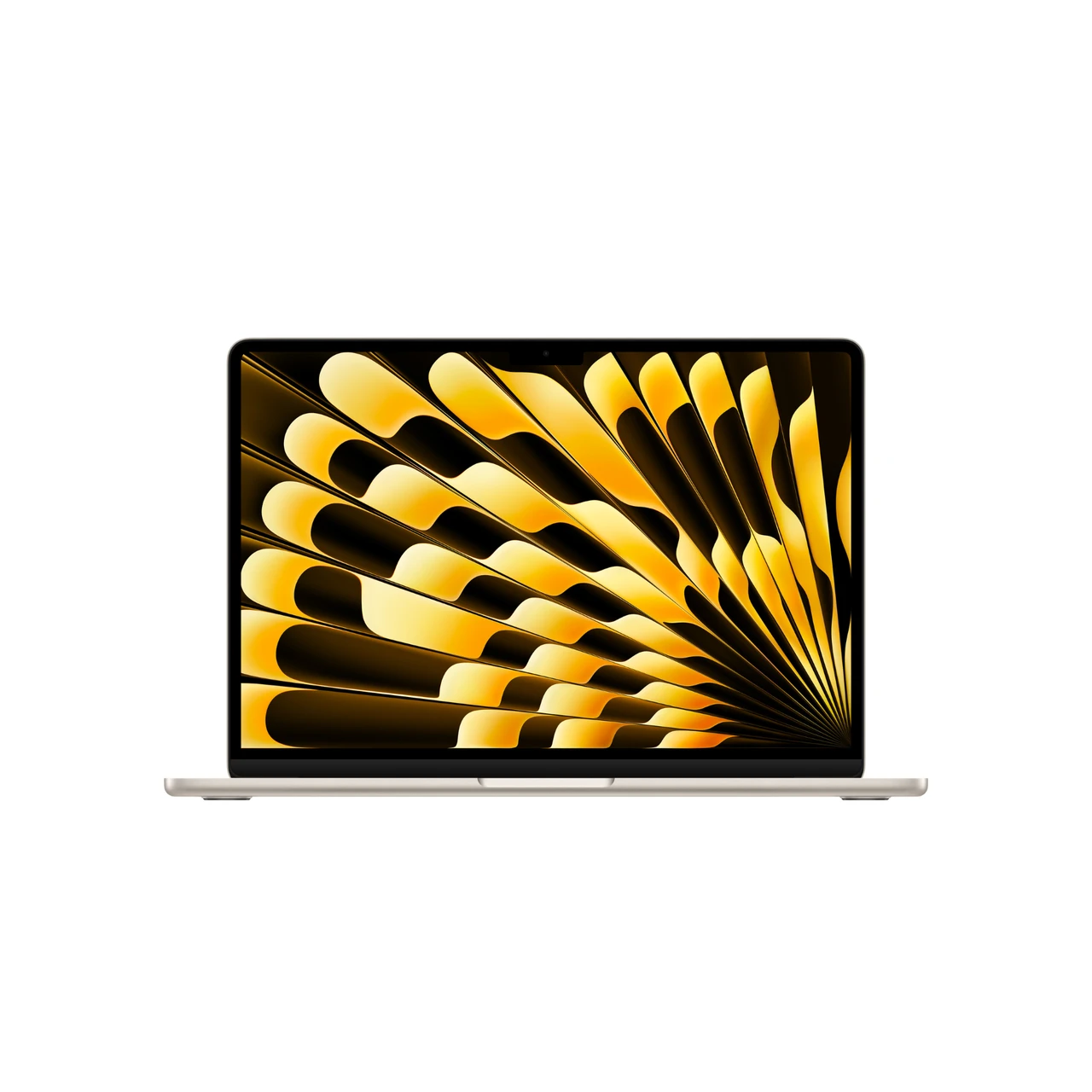
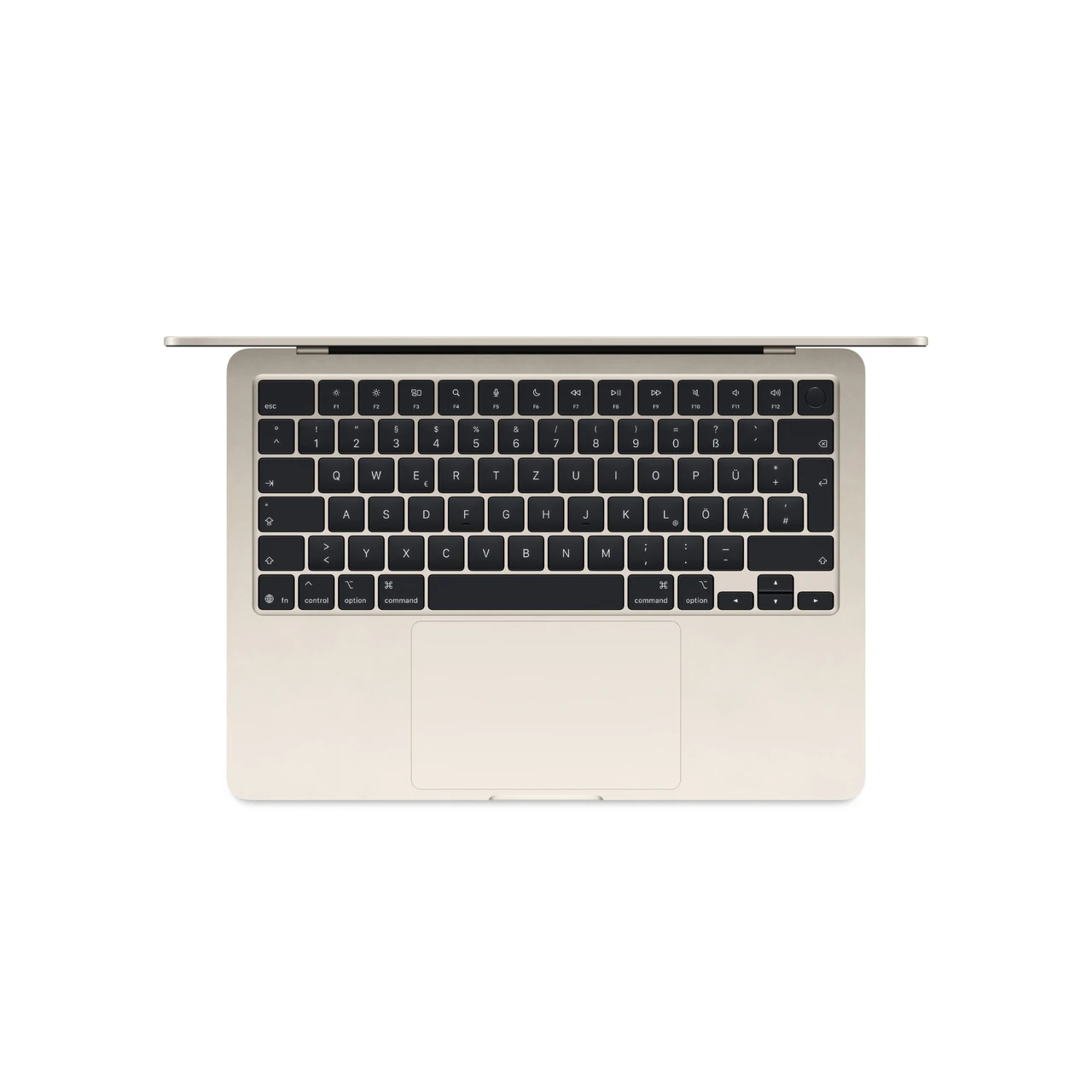
The 13-inch Apple MacBook Air with M5 combines a slim, portable design with a 10-core CPU, 16GB of shared memory and a 1TB SSD. Its Liquid Retina display, backlit German QWERTZ keyboard and Touch ID support comfortable everyday use. Choose it for work, study, creative projects, video calls and entertainment; Wi-Fi 7, Thunderbolt 4 and support for up to two external displays add flexibility for home or office setups. It suits anyone seeking a capable notebook that’s easy to carry between workspaces.
How to Choose the Right Laptop
Start by matching a laptop to how you will use it, whether for everyday tasks, study, creative work or gaming. Compare performance, portability and practical details such as the keyboard and ports, rather than choosing on headline specifications alone.
Key Features to Consider
These three checks can help you narrow down your options and choose a laptop that suits your needs and budget.
- Performance, memory and storage: Choose a processor and graphics capability suited to your regular apps; demanding creative software and games generally need more than browsing and office work. Check RAM for smooth multitasking and SSD storage for your files and applications, allowing extra capacity if you cannot upgrade later.
- Screen, battery life and portability: A larger display can be more comfortable for detailed work, while a lighter, more compact laptop is easier to carry between home, work and university. Compare screen resolution and brightness, and look for independent battery-life tests as well as manufacturer estimates if you often work away from a socket.
- Keyboard, connections and software: If buying in Germany, check for a German QWERTZ keyboard and make sure the laptop has the ports you need for accessories, external displays or charging. Confirm that its operating system supports your essential software, and compare the euro price, warranty and return terms before you buy.
Power to Create, Space to Go: Meet Your Everyday MacBook Air
M5 Power for Work, Creativity and AI
The Apple M5 chip brings a 10-core CPU, 10-core GPU and 16-core Neural Engine together to support everyday work, creative projects and AI features. With 16GB of shared memory, apps and tasks have room to flow smoothly, while the 1TB SSD gives you generous space for files, projects and media. The Liquid Retina display brings your content to life with support for one billion colours, making it a vivid canvas for everything from focused work to photo editing and streaming.
A More Engaging Way to Meet and Unwind
Make video calls feel more natural with the 12MP Center Stage camera, which keeps you in view as you move, and use Desk View to share a view of your workspace. For entertainment, the six-speaker system with Dolby Atmos creates immersive sound for films, music and more. The backlit German QWERTZ Magic Keyboard supports comfortable typing in varied lighting, while Touch ID makes it easy to unlock your Mac and authenticate securely. Together, these features make the MacBook Air a capable companion for both collaboration and downtime.
Long-Lasting Battery and Ready-to-Connect Ports
Enjoy up to 18 hours of video streaming on a charge, giving you plenty of time to work, watch and move between activities. When it is time to connect, Thunderbolt 4 ports and MagSafe 3 provide versatile wired connections and convenient charging. Wi-Fi 7 and Bluetooth 6 support fast wireless networking and accessory pairing, while the MacBook Air can drive up to two external displays when open for an expanded workspace. It is a flexible setup for creating at your desk, joining calls or taking your work to a new setting.
MacBook Air Laptop: Who It Suits
People who work in different places
When your work takes you between home, the office and shared
workspaces, you can carry the slim MacBook Air and type on its
familiar German QWERTZ keyboard. Touch ID makes it easy to
access your laptop, while its long video-streaming battery
life gives you more flexibility between charging points, so
you can keep your work moving as you change locations.
Creative project makers
When creative projects are part of your work, the M5 chip and
shared memory help you handle creative tasks, while the Liquid
Retina display shows a wide range of colours for detailed
on-screen work. The spacious SSD keeps project files close at
hand, so you can create and organise your work on one laptop.
People who make regular video calls
If you spend much of your day on video calls, Center Stage
helps keep you in view and Desk View lets you show what is on
your desk. The six-speaker system supports call audio, making
it easier to follow conversations and share your work
remotely.
Desk-based multitaskers
When you work at a desk and need more screen space, you can
connect multiple external displays while keeping the MacBook
Air open. Thunderbolt 4 gives you ports for connected devices,
helping you keep reference material and active work visible
side by side.
Frequently Asked Questions
How long does the 13-inch MacBook Air M5 battery last?
The 13-inch MacBook Air M5 offers up to 18 hours of video streaming on a full charge. Its 53.8Wh built-in lithium-polymer battery supports work, study and entertainment through a long day, while actual runtime depends on your settings and use. You can check the battery level in macOS and plan charging around your routine.
Can I connect two external monitors to the MacBook Air M5?
Yes, this MacBook Air can run up to two external displays at the same time while its lid is open. Connect them through the two Thunderbolt 4 (USB-C) ports; the displays can support up to 6K resolution at 60Hz. That gives you an expanded workspace for documents, editing or presentations.
What charger do I need for the MacBook Air M5?
Use a USB-C power adapter rated at 30W or higher with the included 2m USB-C to MagSafe 3 cable to charge this MacBook Air. A 70W-or-higher adapter supports charging to up to 50% in 30 minutes. Its 53.8Wh lithium-polymer battery is built in, so do not attempt to replace it yourself; charge the laptop on a hard, stable, well-ventilated surface.
Don't just buy, Joybuy
Discover more of your favourite brands on Joybuy with great offers