
Lieferung heute & morgen

Qualitätsgarantie

Willkommens-Angebote freischalten: KOSTENLOSE Lieferung | Bis zu 80 % RABATT | Kostenlose 30-Tage-JoyPlus-Testphase
App herunterladen
Deciding to buy an Apple MacBook Neo 13-inch often raises questions. With so many different configurations and marketing messages, it can be challenging to cut through the noise and make a choice that truly fits your needs and budget. This guide will help you avoid common purchasing pitfalls and objectively evaluate the technical specifications to find the perfect model for your daily life, studies, or home office.
Before you make a decision, it's important to familiarise yourself with the typical traps that often lead to dissatisfaction or unnecessary expenses.
To find the right model, an understanding of the core components is essential. Here are the three most important aspects that should influence your purchasing decision for a QWERTZ Apple laptop like the MacBook Neo.
At the heart of the MacBook Neo is the Apple A18 Pro Chip. This processor is designed for efficiency and handling everyday tasks.
The choice of random-access memory (RAM) and internal storage (SSD) has a direct impact on everyday performance and the longevity of your investment.
The external features are also crucial for the user experience.
Instead of making a one-size-fits-all recommendation, we have identified models tailored to specific user profiles. A MacBook Neo review of daily use depends heavily on individual requirements.

Why this model is a great fit: This configuration offers the core features of the Apple ecosystem at a more accessible price point. The performance of the A18 Pro chip is perfectly adequate for university tasks like research, writing papers, and creating presentations. The long battery life is ideal for a full day of lectures without needing to find a power outlet.
Avoids the extra expense of an overpowered "Pro" model. The 256GB SSD is often a good compromise for students who primarily work with cloud services and documents.
Offers a balanced combination of performance, battery life, and an attractive MacBook Neo price for entering the Apple world.

Why this model is a great fit: The 512GB SSD provides ample space for work documents, software, and personal files without immediately needing external storage. Touch ID enhances convenience and security for logging in and authorising purchases, which speeds up workflows in a professional environment.
Directly addresses the storage space trap. 512GB is a future-proof configuration for users who will accumulate more data over the years and don't want to depend on external solutions.
Double the storage for long-term use and the convenience of Touch ID for a smoother, more secure workday.
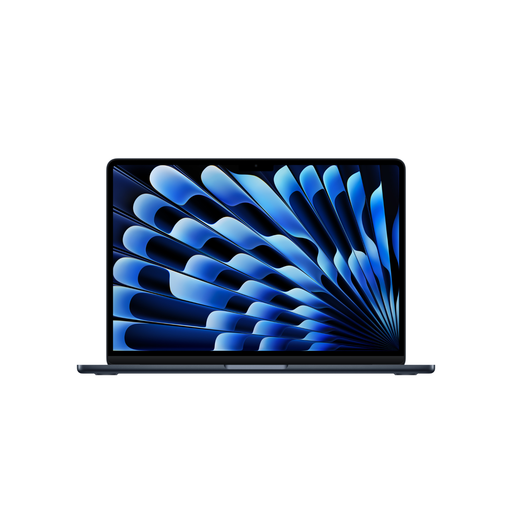
Why this model is a great fit: For users who regularly perform more demanding tasks like light video editing, programming, or intensive multitasking. The M5 chip, 16GB of RAM, and 1TB SSD offer a significant boost in performance and storage compared to the Neo. It's an investment in greater performance headroom.
Prevents buying a device that is underpowered for your more intensive needs. Ensures there is enough performance for demanding projects well into the future.
Significantly more power from the M5 chip, double the RAM for smooth multitasking, and extensive storage. Also features more modern connectivity with two Thunderbolt 4 ports.
Once you've decided on a laptop, completing your ergonomic workspace is the next step. A high-quality external keyboard can significantly improve typing comfort, especially during long sessions at your desk.
We have compiled a complete, up-to-date list of products that fully meet these strict selection criteria and German safety regulations.
1. Is 8GB of RAM enough for the MacBook Neo in 2026? For everyday tasks like browsing the internet, using office applications, and streaming media, 8GB of unified memory is generally sufficient. The macOS operating system is known for its efficient memory management. However, if you plan to regularly use multiple demanding programs simultaneously or work with large files in creative apps, a 16GB configuration would be a more future-proof choice.
2. What power adapter do I need for the Apple MacBook Neo 13-inch? According to Apple, the MacBook Neo comes with a USB-C charging cable but no power adapter. To charge the device, a USB-C power adapter with a power output of at least 20 watts is required. You can use an original Apple power adapter or a certified third-party adapter that supports the USB Power Delivery (PD) standard.
3. Is the MacBook Neo a good choice for students? Yes, for many students, the MacBook Neo is an excellent choice. The combination of a lightweight, durable design, all-day battery life, and performance that is more than adequate for academic purposes makes it a reliable companion. Especially for students who already use other Apple devices, the seamless integration into the ecosystem offers an additional advantage.