
Lieferung heute & morgen

Qualitätsgarantie

Willkommens-Angebote freischalten: KOSTENLOSE Lieferung | Bis zu 80 % RABATT | Kostenlose 30-Tage-JoyPlus-Testphase
App herunterladen
The Apple MacBook Neo 13-inch is aimed at users who want a compact Apple laptop for school, university, the office, video calls and media consumption. On paper, the A18 Pro, 16-hour battery life and Liquid Retina display sound impressive. However, making the right buying decision means looking beyond individual marketing claims.
According to the product specifications, the box includes a USB-C charging cable but no power adapter. To charge the laptop, you will therefore need a USB-C power adapter or another USB-PD power source of at least 20 watts. If you don't already have a compatible charger, be sure to factor this extra cost into your budget.
The stated MacBook Neo 16-hour battery life refers, according to the specs, to video streaming under specific conditions. For wireless web browsing, up to 11 hours is quoted. Screen brightness, video conferences, multiple open applications and connected peripherals can all affect the actual runtime.
The Apple MacBook Neo 8GB 256GB model uses 8 GB of Unified Memory and a 256 GB SSD. This combination is well suited to Office documents, web browsing, streaming, email and basic photo editing. However, large video projects, extensive local media libraries or many applications running simultaneously can quickly max out the storage.
The MacBook Neo A18 Pro features, according to the product data, a 6-core CPU with two performance cores and four efficiency cores, a 5-core GPU and a 16-core Neural Engine. It also includes hardware-accelerated ray tracing and a memory bandwidth of 60 GB/s.
These specs are relevant for word processing, spreadsheets, research, video calls, streaming and using macOS applications. However, they don't automatically mean the device is designed for professional 3D work or demanding video production. What really matters is whether the software you use is compatible with macOS.
The MacBook Neo Liquid Retina display measures 13 inches (33.02 cm) diagonally. The native resolution is 2408 × 1506 pixels at 219 ppi, with a maximum brightness of 500 nits. The IPS technology and support for up to one billion colours are solid features for image quality.
The compact size makes it easy to carry in a rucksack or bag. For large spreadsheets, multiple windows side by side or long video editing timelines, a bigger screen might be more practical. According to the specs, an external display of up to 4K at 60 Hz is supported.
For buyers in Germany, the version with a German QWERTZ keyboard is important. The product features a Magic Keyboard and a Multi-Touch trackpad. The model described here is explicitly a MacBook Neo without Touch ID. This means you won't log in using a fingerprint sensor; depending on the configuration, a different login method is used.
The ports include one USB-C connector with USB 3 and DisplayPort support, another USB-C connector with USB 2, and a 3.5 mm headphone jack. With only two USB-C ports available, you may need a hub for a mouse, storage, monitor and other accessories.

Why this product fits the profile: The combination of a 13-inch form factor, 8 GB Unified Memory, 256 GB SSD and a German QWERTZ keyboard is designed for mobile everyday tasks, learning and office work.
The product description clearly states that the power adapter is not included. This means you can plan for the accessory before you buy.
A18 Pro chip, 13-inch display with 2408 × 1506 pixels and a weight of 1.23 kg.
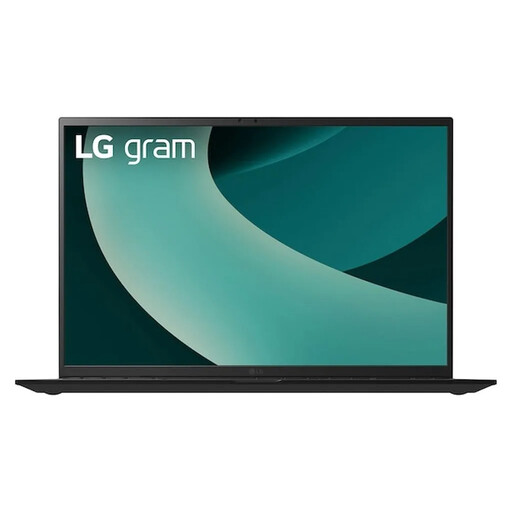
Why this product fits the profile: If you frequently work with large documents, multiple windows or creative applications, you get a significantly larger 17-inch display and more memory.
16 GB of RAM and a 1 TB SSD reduce the limitations that can arise with 8 GB of memory and 256 GB of storage.
17-inch WQXGA resolution, 16 GB RAM, 1 TB SSD and multiple USB-A, USB-C and HDMI ports.
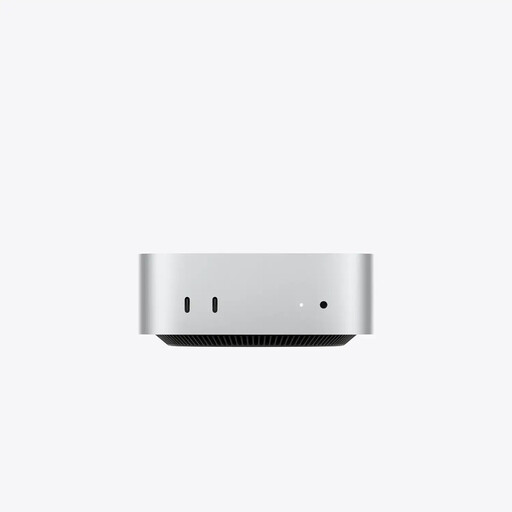
Why this product fits the profile: For a fixed workstation where you already have a monitor, keyboard and mouse, a mini PC can offer more storage and ports than a mobile laptop.
The stationary design avoids compromises on screen size and port variety when portability isn't needed.
24 GB Unified Memory, 512 GB SSD, three Thunderbolt 4 ports, HDMI and 2.5 Gigabit Ethernet.
We've put together a full, regularly updated list of products that fully meet these strict selection criteria and the safety regulations in force in the EU.
A MacBook Neo with macOS is particularly well suited to users who already own an iPhone. According to the product description, the devices support features including copy and paste between iPhone and Mac, Messages on Mac and FaceTime calls. These functions depend on compatible devices, settings and an Apple ID.
Before buying, you should check for any Windows-only programmes, specialist university software or professional applications you rely on. For many standard tasks, macOS versions are available, but you can't automatically assume every application will be compatible.
No. According to the product information, a USB-C charging cable is supplied, but no power adapter. You will need a USB-C power adapter or a USB-PD power source of at least 20 watts.
The variant described here is a MacBook Neo without Touch ID. Instead, it has a lock/power button. Buyers should check the exact model description before ordering.
For word processing, web browsing, video calls, spreadsheets and streaming, 8 GB of Unified Memory and a 256 GB SSD are generally well suited to these uses. If you store many large files locally or regularly use demanding creative software, you should consider a model with more storage.