
Lieferung heute & morgen

Qualitätsgarantie

Willkommens-Angebote freischalten: KOSTENLOSE Lieferung | Bis zu 80 % RABATT | Kostenlose 30-Tage-JoyPlus-Testphase
App herunterladen
An Apple Mac mini takes up very little space and can be paired with an existing monitor, keyboard and mouse. However, the different versions vary considerably in terms of memory, SSD capacity, graphics performance and ports. If you only look at the processor or advertised speed figures, you may end up buying a configuration that does not suit your needs.
This buying guide from the Joybuy Product Recommendation Officer puts the technical specifications into the context of specific usage scenarios and explains which points matter before buying a compact desktop PC running macOS.
Apple Silicon combines the CPU, GPU and other processing units on a single chip. An Apple Mac mini with a 12-core CPU may be sufficient for office work, web applications and programming. However, for extensive video projects, 3D scenes or local AI applications, the number of GPU cores and the available memory are also important.
The Apple Mac mini M5 Pro designation therefore does not automatically make it the right choice for every user. What matters is whether your software benefits from additional GPU resources and more Unified Memory.
A 256 GB SSD may be enough for documents, browsing and cloud-based storage. However, the operating system, applications, media libraries and local project files all share the available space. If you regularly store photos, videos or development environments locally, you should plan for a 512 GB SSD or an external drive.
Upgrading the internal storage later is not designed to be a straightforward standard procedure on these compact devices. You should therefore choose the required capacity when buying.
A Mac mini is not an all-in-one PC with an integrated display and accessories. Before buying, check that it supports your monitor connection, external SSDs, card readers, audio equipment and network connection. Depending on the version, you may have Thunderbolt 4 or Thunderbolt 5, HDMI, USB-C and 2.5-gigabit Ethernet.
Wi-Fi 7 and Bluetooth 6.0 are also only useful in practice if your router and connected devices support the relevant standards.
Apple Silicon’s shared memory is used by both the CPU and GPU. 16 GB Unified Memory is suitable for office work, streaming, administration, web development and general macOS applications. 24 GB Unified Memory provides more headroom for numerous programmes running simultaneously, larger image files, software development and more demanding multitasking scenarios.
The 96 GB Unified Memory available in the Mac Studio is intended for workflows involving the parallel processing of large video, 3D or AI datasets. However, more memory is not automatically more cost-effective if the programmes you use do not require it.
A higher number of CPU cores can speed up parallel tasks. For video editing, 3D rendering, motion design or GPU-accelerated applications, graphics performance is also important. The Apple Mac mini M5 Pro combines a 15-core CPU with a 16-core GPU, making it suitable for users who regularly work with more demanding applications.
According to the product specifications, the M6 variants feature a 12-core CPU and a 12-core GPU. This combination may be sufficient for typical office and creative tasks, while professional workloads may make a more powerful Mac Studio version a sensible choice.
Check the following before buying:
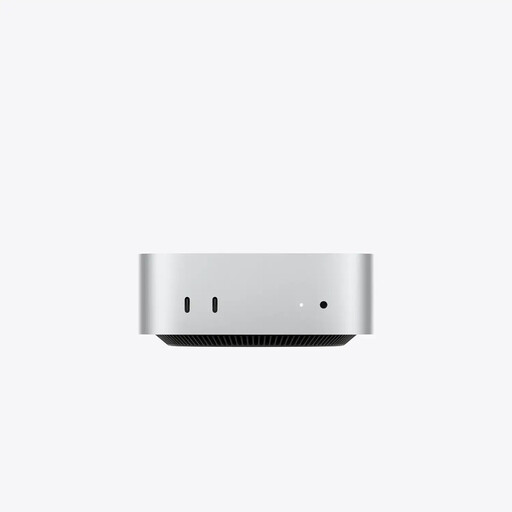
Why this product suits the profile: The combination of 16 GB Unified Memory and a 256 GB SSD is designed for everyday macOS tasks, office software, internet use and smaller personal projects.
The technical specifications clearly state the CPU, GPU, storage and ports. Before buying, you should consciously supplement the limited SSD capacity with cloud or external storage.
Compact enclosure, macOS, Wi-Fi 7, HDMI, three Thunderbolt 4 ports and 2.5-gigabit Ethernet.
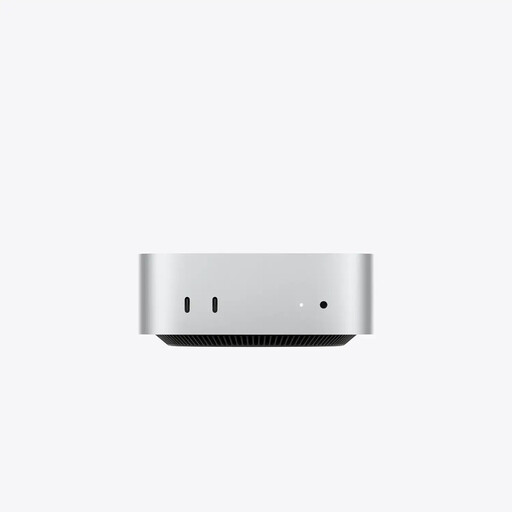
Why this product suits the profile: 24 GB Unified Memory, a 512 GB SSD and Thunderbolt 5 are well suited to more demanding creative, development and multitasking tasks.
This choice takes more than just the chip into account, including memory headroom, SSD size and the faster interface generation.
15-core CPU, 16-core GPU, 24 GB memory, 512 GB SSD and three Thunderbolt 5 ports.
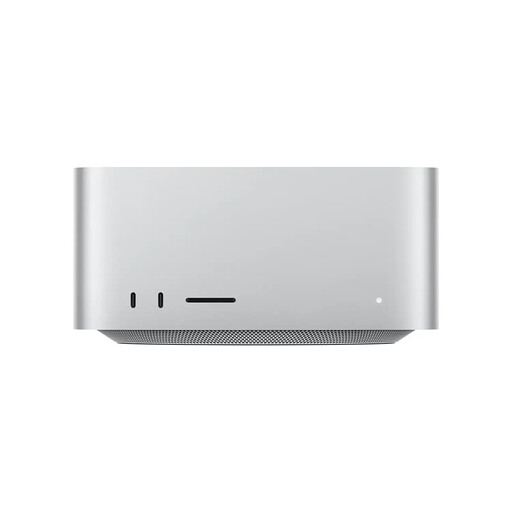
Why this product suits the profile: For professional video, graphics, 3D and AI workflows, this Mac Studio version offers significantly more memory and graphics resources than a conventional Mac mini.
This configuration helps prevent bottlenecks with large projects thanks to 96 GB Unified Memory, a 1 TB SSD and six Thunderbolt 5 ports.
30-core CPU, 64-core GPU, 96 GB Unified Memory, 1 TB SSD, SDXC card reader and 10-gigabit Ethernet.
We have put together a complete, regularly updated list of products that fully meet these strict selection criteria and the safety regulations applicable in the EU.
Yes. The models listed can be connected to an external display via HDMI or Thunderbolt. Check the required resolution, refresh rate and suitable connection in advance. A keyboard, mouse and monitor will generally need to be available separately or purchased.
The actual service life depends on software requirements, maintenance and storage planning. macOS updates are provided through the system settings. According to the available product information, Apple provides security updates for at least five years after a model is discontinued. Sufficient memory and a suitable SSD capacity are important for longer practical use.
Electricity costs depend on power consumption, usage time and your electricity tariff. For an accurate estimate, you can check the specific device’s power consumption with an electricity meter and multiply the usage by your current price per kilowatt-hour. You may also incur costs for a monitor, external SSD, cloud storage or adapters.