
Lieferung heute & morgen

Qualitätsgarantie

Willkommens-Angebote freischalten: KOSTENLOSE Lieferung | Bis zu 80 % RABATT | Kostenlose 30-Tage-JoyPlus-Testphase
App herunterladen
A PC build is more than just the sum of its parts. For many enthusiasts, it's an expression of personality and technical finesse. However, a central challenge in creating an aesthetically pleasing system is cable management. Visible cable clutter can make even the highest-quality components look messy. So-called Aquarium PC Cases offer a solution by providing an unrestricted view of the interior through a frameless glass front panel and side panels. This article presents a selection of models and explains which technical features are relevant for a clean and powerful build in 2026.
The decision for a Showcase PC Case depends on several factors that go beyond pure aesthetics. To make an informed choice, compatibility and the cooling concept are crucial.
A significant advancement for a minimalist setup is the development of back-connect motherboards, such as those found in MSI Project Zero or ASUS BTF. With this technology, the power, fan, and data connectors are moved to the back of the mainboard. The result is a nearly cable-free appearance in the main chamber. A Back-Connect Case is specifically designed to provide access to these rear connectors and features corresponding cutouts in the motherboard tray.
A case with large glass surfaces often raises questions about cooling performance. Modern designs address this challenge with thoughtful airflow concepts. A Dual-Chamber Case separates the primary heat sources like the CPU and GPU from components such as the power supply and hard drives. This separation optimises airflow in both chambers and contributes to more efficient cooling. Look for generous air intakes on the bottom, top, or side, often protected by mesh panels.
The graphics card is often the visual and performance centrepiece of a gaming PC. A PC case with vertical GPU support allows the card to be mounted upright, making its design fully visible. This enhances the showcase character of the build. Some cases include the necessary bracket, while others may require a separate riser cable and bracket.
Based on the criteria mentioned, we have compiled a selection of models that are well-suited for modern, clean PC builds due to their specific features.
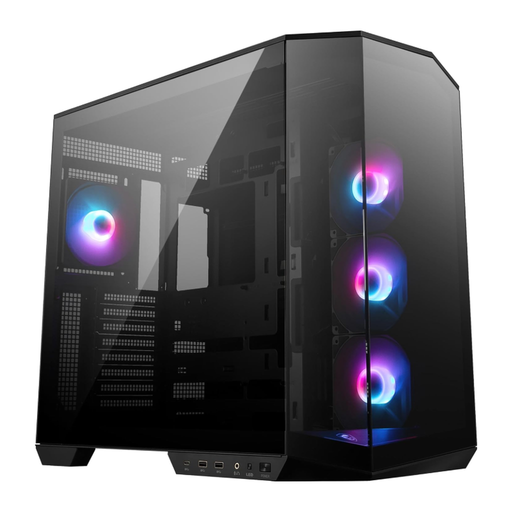
Why It Stands Out The MSI MAG PANO 100R PZ is consistently designed for the aesthetics of back-connect systems. Its dual-chamber design and compatibility with ATX back-connect motherboards allow for an exceptionally clean interior. Four pre-installed 120mm ARGB fans provide solid cooling and lighting right out of the box.
Advantages
Who Is It For? This case is aimed at users planning an ATX or Micro-ATX build with a back-connect motherboard who are looking for an all-in-one solution with pre-installed fans and a vertical GPU bracket.
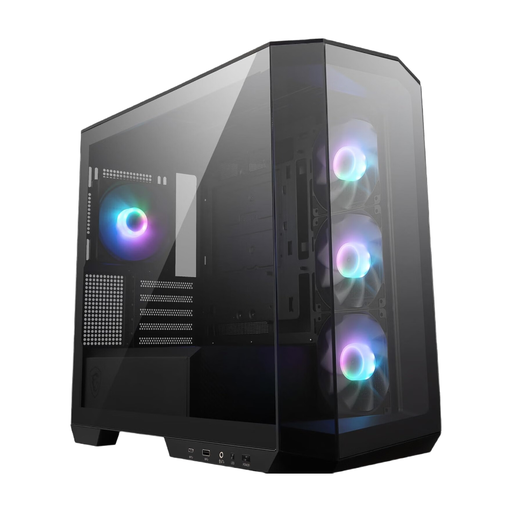
Why It Stands Out The PANO M100R PZ brings the Panoramic PC Case concept to a more compact Micro-ATX form factor. Despite its smaller footprint, it offers full support for back-connect motherboards and features a generous 33mm of space for cable management behind the motherboard tray.
Advantages
Who Is It For? Users who want to build a space-saving system based on a Micro-ATX or Mini-ITX motherboard and wish to leverage the benefits of a back-connect-ready case will find this a suitable option.
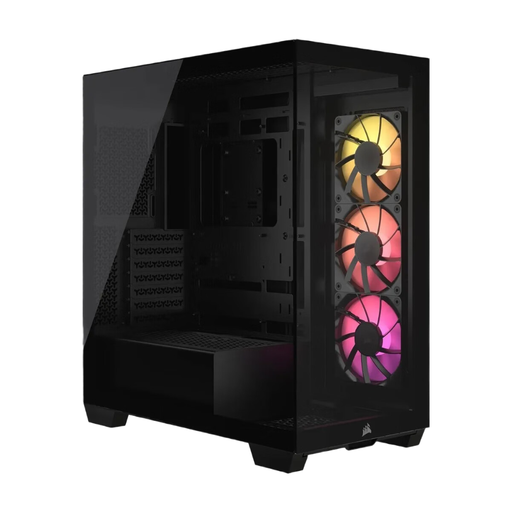
Why It Stands Out The Corsair 3500X ARGB offers maximum flexibility. It not only supports reverse-connection motherboards like MSI Project Zero and ASUS BTF but also a wide range of form factors from Mini-ITX to E-ATX. The frameless glass front and side panels provide a seamless panoramic view, while the cooling options are extensive with space for up to ten 120mm fans.
Advantages
Who Is It For? This case is ideal for enthusiasts planning a high-end build with a large E-ATX motherboard or those who need maximum cooling flexibility. It appeals to users looking for a versatile Back-Connect Case compatible with various motherboard brands.
If you haven't found the right model for your project yet, you might find the perfect option in our broader selection of PC cases. From compact Mini-ITX solutions to spacious full-towers, there's a suitable foundation for every system.
Discover more models in our Computer Cases category.
The main advantage lies in the significantly improved aesthetics. By moving power, fan, and data connectors to the back of the motherboard, almost no cables are visible in the main chamber. This results in an unobstructed view of the components and can also optimise airflow paths.
Not necessarily. Modern Panoramic PC Cases are designed with thermal performance in mind. Features like Dual-Chamber Case layouts, large mesh panels (top, bottom, side), and support for numerous fans or large radiators compensate for the closed glass front. A proper fan configuration is crucial for efficient airflow.
A PC case with vertical GPU support allows the graphics card to be installed upright, so the fans and the card's design face the glass side panel. This is an aesthetic choice to showcase the graphics card as the centrepiece of the build. It typically requires a separate riser cable to connect the card to the motherboard's PCIe slot.